

The fastest and most reliable way to automatically remove join notifications in a Telegram group is by using a dedicated utility bot like @joinhider_freebot. When hundreds of people join a growing community, the constant stream of “User joined the group” system messages quickly clutters the chat, burying important conversations and frustrating active users. For group administrators focused on growth, maintaining a clean, professional chat interface is just as crucial for establishing brand authority as the strategic decision to buy Telegram members to build initial social proof. By granting a specialized bot basic admin rights to delete messages, you can instantly eliminate this digital noise and keep your community focused on real engagement.
Why You Need to Hide “User Joined” Messages?
Every time a new user enters your Telegram group, the platform automatically generates a service message stating, “[User] joined the group.” While this feature might be harmless for a small, private chat among friends, it becomes a significant roadblock for growing communities and business-oriented groups. Here is why automating their removal is a best practice for group management in 2026:
- Prevents Chat Clutter: In an active group, dozens of join notifications can quickly push meaningful conversations out of view. When members open the app and see a wall of system messages instead of real discussions, it severely disrupts the flow of communication.
- Maintains Professionalism: A premium, well-managed community should look clean and focused. Removing these automated notifications instantly upgrades the visual appeal of your chat, signaling to your audience that the group is actively moderated and prioritizes quality content over digital noise.
- Improves Member Retention: First impressions matter. When new members join and immediately see active, valuable discussions rather than a repetitive log of automated alerts, they are much more likely to stay, engage, and contribute to the community.
Best Bots to remove joined telegram messages
Here is some bots to use but you can also find new bots through Telegram Search Bar:
@joinhider_freebot
@JoinHiderRobot
@joinhide11_bot
@RemoveJoinGroupMsgBot
Steps to remove join notifications automatically
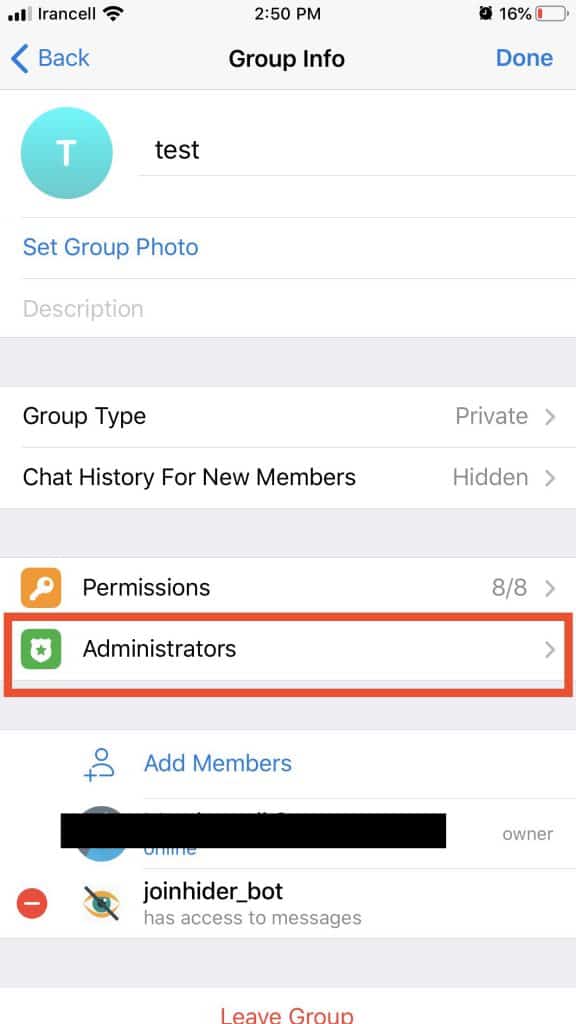
- Go to your group profile
- click on add members
- write @joinhider in telegram search bar
- select one of the bots
- Click on Edit button
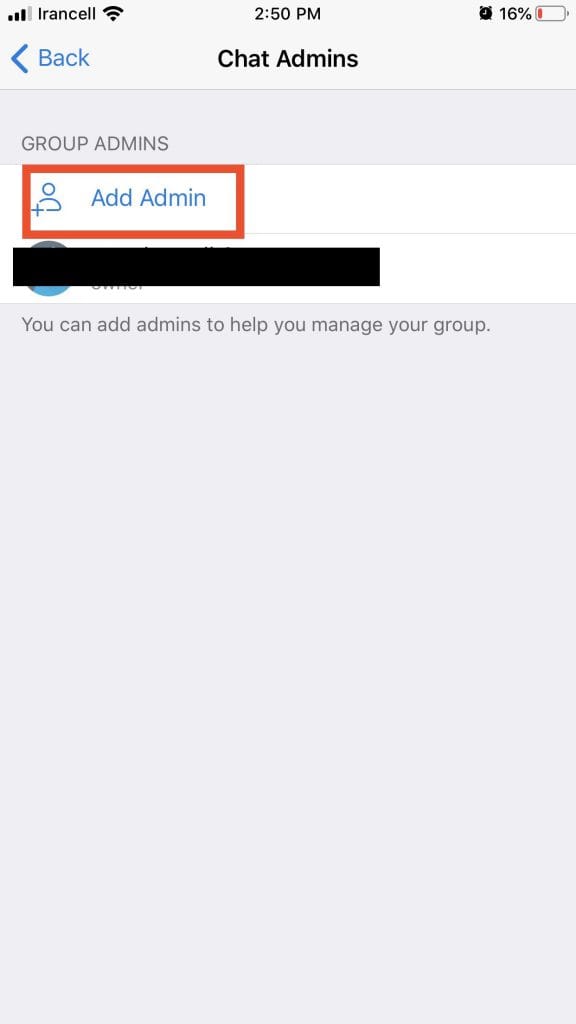
- Go to Administration
- Add admin
- Find the joinhiderbot and make it as admin
- make sure the “Delete Messages” permission is active.
Important Tip
Telegram added a feature that allows you to hide your telegram group members list.
So we prefer to check How To Hide Telegram Group Members.
This amazing feature preventing the others from scrapping the telegram members from your group.
We highly prefer to read that !!
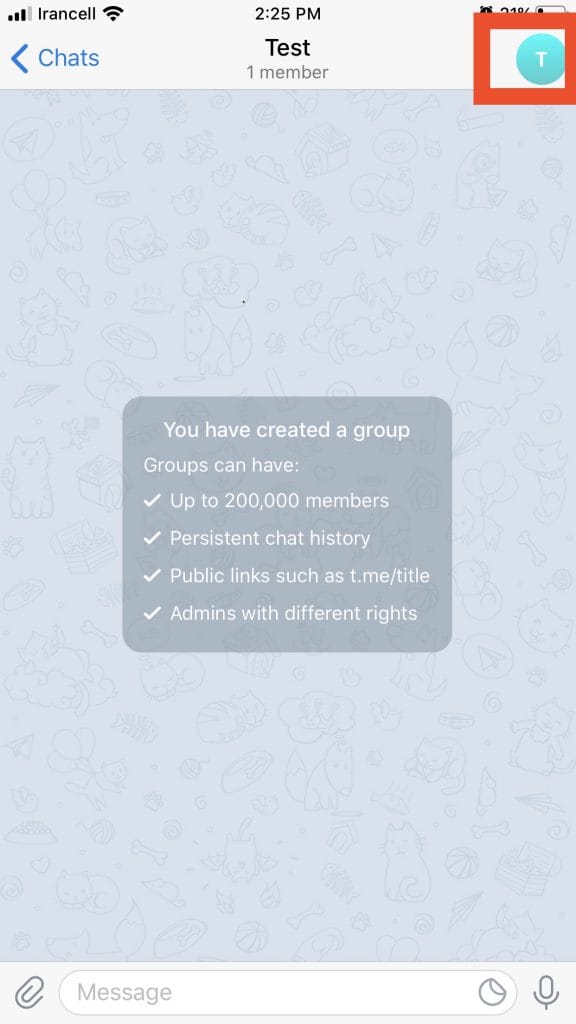
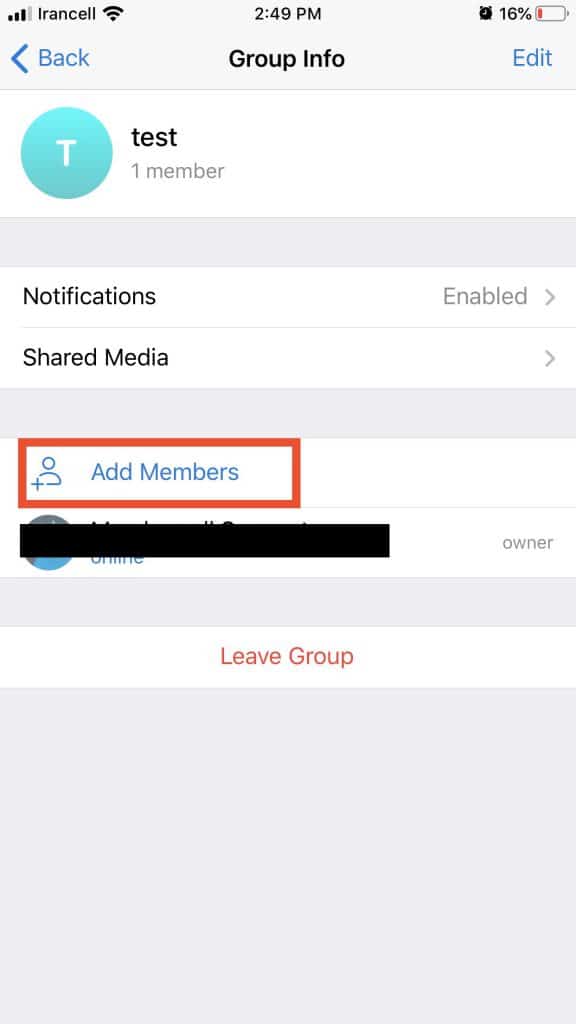
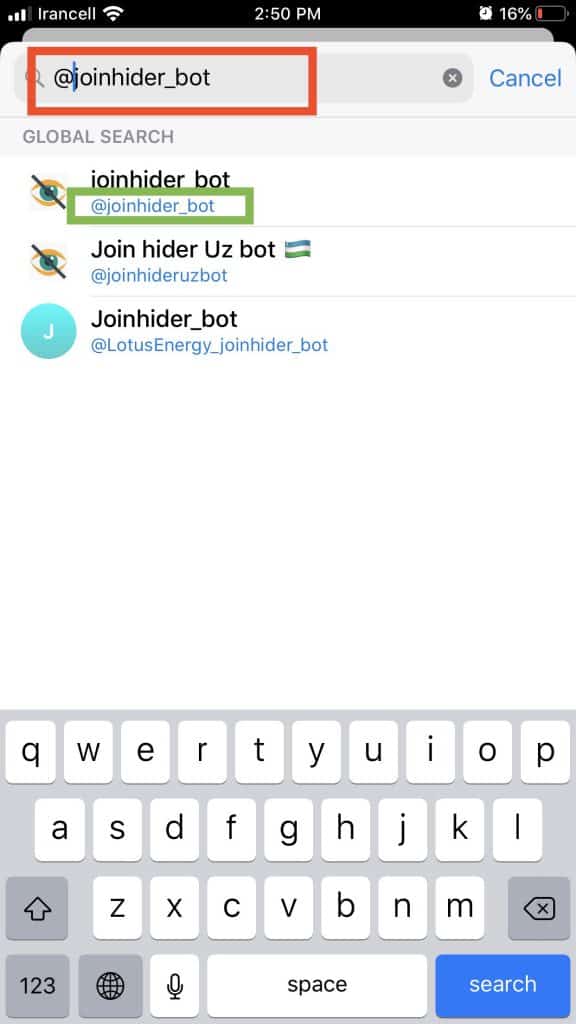
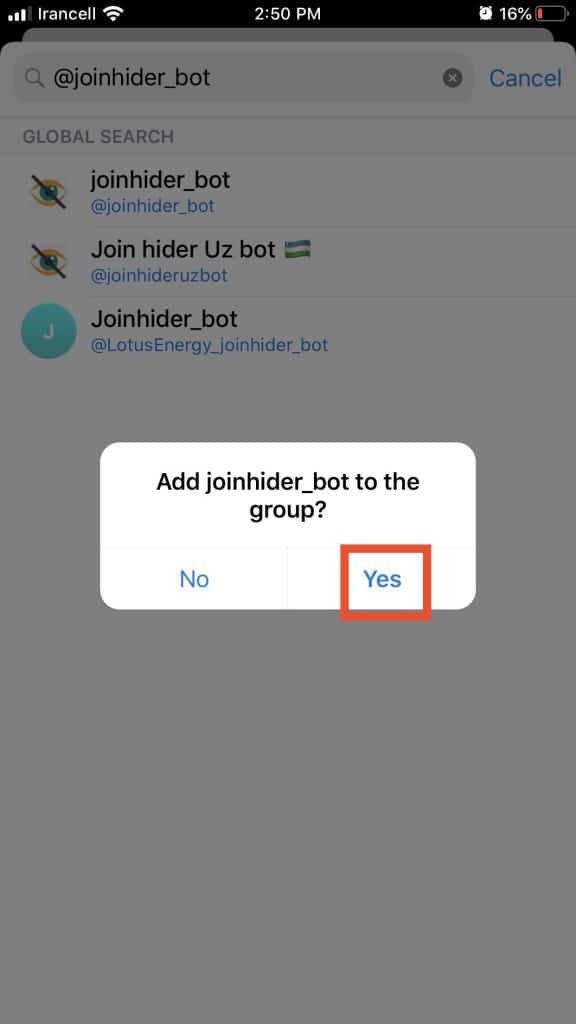

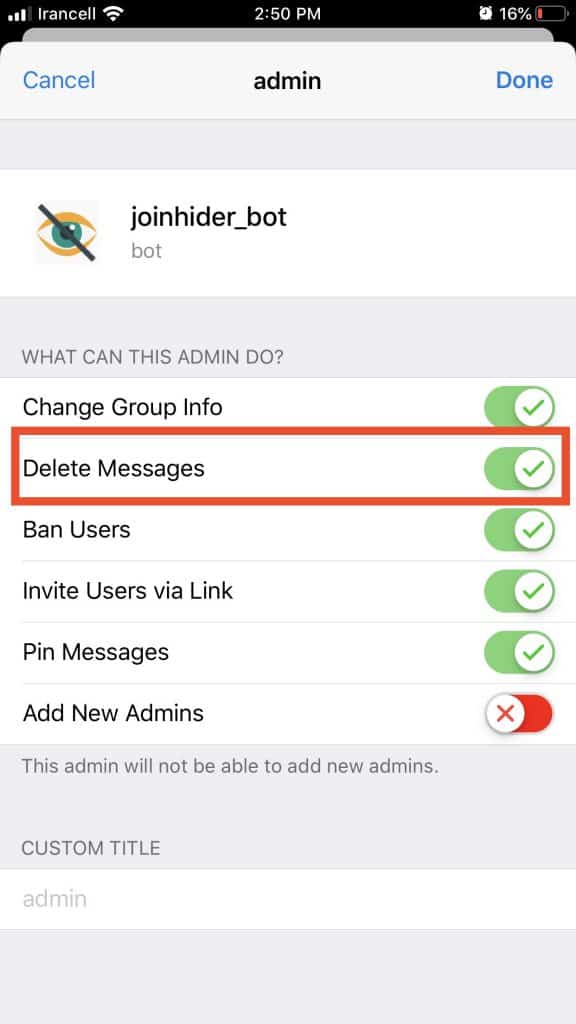
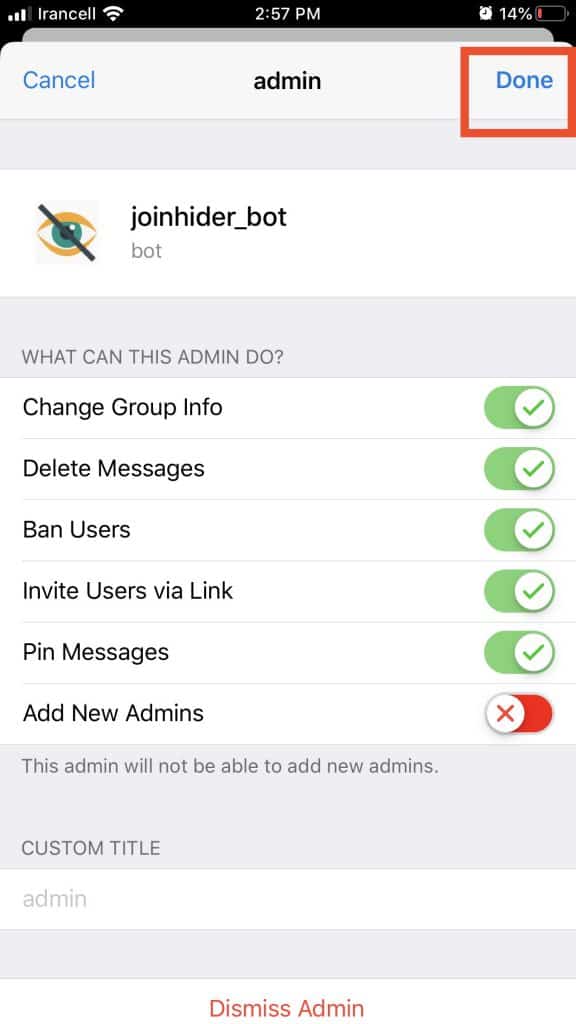
make sure you activated the remove user permission for this bot.
Build trust for your business














Leave a Reply