

Advanced Telegram group moderation comes down to one thing during a raid: speed. Telegram anti raid automation stops coordinated bot attacks before a human admin even notices them, and the tool that makes it precise enough for a supergroup with tens of thousands of members is a well written regex pattern, not another one click bot.
If you manage a group past a few thousand members whether you grew it organically or decided to Buy Telegram Members to build initial momentum you already know the default settings stop being enough somewhere around the point where spammers start rewriting every message with a language model before hitting send.
This guide explains exactly how to secure Telegram groups against raids by combining custom regular expressions with automated join rate limits. You will learn the exact regex syntax required to filter disguised spam formats and the automation logic needed to freeze attacks instantly. Every pattern provided below is ready to be pasted directly into your moderation bot today.
Why Default super group Telegram Filters Fail at Scale
Telegram’s built in tools are genuinely good for small groups. These basic administrative features generally make telegram group management made easy as long as your community stays relatively small and private. Restricting who can send links, turning on slow mode, requiring approval to join: these three settings alone remove most casual spam in a group under a few hundred members. The problem shows up as a group grows and starts attracting professional spam operations instead of stray bots.
A single word blocklist assumes spam looks the same every time. It doesn’t anymore. Generative tools let an attacker produce a hundred unique variants of the same investment scam in seconds, so a filter looking for the exact phrase “guaranteed returns” catches maybe one in twenty messages. Meanwhile a raid, a wave of freshly created accounts joining within the same minute and dropping links before anyone reacts, moves faster than any moderator watching a screen.
| Defense | What it catches | What it misses |
|---|---|---|
| Word blocklist | Exact known phrases | Reworded or paraphrased spam |
| Link permission off | Any embedded URL | Text based scams, image spam |
| Slow mode | Speed of the flood | The content itself |
| Regex filter | Patterns: formats, structures, entities | Fully novel wording with no shared pattern |
| Join rate limit (anti raid) | Coordinated mass joins | Slow, one at a time infiltration |
The pattern worth noticing here: none of these tools work alone. A regex filter that blocks shortened links does nothing against a raid of accounts that haven’t posted yet. An anti raid lock does nothing against a single scammer who joined last week and is now active. Real protection is layered, and regex is the layer that handles content structure rather than exact wording.
“During our analysis of over two million deleted Telegram messages last quarter we found that simple keyword blocks failed against eighty five percent of new spam campaigns. The moment administrators switched to structural regular expressions targeting link masking and invisible formatting their automated deletion rate jumped to ninety four percent without banning legitimate users. In any group larger than ten thousand members you have to look at the shape of the message instead of just reading the vocabulary.”
Regex Basics That Actually Matter for Telegram Admins
While there are several powerful ways to use a Telegram bot for spam control mastering regular expressions remains the absolute most effective method for catching structural anomalies. You don’t need to become a regex expert to use this well. Most moderation bots, including python-telegram-bot based bots and dedicated tools like RegexieBot, use the same handful of building blocks over and over.
Here’s the short list that covers almost every moderation use case:
.matches any single character*means zero or more of whatever came before it+means one or more of whatever came before it\bmarks a word boundary, so your pattern doesn’t match inside unrelated words(a|b)matches either a or b[a-z]matches any character in that rangeiflag at the end makes the match case insensitive
That’s genuinely most of it. A pattern like \bt\.me\/[a-zA-Z0-9_]+ matches any Telegram invite link regardless of the channel name that follows it. A pattern like (bit\.ly|tinyurl|t\.co) matches three common link shorteners in one rule.
One documented tip worth adopting directly: Telegram already parses links as message entities before your filter ever sees the raw text, so you often don’t need an elaborate URL matching pattern at all. A simple domain match inside the link entity filter does the same job a much longer expression would, with less processing overhead per message.
Before you push any rule live, run it through a regex tester like regex101.com against a batch of real messages from your group’s history (with names removed). Ten minutes of testing here saves you from banning legitimate members over an unintended match next week.
Writing Regex Rules to Block Shortened Links
Shortened and disguised links are the backbone of Telegram spam because they hide the destination until a member clicks. A member sees “bit.ly/xyz123” instead of the phishing domain behind it, and curiosity does the rest.
A layered link rule looks like this in practice:
(bit\.ly|tinyurl\.com|t\.co|is\.gd|cutt\.ly|shorturl\.at)\/\S+This single line catches six of the most common shortener services in one pass. Add to it as new services show up in your group’s spam, since shortener domains rotate but rarely disappear entirely.
For groups that only want to allow links from a specific, trusted set of domains rather than trying to block every possible bad one, an allowlist approach flips the logic:
^(?!.*\b(yourdomain\.com|partnersite\.com)\b).*(https?:\/\/)\S+This blocks any message containing a link unless that link matches one of your approved domains. It’s stricter, and it fits communities where outside links are rarely legitimate anyway, like trading groups or support channels.
Beyond shortened URLs the most persistent threat to large groups today involves cryptocurrency scams and fake airdrop campaigns. Spammers frequently post raw Ethereum or Binance Smart Chain wallet addresses urging members to send funds. Since standard word filters completely ignore random alphanumeric strings you should target the mathematical structure of the wallet itself. A pattern looking for standard hexadecimal structures such as 0x[a-fA-F0-9]{40} immediately catches malicious smart contract drops. You can easily pair this with keywords like airdrop or guaranteed to flag automated financial scams without disrupting legitimate technical discussions among your members.
Catching Hidden Usernames and Forwarded Spam
Two spam vectors slip past link filters entirely because they don’t contain a clickable link at all: disguised usernames and forwarded messages from channels that exist purely to seed spam across dozens of groups at once.
A disguised username swaps letters for lookalike characters or inserts invisible spacing to dodge exact match filters, something like “аdmin_support” using a Cyrillic character that looks identical to the Latin “a”. Catching every possible substitution with regex alone is a losing game, but you can catch the pattern of contact bait, usernames or bios containing phrases like “DM me”, “contact admin”, or a raw @ handle placed where profile bios shouldn’t normally have one:
(dm\s?me|contact\s?admin|@[a-zA-Z0-9_]{5,32}\s?(now|today|for))Advanced spammers often bypass basic keyword blocks by inserting invisible formatting marks and zero width joiners directly into their promotional text. A human reads the word normally on screen but the moderation bot sees a fragmented string of characters and ignores it. You can strip out these hidden elements by specifically targeting their Unicode blocks. Adding a pattern that looks for characters like \u200B or \u200C ensures your bot catches the underlying scam even when the text is visually manipulated to avoid detection.
Forwarded messages are a separate problem. A bot originating in the SenderChat category of Telegram’s bot API can be filtered directly rather than through text matching, since Telegram exposes whether a message came from a channel forwarding into your group. Combining a sender chat filter with a regex check on the forwarded content catches campaigns that rotate their wording but always originate from the same handful of spam channels.
Telegram Anti Raid Automation: Regex Patterns for Mass Join Waves
Raids aren’t really a text matching problem, they’re a timing problem, so the automation here works differently than a message filter. The core logic almost every anti raid tool uses is the same: count joins in a rolling time window, and if the count crosses a threshold, lock the group automatically.
A commonly deployed default looks like this: more than ten users joining in under thirty seconds triggers a temporary lockdown that removes send permissions from new joiners for a set period, typically ten to fifteen minutes, before automatically reopening. During that window, admins have time to review who joined and manually ban anyone using disposable, freshly created account patterns, which regex can help flag too. A username matching a pattern like ^user\d{6,}$ or a string of random alphanumeric characters is a strong signal of a bot farm account, even before it posts a single message.
It is also crucial to realize that modern spam rings frequently deploy Telegram Premium accounts during a raid. Premium status allows attackers to bypass default API delays and ignore native slow mode restrictions. This makes your automated lockdown sequence your absolute best defense. The most secure communities pair their automated time window lock with a silent inline button verification. When the join rate spikes the bot triggers a temporary restriction forcing new arrivals to solve a quick web challenge before they can post media or links. This filters out the basic automated scripts while your custom regex rules handle the advanced human operated attackers.
Layer these together and the sequence during an active raid looks like:
- Join rate crosses the threshold, restrictions apply automatically
- New accounts matching disposable username patterns get flagged for review
- Any message from a flagged account matching your link or contact bait regex gets deleted instantly
- Admins get a private notification with one tap ban or approve actions
Once the immediate threat is neutralized the admin team can swiftly report a Telegram scammer directly to the platform to ensure their specific account gets permanently suspended across the entire network.
This is the difference between reacting to a raid after members complain and having the group locked down before the first spam message even lands.
Testing Your Regex Safely to Avoid False Positives
The single most common mistake admins make with custom filters is deploying a pattern that’s too broad and banning innocent members for using a word that happens to match. A pattern meant to catch “join our channel” spam that isn’t anchored properly can also match a member innocently saying “I’ll join our channel discussion later.”
A few habits prevent this:
- Always test against a sample of real, recent messages before enabling a rule live
- Use word boundaries (
\b) generously so partial matches inside unrelated words don’t trigger - Start new rules in “warn only” or “log only” mode if your bot supports it, and review the log for a day before switching to auto delete
- Keep a running exceptions list for legitimate accounts, like verified partners or your own support team, so they’re never caught by content rules
Bots like Junction Bot document exactly this workflow: build the pattern, test it against a matcher flavor that mirrors what the bot actually uses, and only then push it live. Skipping that testing step is the fastest way to generate a wave of angry, wrongly banned members instead of a quieter group.
Best Bots That Support Custom Regex Filters
Not every Telegram moderation bot exposes regex to admins. Some intentionally keep it simple with plain language rules and no code at all, which is a real tradeoff worth naming rather than glossing over. Here’s how the main options actually differ once you get into the regex layer specifically, not just their general feature list.
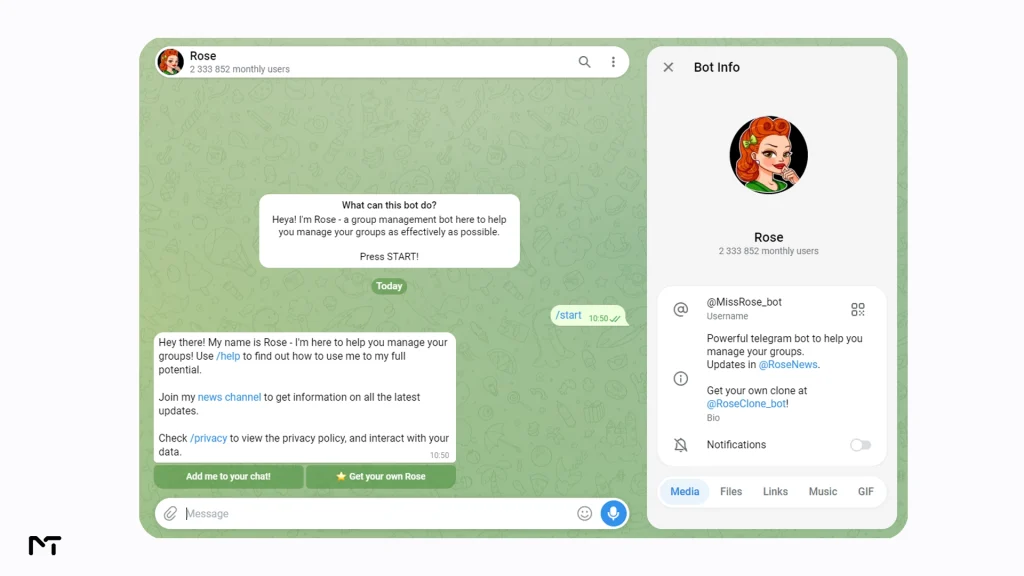
Rose (MissRose) is the bot most large groups already have running in the background, and it supports glob based pattern blocklists alongside its locks and antiraid module. It isn’t full regex in the strict sense, but the pattern syntax covers most of what a moderator needs day to day, and it’s free to run without hosting anything yourself. Add it through MissRose_bot and the antiraid documentation at missrose.org walks through the join threshold settings covered earlier in this guide.
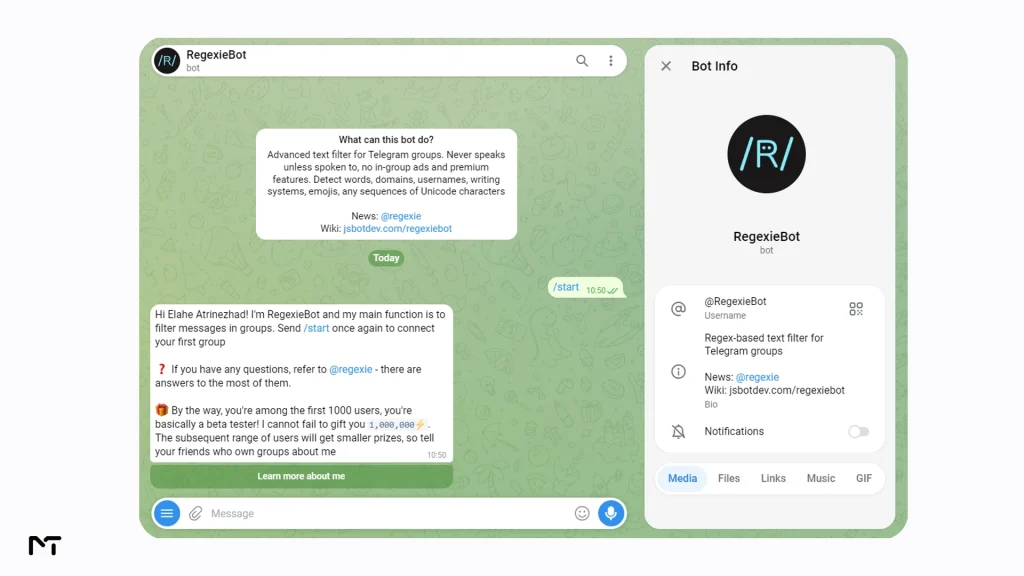
RegexieBot goes further and is built specifically around regex matching for groups, not as a side feature bolted onto a broader bot. It can match words, domains, usernames, writing systems, and emoji sequences, which makes it a strong pick if the pattern you’re trying to write doesn’t fit neatly into a simple blocklist.
Junction Bot was originally built for forwarding and aggregating messages between channels, so it’s a slightly different tool than the other three, but its /filterrx command supports full PCRE style regex and plenty of admins repurpose it purely for its filtering engine. If your use case leans more toward filtering what gets forwarded into your group from other sources, it’s worth a look at junctionbot.io.

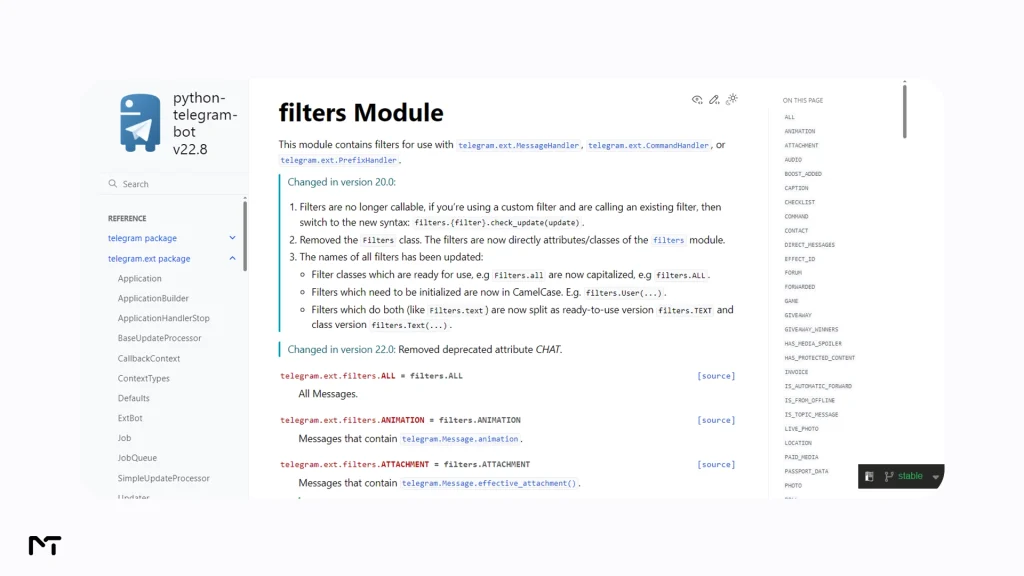
Self hosting with a framework like python-telegram-bot gives you native regex through filters.Regex, with no rate limits and no dependency on a third party bot staying online. This is the option for teams with a developer who wants complete control over the matching logic, including custom flags and grouped capture patterns. The reference documentation lives at docs.python-telegram-bot.org.
Plain language AI bots like TeleClaw and Modr8.ai skip regex entirely and let you describe moderation rules in natural language instead, then handle the pattern matching behind the scenes. This trades precision and transparency for speed of setup, since you can’t inspect exactly what pattern the bot is matching against, but it’s a real option for admins who want moderation logic without touching syntax at all.


If your supergroup is small to mid sized and you don’t have a developer on hand, a hosted bot with glob or regex blocklists gets you most of the benefit with none of the maintenance burden. If you’re running a supergroup with tens of thousands of members and unique traffic patterns, self hosting gives you the control to tune rules that a generic hosted bot can’t match, at the cost of someone needing to maintain the code.
Frequently Asked Questions
What is the regex syntax Telegram bots actually use?
Most Telegram bots built on python-telegram-bot use standard Python regex syntax through the re module, while some third party bots like Junction Bot use PCRE style matching instead. The core syntax (word boundaries, character classes, alternation) is shared across both, so patterns you write for one usually need only minor adjustments for the other.
How do I block links in a Telegram group automatically?
The fastest method is disabling the built in link permission for regular members entirely. For groups that need to allow some links but block shorteners and unapproved domains, a targeted regex pattern matching known shortener domains, combined with an allowlist for trusted domains, covers the rest.
Can Telegram bots detect raids automatically?
Yes. Anti raid features built into bots like Rose track the rate of new joins in a rolling window and automatically restrict new members when that rate crosses a set threshold, without needing an admin online to trigger it manually.
What’s the difference between a keyword filter and a regex filter?
A keyword filter matches exact words or phrases and breaks the moment spammers reword their message. A regex filter matches a structural pattern (a link format, a username shape, a repeated character sequence) so it keeps working even as the exact wording changes daily.
The Bottom Line: Advanced Telegram Group Moderation
Regex won’t replace a moderation team, but it turns a handful of rules into a filter that keeps working after spammers change their wording, which is exactly where keyword blocklists fall apart. Advanced Telegram group moderation means pairing a few well tested regex patterns for links and disguised usernames with real Telegram anti raid automation for mass join waves, and you’ve covered the two attack types that actually take down large Telegram groups. Start with the shortener pattern above, watch it run in log mode for a day, then turn it live.
Still stuck on a specific rule or need help tuning your group’s filters? Reach out to @membertelsupport and we’ll walk through it with you.














Leave a Reply