You can cancel Telegram Stars subscription renewals in about a minute: open Settings, tap My Stars, find the subscription under Subscriptions, and cancel it there. You keep access until the month you already paid for runs out, and no more Stars leave your balance after that.
That’s the short version. The rest of this guide covers the parts that actually trip people up: telling a Stars subscription apart from Telegram Premium, cancelling a paid channel versus a bot, what happens on the last day, and what to check when Stars disappear after you thought you had cancelled.

What Counts as a Telegram Stars Subscription?
A Telegram Stars subscription is a recurring payment made in Stars to a channel owner or a bot developer. Telegram currently allows one billing period for these subscriptions, which is 30 days. Every 30 days, the agreed number of Stars is taken from your balance and your access is pushed forward by another period.
Users who buy their balance through the Fragment platform using cryptocurrency often wonder if they should manage their recurring payments there. Currently the Fragment website is strictly for purchasing. You cannot manage or stop recurring channel payments through your browser or crypto wallet. The only place to view and control your active monthly commitments is directly inside the mobile or desktop application.
Telegram Stars
Used for private channels and bot features
Telegram Premium
Used for official application enhancements
There are two kinds you’ll run into, and a third product that people often mix up with them.
| Type | What you get | How it’s billed | Where you cancel |
|---|---|---|---|
| Paid channel subscription | Access to a private channel through a paid invite link | Stars debited from your balance every 30 days | My Stars, Subscriptions |
| Bot subscription | Paid features or content inside a bot | Stars debited from your balance every 30 days | My Stars, Subscriptions |
| Telegram Premium | Telegram’s own paid plan | Through the App Store, Google Play or @PremiumBot | The provider you paid through |
Here’s the check I’d do before anything else. If you paid with Stars, you cancel inside Telegram. If a store charged your card for a monthly plan, that’s Premium, and the Stars menu won’t help you.
If you are entirely new to this digital economy, you should first understand how Telegram Stars function fundamentally before managing your monthly expenses. Additionally, many users confuse these specialized payments with the official platform upgrade. If you find yourself paying through an app store, it is highly recommended to evaluate Who Should Actually Pay for Telegram Premium to see if you truly need those extra upload limits and badges.
How to Cancel Telegram Stars Subscription on Android, iPhone and Desktop
The path is nearly identical on every device because it lives inside Telegram’s own settings, not in a store. Telegram changes menu labels now and then, so if yours reads slightly differently, update the app first.
Sometimes you might open your settings and realize the My Stars menu is missing entirely. This usually happens if you are using an older version of the app or if you are logged into Telegram Web which might not fully display these billing options yet. You should grab your primary smartphone and update the Telegram application from your app store before trying again. The menu only appears when your application is equipped to handle the latest internal currency features.
- Open Telegram and go to Settings.
- Tap My Stars. On some versions it appears as Telegram Stars.
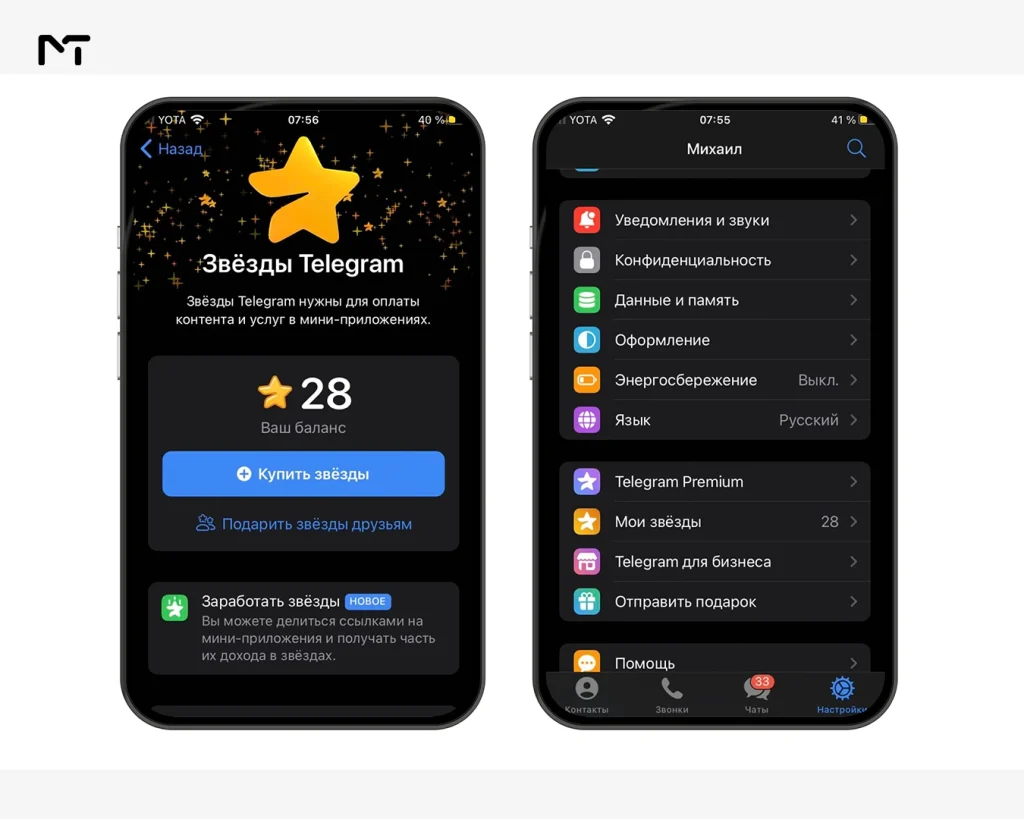
- Scroll to the Subscriptions section. Active and already cancelled subscriptions are both listed there.
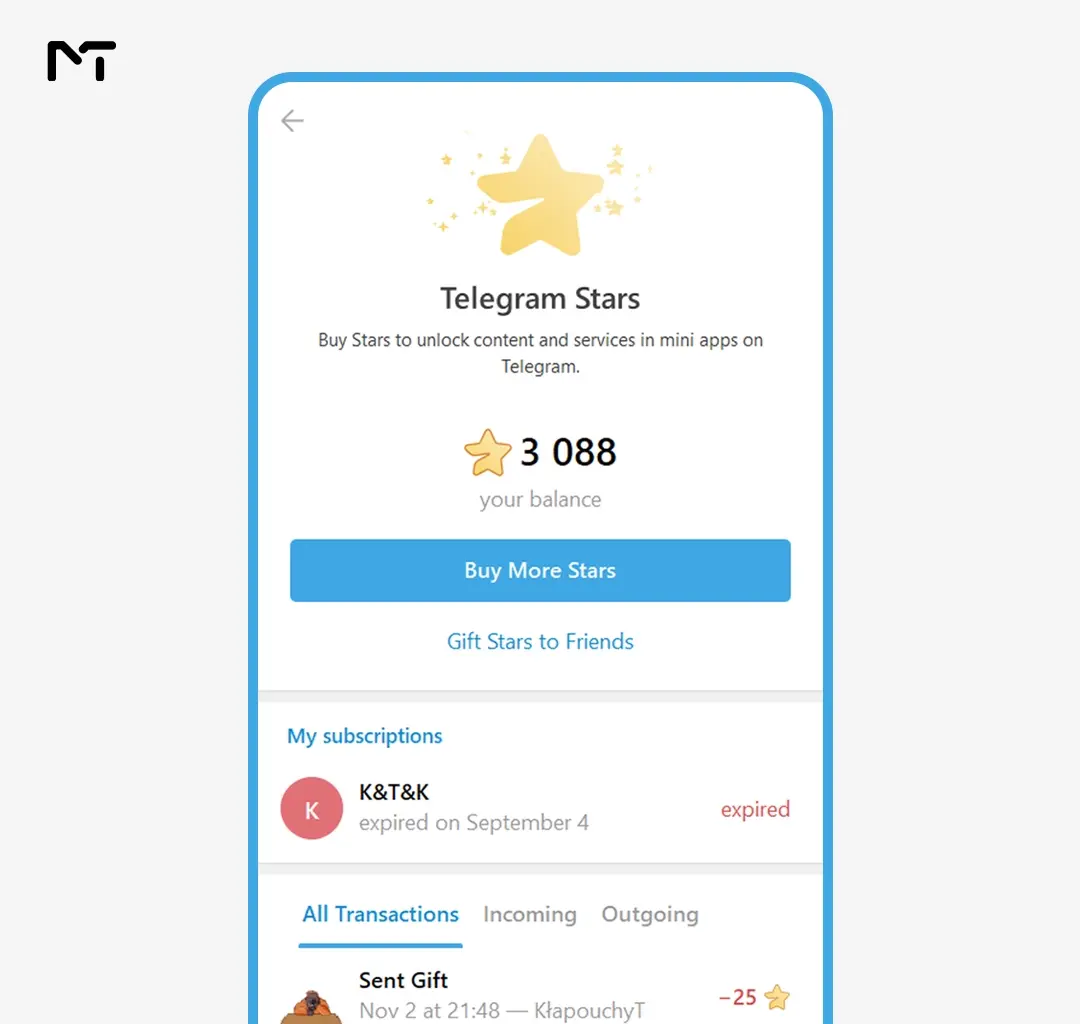
- Tap the subscription you want to stop. Check the name and the renewal date before you go further.
- Choose the cancel option and confirm.
- Go back to the list and make sure the subscription now shows as cancelled with an end date.
Step 6 matters more than it looks. It’s the only proof you have that the cancellation went through, so don’t skip it.
Cancel Telegram Stars Subscription for a Paid Channel
Cancelling a paid channel subscription stops the next monthly charge. It does not remove you from the channel. You stay in until the end date shown in your Subscriptions list, and after that your access ends. We see this pattern frequently in specialized financial communities. For example, when creators use Telegram Stars for Forex Signal Monetization, many traders subscribe just to test a specific market strategy for a single month and then stop the auto renewal immediately.
A few details that save people money and confusion:
- Leaving the channel is not cancelling. If you tap leave without cancelling, the subscription keeps running and renews on schedule.
- You can come back without paying twice. If you leave a channel before the paid period is over, Telegram lets you rejoin through the same paid invite link without a second payment.
- A cancelled subscription can be switched back on. Until the end date, you can resubscribe from the same place where you cancelled.
Cancel Telegram Stars Subscription for a Bot
Bot subscriptions use the same list and the same cancel option as channels, so the steps above work here too. The difference is how many of them you can end up with.
A single bot can have several active subscriptions at once, including more than one for the same person. If you tapped a payment button twice or signed up from two different chats, you may have paid for duplicates. Open the list, look for repeated bot names, and cancel each one separately.
There’s one more thing worth knowing. A bot developer can cancel a subscription from their side too. When that happens, you can still use what you paid for until the current period ends, but you won’t be able to reactivate it afterwards. If you want to continue, you’d need to ask the developer for a new subscription.
What Happens After You Cancel
| When | What happens |
|---|---|
| Right after cancelling | The subscription is marked as cancelled and no new charge is scheduled |
| Until the end date | Your access continues and you can still resubscribe |
| On the end date | Your access ends |
| After the end date | You need a new payment to get back in, unless the owner or developer has set things up differently |
This is also why timing helps. If you only want to try a paid channel for a month, you can subscribe, cancel right away, and still keep full access until the period ends.
A very common mistake people make is assuming that deleting the Telegram app from their phone will automatically stop their active billing. Removing the application does absolutely nothing to your active payments because the billing cycle is tied to your account on the cloud. If you completely delete your Telegram account your active subscriptions will be terminated but you will also permanently lose any remaining Stars in your balance without a refund. Taking a minute to properly navigate the settings menu is always the safer route to ensure no unexpected deductions occur.
Telegram Stars Subscription Refund: What to Expect
Cancelling stops future renewals. It doesn’t reverse a payment that has already been taken. In the official Telegram documentation I reviewed for this guide, the cancel and renewal rules are clearly described, but I couldn’t find a promise of refunds for subscription payments.
So if you were charged for something you didn’t want, the practical route is to contact the channel owner or the bot developer who received the Stars and explain what happened. They’re the ones who can make a decision about your payment. If you believe the issue is on Telegram’s side, use the support options inside the app.
Why You Were Charged Again or Lost Access
Most surprises come down to a handful of causes. Here’s how to match what you’re seeing with the likely reason.
| What you notice | Likely cause | What to do |
|---|---|---|
| Stars left your balance after you cancelled | The renewal date had already passed when you cancelled | Check the transaction list in My Stars and cancel before the next date |
| The same bot charged you twice | Two active subscriptions to that bot | Cancel every duplicate in the Subscriptions list |
| Access ended without you cancelling | Your Stars balance was too low at renewal | Top up before the renewal date if you want to continue |
| You can’t restart a subscription | The bot developer cancelled it on their side | Ask the developer for a new subscription |
| You cancelled in Telegram but a store still bills you | That charge is Telegram Premium, not Stars | Cancel it through the App Store, Google Play or @PremiumBot |
Telegram also nudges you when your balance is too low to cover an upcoming renewal, so keep an eye out for that notice if you plan to stay subscribed.
Troubleshooting Unwanted Charges
Real Situations Where People Cancel
| Situation | Best move |
|---|---|
| You joined a paid channel for a one month trial | Cancel right after joining and enjoy the access until the end date |
| A bot tool helped for one project and you’re done | Cancel from the Subscriptions list before the next 30 day mark |
| You see the same bot listed twice | Cancel both, then resubscribe once if you still need it |
| A channel’s content slowed down | Cancel now and resubscribe later if it picks up |
| You’re unsure which charge belongs to what | Open the transaction list for that subscription before deciding |
If You Run a Paid Channel: Why Subscribers Cancel
If you’re on the other side of this, you can see the end date of the current period for each subscriber, so churn isn’t a mystery. You can’t stop anyone from cancelling, and you shouldn’t try. What you can do is give people a reason to stay. When you Start a Paid Subscription Channel on Telegram, dealing with audience churn becomes a normal part of your business. While you cannot stop members from leaving voluntarily, you can prevent accidental drops by implementing proper Dunning Management for Creators, which helps recover lost revenue when a subscriber simply forgets to top up their virtual balance.
Say exactly what the monthly price includes in the channel description and in a pinned post. Publish on a rhythm people can predict. Welcome new members with a short message that points them to your best material. Most cancellations I’d expect to see come from a gap between what someone thought they were buying and what they found inside.
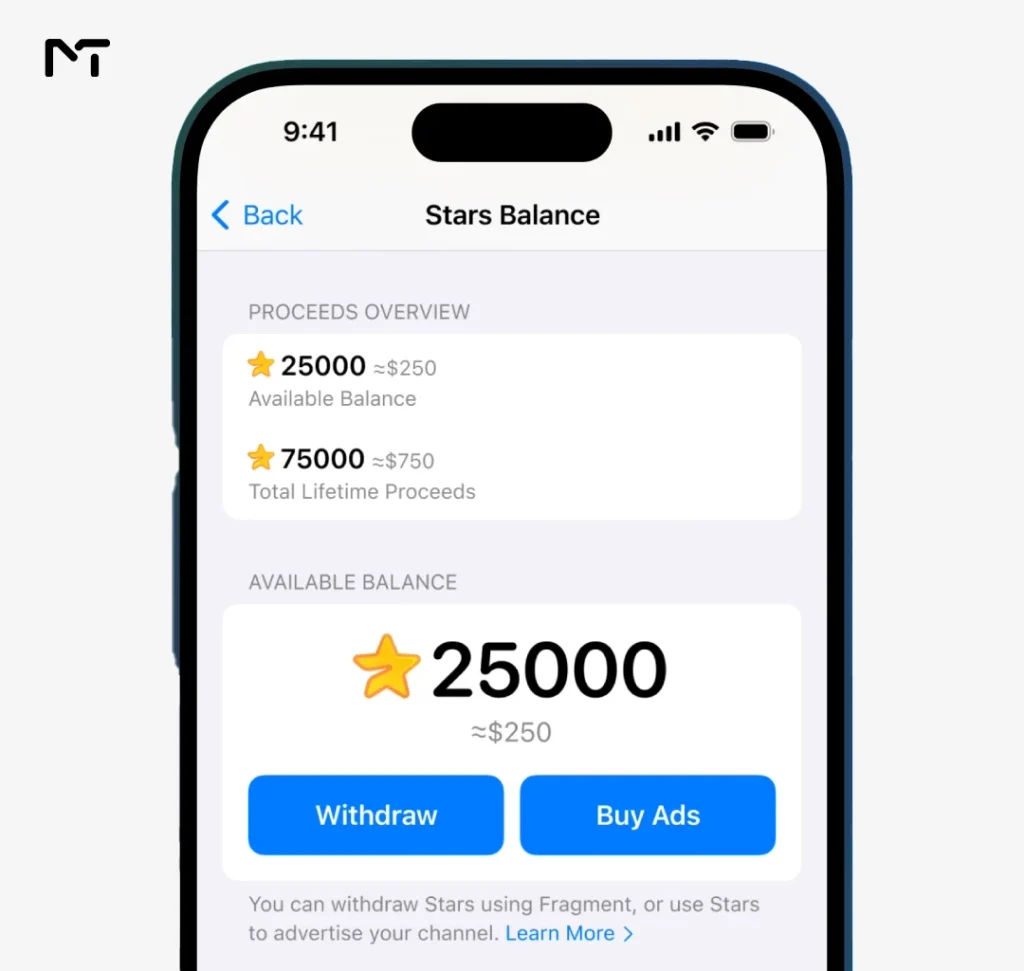
Marcus Vance a monetization strategist for messaging platforms notes that channel owners often misinterpret why subscribers leave. According to his recent data analysis across hundreds of paid Telegram communities roughly forty percent of cancellations happen right after the first renewal simply because the subscriber forgot they left the auto renew feature enabled. Another major portion cancels because the promised content schedule was abandoned by the creator. He emphasizes that consistency always beats volume when retaining a paid audience.
Frequently Asked Questions
Does cancelling a Telegram Stars subscription remove me from the channel right away?
No. You keep access until the end date of the period you already paid for. After that date, your access ends.
Can I cancel Telegram Stars subscription renewals from the desktop app?
Yes. Go to Settings, open My Stars, and use the Subscriptions section. It works the same way as on Android and iPhone.
Will cancelling Telegram Premium also cancel my Stars subscriptions?
No. They are separate. Premium is cancelled through the provider you paid, such as the App Store, Google Play or @PremiumBot, while Stars subscriptions are managed in My Stars.
Can I restart a subscription after I cancel it?
Before the end date, yes, from the same place where you cancelled. After the end date, you’d need a new payment. If a bot developer cancelled the subscription, you can’t reactivate it yourself once the period ends.
Is a Stars subscription charged to my card every month?
No. Renewals are taken from your Stars balance. Your card or store account is only involved when you buy more Stars, which is a separate purchase.
Conclusion: Cancel Telegram Stars Subscription
To cancel Telegram Stars subscription renewals, remember one path: Settings, My Stars, Subscriptions, then cancel and confirm. Check that the status changed, remember that leaving a channel doesn’t cancel anything, and look for duplicate subscriptions if the charges don’t add up. Telegram Premium follows its own rules, so keep those two apart.
Thanks for reading, and I hope this saved you a few minutes.
Running a paid channel or struggling with a subscription setup? Message @membertelsupport on Telegram.