
Telegram CAPTCHA verification bots are automated tools that require every new member to prove they are a real person before they can send a message in a group, blocking spam accounts and mass bot raids at the exact moment they try to enter. If you admin a group that has grown past a few hundred members, you have likely watched it happen in real time, a wave of new accounts joins within seconds of each other and starts flooding the chat with crypto links or fake promotions before anyone can react.
That entry point, the few seconds between someone joining and posting their first message, is exactly where a verification bot earns its keep
Why Telegram Groups Need Bot Verification at the Door
Spam accounts do not usually join one at a time. They arrive in waves, often coordinated by the same operator running dozens or hundreds of fake accounts, and they are built to post immediately after joining. By the time an admin notices and starts banning, the damage is already done and real members have already seen the spam.
A verification bot changes the timing entirely, acting as a permanent guard at the door that never sleeps, the same principle behind using a Telegram bot for anti spam protection more broadly. Instead of a new member landing in the group with full posting rights, they land in a restricted state where they cannot type anything until they solve a challenge. Automated accounts almost never pass this step, since the whole point of a CAPTCHA is that scripts struggle with tasks a human solves in seconds.
Human moderation alone simply cannot scale against coordinated automated attacks, since a single script can add dozens of fake accounts within seconds of each other, faster than any admin could ever react manually.
The Difference Between Join Requests and CAPTCHA Verification
It is worth being clear about this since the two get confused often. Choosing to set a join request on a Telegram group requires an admin to manually approve every person who wants to join, which works for small invite only groups but becomes unmanageable once a group is growing quickly and admins cannot review requests around the clock.
A CAPTCHA verification bot works differently. Anyone can join instantly, but they sit in a restricted, unable to post state until they pass an automated challenge, so there is no manual approval bottleneck and no admin needs to be watching. Text filtering tools are a separate layer entirely, the kind covered under advanced Telegram group moderation, where the system scans what gets posted only after a user already has talking rights.
Telegram CAPTCHA Verification Bots: How They Actually Work
The mechanism is simple even though it solves a real problem. When someone joins a protected group, the bot immediately restricts their account so they cannot send messages, photos, or links. It then presents a challenge, usually an image with distorted numbers or letters, sometimes a simple math question or a button press, and gives the person a set amount of time to respond correctly. Solve it, and full posting rights are restored automatically. Fail it or let the timer run out, and the bot removes the account from the group without any admin needing to lift a finger.
Group administrators usually have a choice in how these challenges look depending on the tool they use. Visual tests showing distorted text provide strong protection but can frustrate real users looking at small mobile screens. Simple math problems like basic addition strike a great balance since humans solve them instantly while basic scripts fail.
For communities wanting the lowest possible friction inline button checks ask the new arrival to simply tap a specific emoji or a button labeled human. Choosing the right format comes down to finding the sweet spot between blocking sophisticated automated scripts and welcoming real people without annoyance.
Most of these bots also treat any link sent by an unverified member as an automatic red flag, deleting it instantly, since a real new member has no reason to be dropping links before they have even said hello.
Privacy Concerns and Bot Permissions
One major concern for group administrators is privacy and whether a third party automated tool will read private group conversations. Fortunately standard verification tools operate primarily on chat member events rather than monitoring every single word typed in the channel. When you grant admin permissions you only need to allow the bot to restrict and ban members or delete messages.
You do not have to give it access to read the entire chat history. Reputable tools make their privacy policies clear and they operate strictly at the entry gate without silently harvesting your community data.
Setting Up The Join Captcha Bot in Your Group
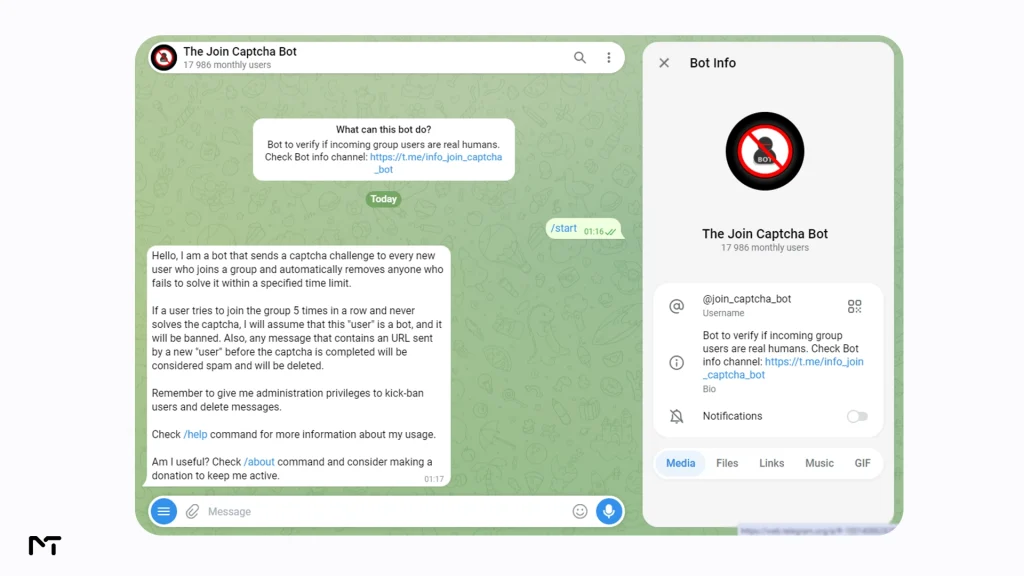
For administrators who do not want to go through the process of setting up a Telegram verification platform from scratch, relying on a ready made free tool is the most practical choice. Among the options available, The Join Captcha Bot stands out because it is free, already running, and does not require setting up a server or writing a single line of code. It currently serves around eighteen thousand monthly users according to its own Telegram bot page, which is a reasonable signal that it stays online and gets maintained.
Step by Step Setup
Getting it running takes a few minutes.
- Search for the bot inside Telegram and start a chat with it
- Add it to your group and grant it admin permissions, specifically the ability to restrict and ban members
- Send the configuration command in a private chat with the bot to open your group’s settings
- Turn the captcha feature on from the settings menu
- Adjust the timeout and failure limit to match your group size, then test it with a second account if you have one
Once enabled, the bot handles every new join automatically from that point forward.
Choosing the Right Timeout for Your Group Size
The default settings work fine for a lot of groups, but tuning them matters more as your group grows or becomes a target. A shorter timeout is more aggressive against bots but risks frustrating a slower human who got distracted mid challenge. A longer timeout is friendlier to real people but gives automated scripts more room to attempt a bypass. There is no single correct number, it depends on how much spam pressure your specific group is under.
What Happens When a New Member Fails the Challenge
If someone does not solve the challenge within the time limit, or fails it repeatedly, the bot removes them from the group. This is not a permanent ban in most cases, they can typically try joining again and get a fresh challenge. The bot also watches for accounts that fail over and over across multiple join attempts and treats that pattern as a strong signal of automated behavior, escalating to a longer or permanent restriction.
Small Groups vs Large Groups: Different Settings, Different Risks
A group under a hundred members rarely faces coordinated raids, so a longer timeout, something like two minutes, and a more lenient failure limit tends to work fine without annoying anyone. Once a group crosses into the thousands, the calculation changes. Larger groups are more attractive targets for spam operators running dozens of fake accounts at once, so a shorter timeout around sixty seconds paired with a stricter failure limit cuts down on the window an automated account has to slip through, even if it occasionally means a genuinely slow human has to retry once.
Other Verification Bots Worth Comparing
The Join Captcha Bot is not the only option, and a fair look at this topic means acknowledging what else is out there.
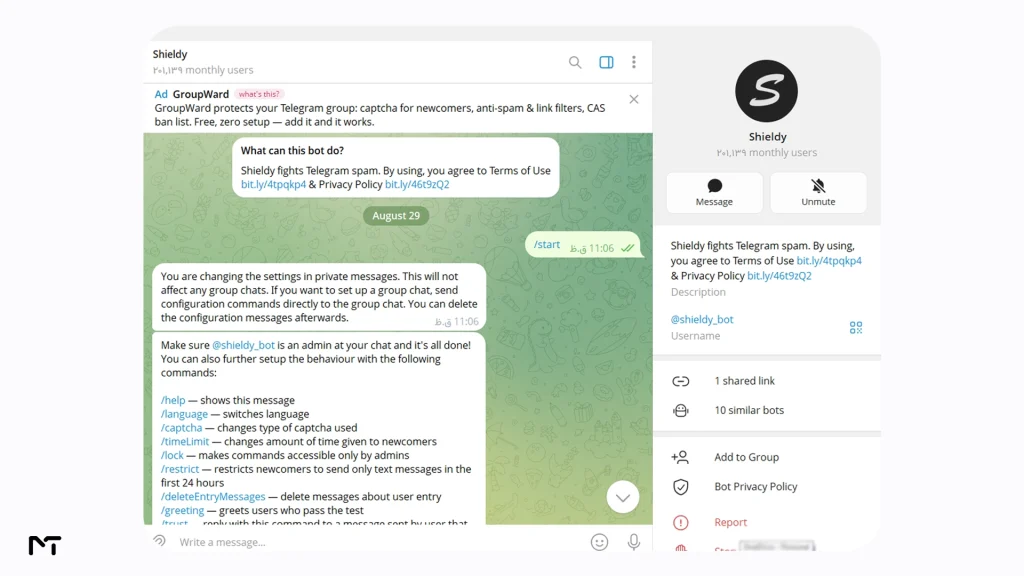
Shieldy
It is hard to talk about group moderation without mentioning Shieldy. This is a massive open source favorite that focuses entirely on keeping automated accounts out using simple button clicks or math equations. It is incredibly lightweight and reliable doing exactly what it promises without asking you to navigate complex menus. Since it is highly focused on entry verification it pairs very well with other moderation tools you might already have running in your group.
The Join Captcha Bot
The Join Captcha Bot is the option covered throughout this guide. It works the moment you add it, asks for nothing beyond admin permissions, and presents an image based challenge that keeps automated accounts out without any ongoing effort from you. Its biggest strength is simplicity. There is no dashboard to learn and no paid tier pushing you toward features you do not need. The tradeoff is that it does one job, join verification, rather than trying to be a full moderation suite.
OmniGest
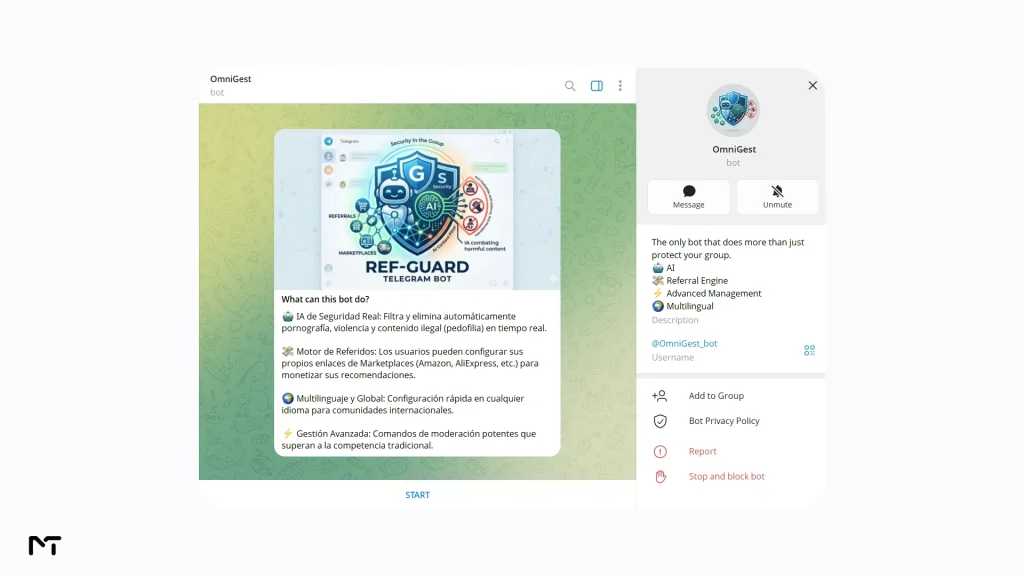
OmniGest takes a broader approach, folding captcha verification into a wider moderation toolkit that also handles things like message filtering and member management from one place. Setup runs through a private configuration menu with the bot rather than a single on off switch, which gives you more knobs to adjust but also means a slightly longer setup than a bot built around one function. This fits an admin who wants a single bot handling several jobs at once rather than stacking multiple single purpose bots in the same group.
Once your community grows, combining these entry challenges with message filters, some of the more effective ways to use a Telegram bot for spam control, keeps the chat perfectly clean.
Self Hosted Scripts
Open source projects like TLG_JoinCaptchaBot exist that let a developer run their own captcha bot on a personal server, giving full control over how the challenge looks, how many attempts are allowed, and exactly what happens on failure. This path makes sense for someone comfortable with Python and willing to maintain a server long term, but it adds real overhead that a ready made bot avoids entirely. For most group admins, that maintenance burden outweighs the extra control it buys.
| Bot | Setup | Best For | Cost |
|---|---|---|---|
| The Join Captcha Bot | Ready to use instantly | Groups wanting a fast, free setup with no server | Free |
| OmniGest | Ready to use, config through private chat | Admins who also want broader group management features | Free tier, paid upgrades |
| Self hosted scripts | Requires Python and server hosting | Developers who want full control over challenge design | Free but needs hosting |
FAQ
Is there a free CAPTCHA bot for Telegram?
Yes. The Join Captcha Bot is free to use and requires no payment or subscription. You add it to your group, grant admin permissions, and it starts protecting new joins immediately.
How do I add a verification bot to my Telegram group?
Search for the bot inside Telegram, add it to your group, and give it admin rights to restrict and ban members. Then open its settings through a private chat with the bot and turn the captcha feature on.
What happens if a user fails the CAPTCHA in Telegram?
The user is removed from the group once the timeout expires or they exceed the allowed number of failed attempts. Most bots let them attempt to join again afterward, presenting a fresh challenge.
Can CAPTCHA bots stop mass bot raids on Telegram?
Yes, in most cases. Since automated scripts struggle to solve image or interaction based challenges, a wave of bot accounts joining at once typically gets filtered out before any of them can post.
Does a CAPTCHA bot slow down real members joining?
There is a brief delay, usually a few seconds to complete the challenge, but a real person passes it easily. Setting a reasonable timeout keeps this friction minimal while still blocking automated accounts.
Do Telegram Premium users bypass the verification bot?
No they do not. While a premium subscription gives users native platform perks custom group bots treat all incoming accounts exactly the same. Even if an automated script uses a compromised paid account to look legitimate it will still be restricted upon entry and removed if it fails to solve the challenge. A paid badge does not let anyone skip the human verification step.
Conclusion
Telegram CAPTCHA verification bots close the exact gap that manual moderation cannot, the window between someone joining a group and posting their first message.
As automated scripts become smarter many group owners are pairing these basic entry gates with Telegram AI Guardian Bots to catch the rare malicious accounts that somehow manage to pass the initial visual check. Setting up a free option like The Join Captcha Bot takes only a few minutes and removes the need to manually catch and ban spam accounts after the damage is already visible to real members. Getting the timeout and failure settings right for your group’s size makes the difference between a bot that quietly protects your community and one that occasionally frustrates a slow but genuine new member.
If you want help configuring verification and moderation settings for your own Telegram group, reach out to @membertelsupport and we can walk through what fits your community.














Leave a Reply