

Telegram AI Guardian Bots are AI powered bots you promote to admin so they can screen join requests and keep your group clean after people are inside. Telegram introduced this capability in its June 2026 update, giving group owners a native way to filter who gets in and what stays visible, without stitching together separate CAPTCHA bots and manual approval workflows. If you run a group that grows fast, whether through organic sharing or when you Buy Telegram Members to expand your audience, this feature solves a problem you already know well: more members usually means more spam, more low effort join requests, and more time spent approving people by hand.
I have watched Telegram roll out a new feature almost every month for the past couple of years, and this is one of the more practical additions for anyone running an approval based group. This guide breaks down exactly what these bots do, how they differ from the moderation bots you may already be using, and how to set one up whether you want a developer level build or a simpler managed option.
Key takeaways
- Telegram AI Guardian Bots can screen join requests using real questions, not just a CAPTCHA tap, and the same bot can keep moderating after someone is admitted.
- Telegram rolled this out as a native platform feature in its June 2026 update, so it works without stacking several separate bots together.
- You can build one yourself on the Bot API for full control, or use a managed, no code option if you would rather skip the development work.
- The biggest win is for private or niche groups where applicant quality matters more than raw join speed.
What Telegram Guardian Bots Actually Do
Telegram’s June 2026 platform update added a new bot role built specifically for group admission. In its own announcement, Telegram described the feature as a way to “add AI guardians to screen people before they join your groups.” Mastering the Latest Telegram AI Features allows community managers to automate complex moderation tasks that previously required human intuition. Instead of relying on a human to approve every join request, or on a basic CAPTCHA bot that only checks whether someone is a real person, a guardian bot can evaluate the actual content of a join request before deciding what happens next.
In practice, a guardian bot handles two connected jobs.
The first is join request triage. When someone requests to join a group that requires approval, the bot receives that request and can approve it, decline it, or hold it for review, based on rules the admin has defined.
The second is applicant screening through a mini app interface. Rather than a single yes or no gate, the bot can present a short form, a quiz, or a set of questions before making a decision. Telegram’s own example describes a music production group that asks new applicants a couple of quick questions before letting them in, which shows how specific and topic relevant this screening can get.
Once someone is admitted, the same bot does not have to stop working. It can also act inside the chat, removing messages that break group rules, muting repeat offenders, or flagging suspicious activity for a human admin to check. That second layer is what separates a guardian bot from a simple entry gate. It is not just a bouncer at the door. It keeps working after the door closes.
Guardian Bots Compared to Classic Moderation Bots
Anyone who has managed a Telegram group for a while has probably used moderation bots before. It helps to understand exactly where guardian bots add something new instead of just repeating what already exists.
| Capability | Classic moderation bot | Telegram guardian bot |
|---|---|---|
| Entry check | Usually a CAPTCHA or button tap | Can ask real questions and judge the answers |
| Decision basis | Pattern matching, keyword lists | Context and intent, not just keywords |
| Post admission role | Keyword filters, spam links, bans | Same bot continues enforcing rules based on context |
| Setup complexity | Often plug and play | Requires defining screening logic and permissions |
| Best fit | High volume public groups | Private or niche groups that care about applicant quality |
A CAPTCHA bot answers one question: is this a real account. A guardian bot can answer a harder question: does this person actually belong in this group. For a paid community, a professional network, or any space where quality matters more than raw member count, that distinction is significant. Focusing heavily on vanity metrics can lead to confusion later on, especially when group owners notice their Telegram Member Count Wrong due to sudden automated purges of inactive or spam accounts.
Who Actually Needs This
Not every group needs this level of screening. A guardian bot tends to pay off in a few specific situations.
Paid or premium communities need proof that applicants read the rules and actually fit the niche before they pay for access. A support group has to keep competitors, spam accounts, and repeat troublemakers out before they ever reach a real customer. Professional or niche networks, like developer groups or trading communities, benefit from a light skill or intent check at the door rather than admitting anyone with the invite link. Large public groups that are switching from open joins to an approval based setup often make that move specifically because manual review of hundreds of daily requests is no longer realistic, and this is where a guardian bot replaces that manual step instead of adding to it.
If none of that describes your group, a basic CAPTCHA or the manual join request approval Telegram already offers may be all you need. For a closer look at that simpler setup, including how to turn on approval requirements and review requests by hand, it is worth reading through how to set a join request on a Telegram group before deciding you need the AI layer on top of it.
How to Set Up a Guardian Bot for Your Telegram Group
There are two realistic paths here, and which one makes sense depends on your technical comfort and how much control you need.
The Native Bot API Path
If you or someone on your team can write and host a small application, you can build a guardian bot directly on Telegram’s Bot API. This gives you full control over the screening logic and where your data lives. Mastering the Telegram API to Automate Your Bot opens up endless possibilities for custom moderation workflows that go far beyond standard CAPTCHA tests.
The rough workflow looks like this:
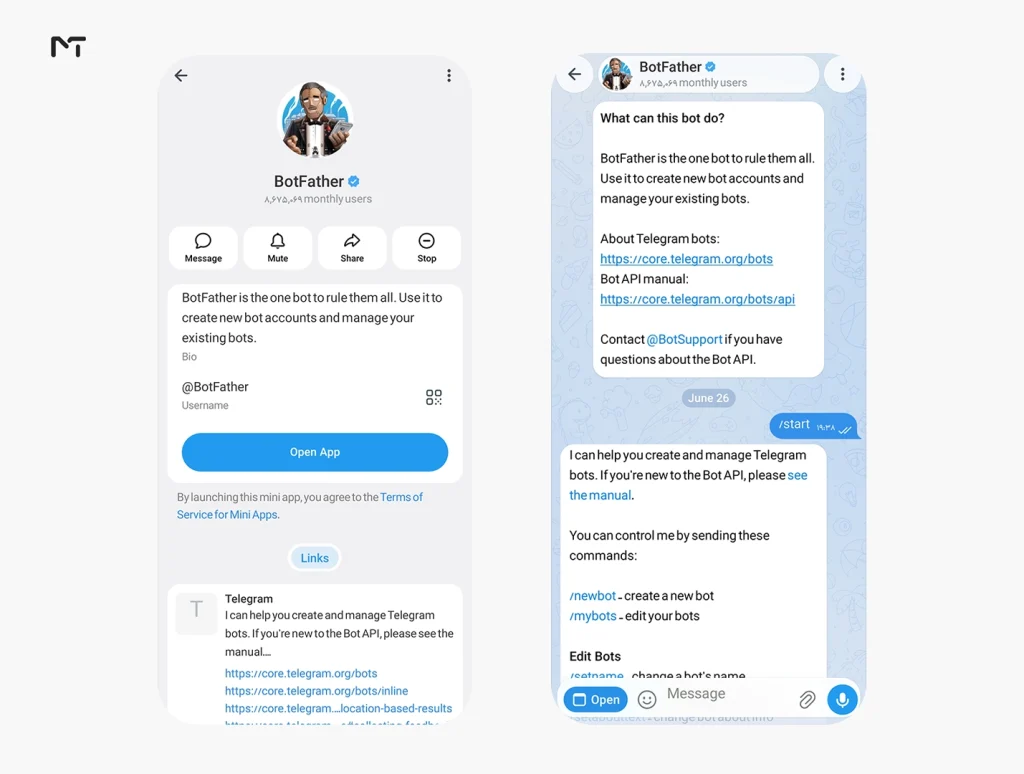
- Create a bot through BotFather and save the API token it gives you.
- Set your group to require join request approval, if it does not already.
- Set up a webhook so Telegram can send your server the chat_join_request updates whenever someone tries to join.
- Write the logic that decides what happens next. This might be a simple question and answer check, or something more advanced that pulls in outside data.
- Use the approveChatJoinRequest or declineChatJoinRequest methods to act on each request.
- Optionally, extend the same bot to handle in chat moderation once members are admitted, using standard message and member management permissions.
This path takes more setup time, but it is the right choice if you need a custom mini app interface, want to connect the screening process to your own systems such as a CRM, or have specific requirements about where applicant data is stored.
For admins who want to log applicant responses for future review, it is highly efficient to Connect a Telegram Bot to Google Sheets so every answered questionnaire is automatically archived in a structured format.
The Managed or No Code Path
If building and hosting your own bot is not something you want to take on, there are third party platforms that offer guardian style bots you can configure through plain instructions rather than code. These typically work by having you add their bot to your group as an admin, then describing your screening rules and moderation preferences in natural language instead of writing a webhook handler yourself.
This route is worth considering if you want something running the same day and do not need a fully custom interface. Since we have not personally tested every managed bot on the market, we would rather point you toward the general category and encourage you to compare a few options based on your group’s specific needs, rather than recommend one by name without firsthand experience running it.
Whichever path you choose, the group settings work the same way underneath. Open your group settings, make sure new members require approval to join, add the bot you have chosen as an administrator, and grant it only the permissions it actually needs, typically the ability to manage join requests and delete messages if you also want in chat enforcement.
Best Practices for Screening Rules
A guardian bot is only as good as the rules behind it. A few principles apply regardless of which setup path you take.
Keep your screening questions specific to your group. A generic question filters out almost nothing. A question tied to your actual topic, whether that is a skill, an interest, or a piece of context only real members would know, filters out spam far more effectively.
Start with warnings before you start with bans. When you first turn on in-chat enforcement, let the bot flag or warn instead of deleting and banning automatically. This gives you a week or two to see how it performs on real activity before you trust it with harsher actions.
Keep a human in the loop for anything subjective. Objective checks, like a factual quiz question, are safe to automate fully. Subjective judgment calls, like whether a borderline post counts as spam, are better routed to an admin for a final decision, at least early on.
Tell applicants and members what is happening. If your bot is reviewing answers or removing content, a short note in your group rules or welcome message keeps things transparent and reduces confused messages from confused new members.
Common Setup Problems and How to Fix Them
A few issues come up often enough with new guardian bot setups that they are worth covering directly.
If you encounter a situation where the Telegram Bot Is Not Responding during the screening process, the issue is frequently tied to incorrect webhook configurations or expired server certificates rather than the platform itself.
The bot never receives join requests. This almost always means the group is not actually set to require approval, or the bot was never promoted to administrator. Double check that new members need approval to join in your group settings, confirm the bot has admin rights, and, if you built it yourself, make sure the bot can actually receive group updates rather than only private messages.
Screening feels too strict and people are dropping off. Long forms hurt completion rates even when every question is reasonable. Cut down to one required question, make a second one optional, and accept partial or close enough answers rather than demanding an exact match.
The bot flags things after admission that are not actually spam. Loosen enforcement so it needs more than one signal before acting, for example a brand new account plus an external link, rather than triggering on either alone. Keep it in warning mode for the first week or two so you can see what it catches before you let it delete or ban automatically.
Applicants complain they never heard back. If your screening flow holds requests for manual review instead of auto deciding, set a clear internal expectation for how often an admin checks the queue, and consider auto approving straightforward cases so only the edge cases need a human.
Guardian Bots and Growing Communities
Group owners who are actively growing their audience run into a specific version of this problem. Whether growth comes from organic reach, cross promotion, or a targeted member push, a bigger group almost always attracts more low quality joins along with the good ones. Manual review does not scale past a certain point, and turning off approval requirements entirely usually means opening the door to bot accounts and spam. When auditing a competitor audience or building targeted growth strategies, knowing how to Extract Members from a Telegram Channel provides valuable insights into the exact demographic you are trying to attract.
A guardian bot is a way to keep the door open to real, engaged members while filtering out the noise that tends to show up as any group scales. For admins managing communities that are actively expanding, whether through content, partnerships, or paid growth channels, pairing a growth strategy with a proper screening layer helps protect the thing that made the group worth joining in the first place: an active, relevant, spam free conversation.
Frequently Asked Questions
What is a Telegram guardian bot?
A Telegram guardian bot is an AI powered bot that group admins can promote to administrator status so it can screen join requests and, optionally, moderate messages after members are admitted. Telegram introduced this capability as part of its June 2026 platform update.
How is a guardian bot different from a regular moderation bot?
Regular moderation bots typically rely on keyword filters or a basic CAPTCHA at entry. A guardian bot can ask contextual questions before deciding whether to admit someone, and the same bot can continue enforcing rules once that person is inside the group.
Do I need to know how to code to set one up?
Not necessarily. Building a fully custom guardian bot on the Bot API requires some development work, but managed or no code bot platforms exist that let you configure screening rules through plain instructions instead.
Can a guardian bot moderate messages after someone joins, not just screen join requests?
Yes. That is one of the features that sets guardian bots apart from a simple entry gate. The same bot can remove rule breaking posts, mute repeat offenders, or flag content for a human admin to review.
Will a guardian bot slow down how quickly people can join my group?
It adds a short screening step, which is the point. For groups that value member quality over pure speed of growth, that small delay is usually worth the reduction in spam and low effort joins.
Conclusion: Telegram AI Guardian Bots
Telegram’s guardian bots give group owners a native, AI powered way to handle a problem that used to require stitching together several separate tools. Whether you build one yourself on the Bot API or use a managed option, the core idea is the same: filter who gets in based on real context, then keep that same intelligence working inside the chat afterward. If you are actively growing your group and want to talk through how to keep membership quality high while you scale, our team is always reachable at @membertelsupport.














Leave a Reply