The fastest way to read a spoken message is to forward it to a voice to text Telegram bot like Whisper to Me or TranscribeMe which instantly returns an accurate transcript without any app installation. That solves the exact problem people face when they receive a massive audio note from a coworker or a client but simply lack the time or a quiet room to listen to it out loud. You just want the text so you can read it and move on quickly.
This guide tests and compares the bots that are actually working right now in 2026 rather than the abandoned GitHub projects that show up in half the best bot lists out there. You will find a side by side comparison table, a breakdown of what each bot does well and where it falls short, a quick setup walkthrough, and answers to the questions people ask most often about sending private audio to a third party bot.
Why Bother Transcribing Telegram Voice Messages at All
Voice notes are quick to send and painful to consume. You cannot skim a thirty second audio clip the way you skim a paragraph, and replaying it in a meeting or on the bus with no headphones is awkward at best. A transcription bot removes that friction. You forward the voice note, the bot processes the audio using a speech recognition model, and you get back a block of text you can search, copy into notes, or translate.
There is also a real accessibility angle here. People who are deaf or hard of hearing, people working in noisy environments, and people who simply process written information faster than spoken audio all benefit from having text as an option rather than a requirement.
Audio messaging creates an asymmetric workflow where speaking takes five seconds but listening and extracting the details takes five minutes says Dr Elena Rostova a digital communication researcher. Her recent workplace study revealed that professionals lose up to three hours a week simply replaying voice notes to find specific action items. Automated transcription tools flip that dynamic completely turning unsearchable audio into scannable data instantly and improving team response times by almost forty percent.
Transcription is just one piece of the puzzle since mastering the latest Telegram AI features can completely transform how you handle daily communication and save you hours of manual work.
The Official Telegram Alternative
Before you trust an external bot you should know that Telegram actually offers a transcription tool built right into the app. If you pay for a Telegram Premium subscription a small button appears next to every voice note that converts the audio instantly without forwarding anything. Telegram recently started letting free accounts transcribe up to two messages a week as well. While a paid subscription makes sense for heavy users the free bots listed below remain the absolute best option if you need bulk transcriptions without spending money or if you want to process external video files.
What Actually Matters When Choosing a Bot
Before comparing specific bots, it helps to know which factors separate a genuinely useful transcription bot from one that will frustrate you after a week.
While getting a quick transcript helps you process information faster some discussions naturally require a real time back and forth. When a written reply is not enough to clear up a complex topic you can bypass messaging entirely and make voice and video calls on Telegram to settle the matter instantly.
- Accuracy on real speech. Clean studio audio is easy for any model. What matters is how the bot handles accents, cross talk, and mediocre phone microphones, since that is what most voice notes actually sound like.
- Free minutes and what happens after. Nearly every bot on this list gives you some free usage, then either caps you completely or asks for payment. Know the number before you get attached to a bot.
- File support beyond voice notes. Some bots only accept Telegram’s native voice message format. Others also accept uploaded MP3, WAV, or even video files, which matters if you regularly forward podcast clips or recorded calls.
- Language coverage. If you or the people you chat with speak anything other than English, check the supported language list before committing.
- What happens to your audio afterward. This one gets skipped in most comparisons, and it should not be. Some bots delete the file immediately after transcription; others are vague about retention.
Voice to Text Telegram Bot Comparison
| Bot | Free Limit | Languages | File Types Supported | Extra Features |
|---|---|---|---|---|
| Whisper to Me | Free, unclear cap | Multilingual (Whisper based) | Voice notes, MP3, MP4, WAV, OGG, M4A, WebM | None beyond transcription |
| TranscribeMe | Free | Multilingual | Voice notes | Summaries, translation |
| Voice Messages | 20 free minutes, then paid | 99 languages | Voice notes, video, group and channel chats | Summaries |
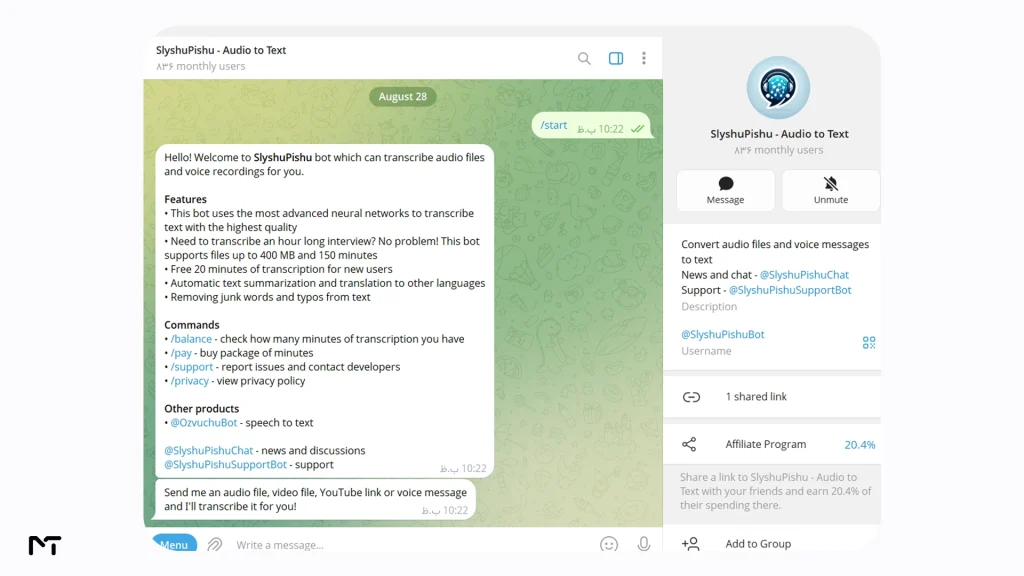
| SlyshuPishu | 20 free minutes, then paid | Multilingual | Files up to 400MB or about 150 minutes | Summaries, translation |
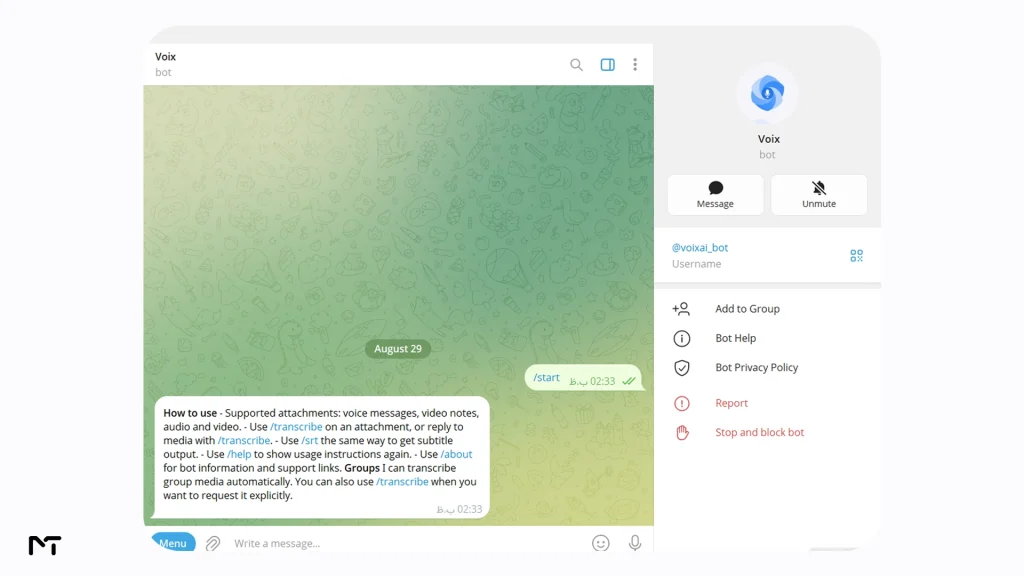
| Voix | Free | Multilingual | Voice notes, audio, video (MP3, WAV, MP4, MOV) | Deletes files after processing |
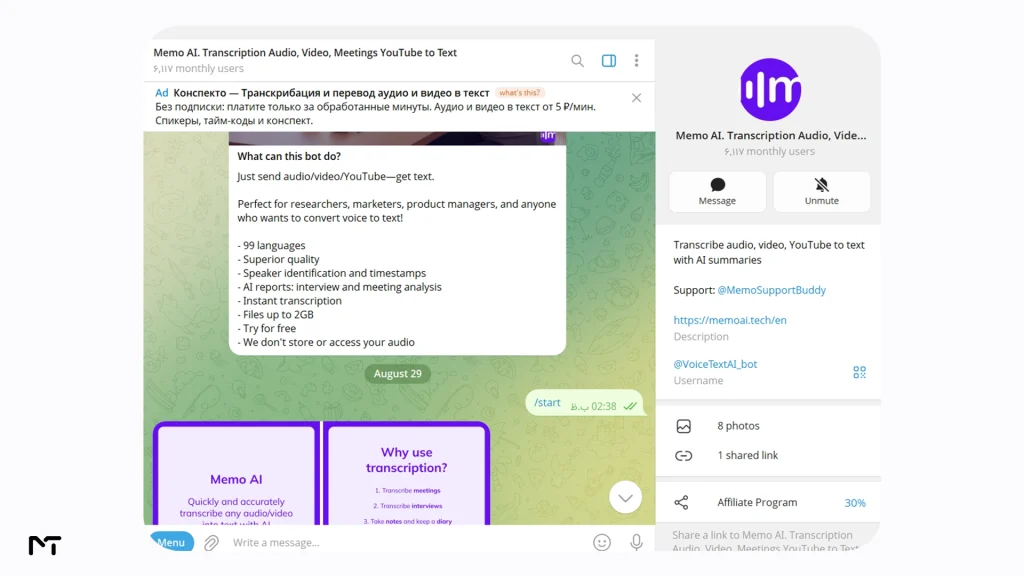
| Memo AI | Paid, built for teams | 99 languages | Files up to 5GB or about 10 hours | Speaker labeling, AI meeting summaries, encrypted storage |
Pricing, limits, and supported languages on third party bots change often, so treat this table as a snapshot and double check inside the bot itself before relying on it for something important.
The Bots, One by One
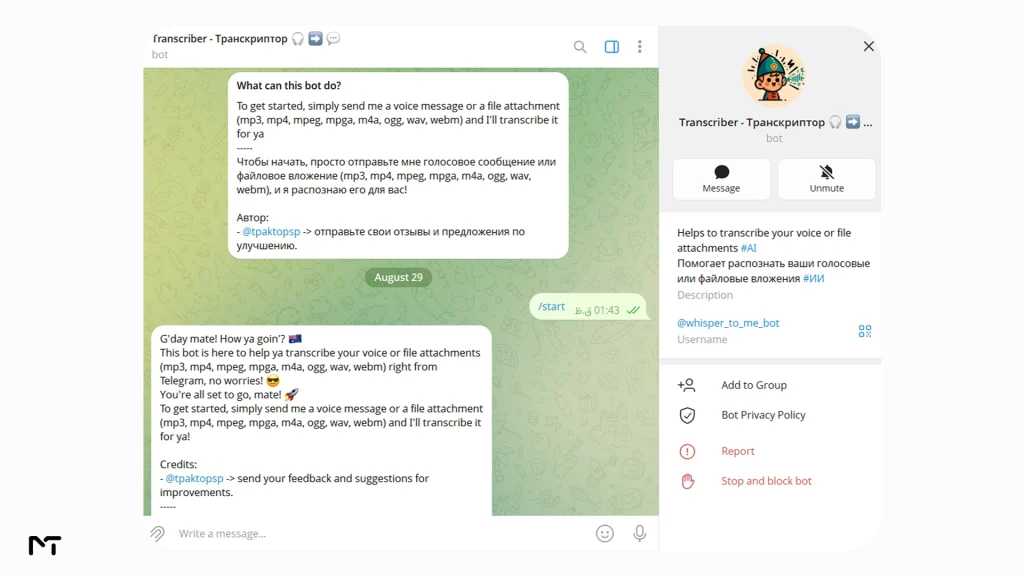
Whisper to Me is built around OpenAI’s Whisper model, which remains one of the strongest open speech recognition systems for handling accents and background noise without falling apart. It accepts a wide range of file formats beyond just Telegram voice notes, including MP3, MP4, WAV, OGG, M4A, and WebM, which makes it a solid pick if you regularly need to transcribe uploaded audio files rather than only voice messages sent directly in chat. It is free to use and does not bundle in extras like summaries or translation, so what you get is a clean, accurate transcript and nothing more. Best for people who want raw Whisper level accuracy and flexible file support without paying anything.
Most simple transcription tools process your file and immediately forget it. However if you need a virtual assistant that actually recalls your past interactions and builds upon them using Telegram AI bots with memory offers a completely different and highly personalized workflow.
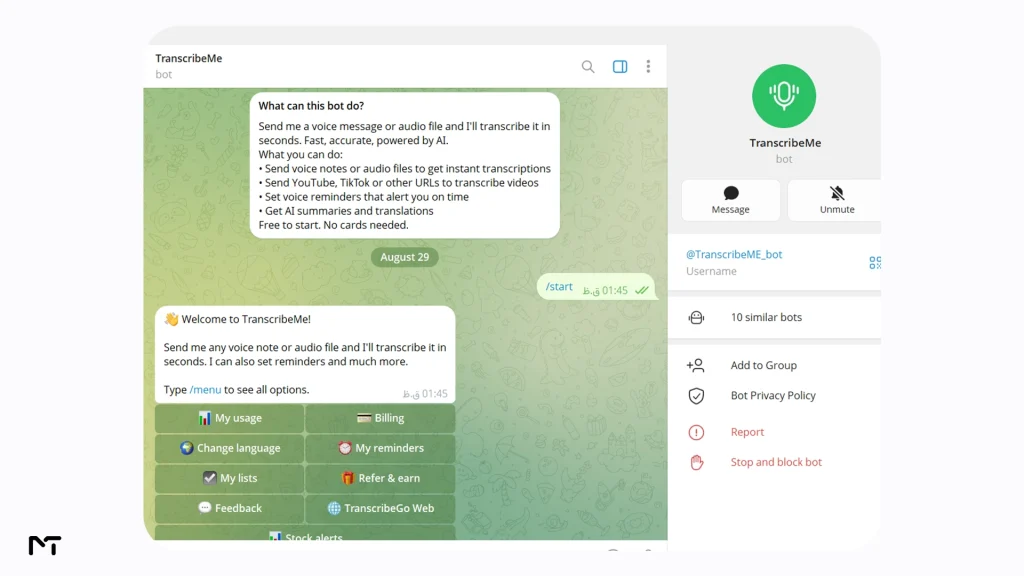
TranscribeMe trades some of that raw format flexibility for a simpler experience focused specifically on Telegram voice notes, plus built in summarization and translation. If your main use case is someone sending a two minute voice note and you needing the gist in English within seconds, this is a fast, low friction option. It stays free and keeps its feature set intentionally narrow. Best for quick, everyday voice notes where you want a summary along with the full text.
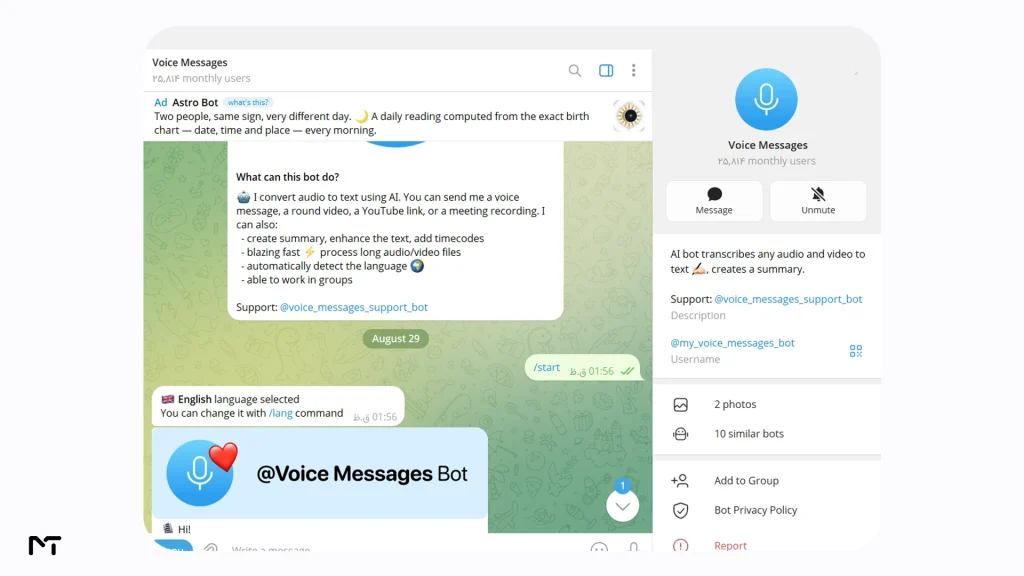
Voice Messages gives you 20 free minutes before moving to a paid tier, and in exchange it supports around 99 languages along with automatic summaries. What sets it apart is that it works inside group chats and channels, not only one on one conversations, so it fits communities where members regularly post voice updates. It also handles video files, not just audio. Best for group and channel admins who need transcription available to everyone, not just in private chats.
If your community relies heavily on live audio updates discovering the hidden secrets of Telegram voice chat will help you manage those massive group conversations much more effectively alongside your transcriptions.
SlyshuPishu follows a similar free then paid structure, with 20 free minutes before it asks for payment, but it stands out on file size. It accepts files as large as 400MB, roughly 150 minutes of audio, well beyond what a typical short voice note lookup needs. It also offers summaries and translation on top of the base transcript. Best for long recordings, lectures, or podcast episodes that other bots would reject for being too large.
Voix is worth a mention specifically because it states clearly that uploaded audio and video files are deleted right after transcription rather than kept on a server. It supports voice notes, audio, and video in formats like MP3, WAV, MP4, and MOV, and remains free to use. For anyone forwarding sensitive voice notes, that stated deletion policy matters more than an extra feature or two. Best for anyone who wants a free bot with a clear, stated privacy policy on file retention.
Memo AI sits in a different category entirely. It is built for people transcribing meetings, interviews, or field research rather than the occasional voice note, and it shows in the feature set: speaker labeling so you know who said what, AI generated summaries structured around action items, encrypted storage, and files removed immediately after processing. It supports around 99 languages and accepts files up to 5GB or roughly 10 hours long, but it is a paid tool built for regular, heavier use rather than a free one off transcription.
One published case study from a field research team described transcribing dozens of interviews a day, with the bot labeling speakers automatically and cutting their analysis time roughly in half. Best for teams or individuals transcribing meetings and interviews on a regular basis, where speaker labeling and searchable transcripts matter.
How to Transcribe a Telegram Voice Message
- Open Telegram and search for the bot by its username, for example @whisper_to_me_bot or @TranscribeME_bot.
- Tap Start to activate a chat with the bot.
- Forward or record the voice message you want transcribed directly into that chat.
- Wait a few seconds to a couple of minutes depending on the length of the clip.
- Read the transcribed text the bot sends back, and copy it wherever you need it.
A smart workaround for dealing with those massive files is to trim voice messages on Telegram before forwarding them which helps the bot process the audio much faster and with better accuracy.
If a transcription comes back garbled or incomplete, try a shorter clip first, since some bots handle long files less reliably than short ones, and make sure the original recording is not full of background noise or overlapping voices.
Is It Safe to Send Voice Messages to a Transcription Bot
You are handing your audio to a third party server, so treat it the same way you would treat any file upload service. Avoid sending anything involving banking details, passwords, medical information, or legal matters through a bot you have not vetted. Bots that explicitly state they delete files after processing, like Voix and Memo AI, are a meaningfully safer choice than ones that say nothing about retention at all. When in doubt, read the bot’s own privacy notice inside its Telegram description before sending anything you would not want stored somewhere.
Frequently Asked Questions
How do I convert a Telegram voice message to text?
Forward the voice message to a transcription bot such as Whisper to Me or TranscribeMe, and it will reply with the text version within seconds to a couple of minutes, depending on the clip length.
Is there a free voice to text Telegram bot?
Yes. Whisper to Me, TranscribeMe, and Voix all currently work without payment, though free limits can change, so check the bot’s own description for current terms.
Which Telegram bot has the best transcription accuracy?
Bots built on OpenAI’s Whisper model, such as Whisper to Me, tend to handle accents and background noise more reliably than simpler speech recognition engines, though real world accuracy still depends on your audio quality.
Can Telegram bots transcribe languages other than English?
Most bots on this list support multiple languages. Voice Messages and Memo AI both list support for around 99 languages, while Whisper to Me inherits Whisper’s broad multilingual training.
Can I transcribe audio or video files, not just voice notes?
Yes, several bots including Whisper to Me, SlyshuPishu, Voix, and Memo AI accept uploaded audio and video files in addition to native Telegram voice notes.
Can bots read my normal text messages in a group chat?
Adding a bot to your group chat often raises privacy concerns because administrators worry the tool might read their private text messages too. Fortunately most Telegram bots operate in privacy mode by default when added to groups. This means they only see messages that are direct replies to them or commands starting with a slash so they cannot physically read your casual text conversations.
You can always verify this by checking the group admin settings to ensure the transcription tool does not have broad access to all messages.
Final Thoughts: best telegram voice to text bots
A good voice to text Telegram bot should feel invisible: you send audio, you get back accurate text, and you move on with your day. For occasional voice notes, Whisper to Me or TranscribeMe will cover almost everyone’s needs for free. If you are managing a group chat or channel with regular voice updates, Voice Messages or SlyshuPishu give you more room to work with.
And if you are transcribing meetings or interviews on a regular basis, Memo AI’s speaker labeling and summaries are built specifically for that job. Pick based on how often you actually send voice notes and how sensitive that audio is, test the free tier first, and switch if the accuracy or limits do not hold up for your specific use case.
While getting text from audio saves you time reading you might occasionally need to do the exact opposite. If you ever want to turn your written scripts into natural sounding speech you should definitely explore the best Telegram bots for AI voice generation to complete your digital toolset.
Still not sure which one fits your situation? Message @membertelsupport and describe what you need transcribed, and you will get pointed to the right bot for it.