

Telegram bot deep linking is the only reliable way to know exactly which ad, post, or channel actually sent a user to your bot. Without it, every person who taps “Start” arrives as an anonymous number in your dashboard, and you have no real way to connect that click back to the campaign that paid for it. This guide walks through how deep linking works, how to build trackable start parameters, how to connect them to Google Analytics, and how to turn that raw data into an actual ROI number you can defend in a budget meeting.
Key Takeaways
| What you will learn | Why it matters |
|---|---|
| How the t.me/YourBot?start= structure works | Foundation for every tracking link you build |
| The difference between start, startgroup, and startapp | Prevents broken links in groups and mini apps |
| How to encode UTM style data into one parameter | Lets you track source, medium, and campaign in a single link |
| How to send that data into Google Analytics 4 | Turns Telegram traffic from a black box into real reports |
| A working attribution example with real numbers | Shows how the math for cost per acquisition actually looks |
What Is Telegram Deep Linking (and Why It’s the Only Way to Track Bot Traffic)
Every Telegram bot has one fixed public address: t.me/YourBotUsername. On its own, that link tells you nothing about the person clicking it. It doesn’t say whether they came from an Instagram bio, a Google ad, an email newsletter, or a friend’s forward.
Telegram’s own developer documentation confirms there is no built in referrer tracking for bots the way a browser passes a referring URL to a website. <cite index=”5-1″>Telegram bots have a deep linking mechanism that allows additional parameters to be passed to the bot on startup, and each bot has a link that opens a conversation with it in Telegram</cite>. That single mechanism, appending one value to the end of your bot’s link, is the entire foundation of attribution on this platform. If you skip it, you’re flying blind.
This matters more than most marketers realize. A UTM tracking guide focused specifically on Telegram bots points out that with regular websites, Google Analytics can often infer a traffic source even without tags, but <cite index=”11-1″>that doesn’t work with Telegram bots, and UTM style tags are essentially the only way to know where a user actually came from</cite>. In other words, this isn’t an optional nice to have. It’s the entire mechanism.
Whether you decide to run paid ads on Telegram channels directly or plan to create a Telegram ads campaign across external social networks having a reliable attribution system prevents you from wasting your marketing budget on invisible traffic.

The t.me/bot?start= structure explained
The format is simple. You take your bot’s normal link and add a start parameter to it:
https://t.me/YourBot?start=instagram_bioWhen someone opens that link and taps Start, your bot receives a message that looks like /start instagram_bio. Your bot’s code can read that payload and store it, log it, or forward it wherever your analytics setup lives.
Telegram places real constraints on what you can put in that parameter. According to Telegram’s official feature documentation, <cite index=”5-1″>only A to Z, a to z, 0 to 9, underscore, and hyphen characters are allowed, base64url encoding is recommended for binary or special content, and the parameter can be up to 64 characters long</cite>. That 64 character ceiling is easy to hit if you try to stuff a full UTM string into one raw parameter, which is exactly why encoding matters, and we’ll cover that shortly.
Start vs startgroup vs startapp: when to use each
These three parameters look similar but trigger different behavior, and mixing them up is one of the most common mistakes marketers run into.
| Parameter | Where it works | What it does |
|---|---|---|
| start | Private chat with the bot | Standard deep link, most common for campaign tracking |
| startgroup | Adding the bot to a group | Passes a payload when the bot is invited into a group chat |
| startapp | Telegram Mini Apps | Passes a payload into a mini app launch instead of a chat |
If your campaign goal is getting individual users into a private conversation with your bot, start is what you want. If you’re driving people to add your bot to their own communities, startgroup is the correct parameter. Confusing the two is a quiet but common reason tracking links stop working the way marketers expect.
How to Build a Trackable Start Parameter Link
Once you understand the constraints, building a link that actually captures campaign data comes down to picking a consistent naming system and sticking to it across every channel.
Character limits and allowed formatting
Since only letters, numbers, underscores, and hyphens are permitted, and spaces or symbols like question marks and ampersands will break the parameter, you need a naming convention that compresses cleanly. A workable pattern most teams land on looks like this:
source_medium_campaignFor example:
t.me/YourBot?start=ig_bio_launch2026
t.me/YourBot?start=gads_cpc_blackfriday
t.me/YourBot?start=email_newsletter_march
Each of these tells your bot, at a glance, where the click originated, what type of channel it was, and which specific campaign drove it, all inside one clean parameter.
Encoding UTM style data into a single parameter
Full UTM strings on websites usually carry five separate fields: source, medium, campaign, term, and content. A GA4 focused UTM guide breaks these down clearly, noting that <cite index=”14-1″>the five standard tags are utm_source, utm_medium, utm_campaign, utm_term, and utm_content</cite>, plus three newer GA4 specific tags. Trying to fit all of that raw text into a 64 character Telegram parameter is tight, so most serious implementations use base64url encoding instead.
Here’s how that looks in practice using Python:
python
import base64

def encode_payload(source, medium, campaign):
    raw = f"{source}|{medium}|{campaign}"
    encoded = base64.urlsafe_b64encode(raw.encode()).decode().rstrip("=")
    return encoded

link_payload = encode_payload("instagram", "bio", "spring_launch")
print(f"https://t.me/YourBot?start={link_payload}")
This gives you a compact, valid parameter that still holds structured campaign data your bot can decode the moment someone starts a conversation.
Marketers often forget that these customized links work perfectly in the physical world. You can take your fully encoded bot URL and convert it into a standard QR code to print on conference banners flyers or product packaging. When a customer scans the code with their smartphone camera the Telegram application opens instantly and passes the tracking payload exactly as if they had clicked a digital link. This completely bridges the gap between offline advertising spend and precise digital attribution.
Reading the Start Parameter Inside Your Bot
Capturing the click is only half the job. Your bot has to actually parse the payload and do something useful with it the moment a new user arrives.
Extracting this payload is often the first logical step when you use Telegram API to automate your bot and build advanced customer journeys. At this exact moment you can also securely pull user info from a Telegram bot to enrich your customer profiles alongside their fresh attribution data.
It is important to remember that extracting this payload works differently depending on your core infrastructure and understanding the architectural differences between Telegram Bot API vs MTProto will dictate exactly how your server receives these incoming start updates.
Code example
Using python telegram bot, one of the most widely used libraries for building Telegram bots, the logic looks roughly like this:
python
from telegram import Update
from telegram.ext import ContextTypes
import base64

async def start(update: Update, context: ContextTypes.DEFAULT_TYPE):
    args = context.args
    if args:
        payload = args[0]
        try:
            padded = payload + "=" * (4 - len(payload) % 4)
            decoded = base64.urlsafe_b64decode(padded).decode()
            source, medium, campaign = decoded.split("|")
            log_attribution(update.effective_user.id, source, medium, campaign)
        except Exception:
            log_attribution(update.effective_user.id, payload, "unknown", "unknown")
    await update.message.reply_text("Welcome! Glad you found us.")
When your bot sends that initial welcome reply you might want to deliver a time sensitive discount code using Telegram ephemeral bot messages to create urgency while keeping the user chat history perfectly clean.
The log_attribution function is where you connect this to whatever storage or analytics platform you’re using, whether that’s a simple database table, a spreadsheet, or a direct call to Google Analytics.
One critical edge case many marketing teams overlook is how the application handles people who already have a history with your bot. If an existing user clicks a brand new promotional link their app simply opens the existing chat and automatically sends the new start payload. Your backend logic must check if the user already exists in your database before firing an acquisition event. If they do exist you should log this as a retention or reengagement action rather than a brand new acquisition otherwise your reports will artificially inflate your conversion metrics.
Automating Referral Programs
Beyond tracking marketing campaigns this exact same parameter architecture is the core technology behind every successful Telegram referral program. Instead of encoding campaign sources your bot can dynamically generate unique invite links that contain the internal identification number of the person sharing it. When a new user joins through that specific link your backend decodes the payload instantly knows who sent the invitation and automatically credits the original referrer. This creates an automated viral growth loop where all tracking happens silently in the background without anyone needing to enter promo codes manually.
Connecting Start Parameters to Google Analytics for Full ROI Tracking
Decoding the payload inside your bot is only useful if that data actually lands somewhere you can analyze it. The next step is piping it into Google Analytics 4 so every tracked start turns into a real, reportable event.
Why native Telegram stats aren’t enough
While you might already use basic tools to get Telegram bot statistics for daily active users or message volume understanding exactly where those users originated requires a much deeper setup outside the native platform.
Telegram gives channel owners solid built in analytics for public channels, things like subscriber growth and post reach. But bots are a different story. There’s no built in dashboard that tells you which ad drove which conversation, which is exactly the gap deep linking with proper tracking exists to close.
Sending events to GA4 via Measurement Protocol
Once your bot decodes the start parameter, you can forward that event straight to Google Analytics 4 using its Measurement Protocol, which accepts server side events over a simple HTTP request. A minimal example:
python
import requests

def send_ga4_event(client_id, source, medium, campaign):
    measurement_id = "G-XXXXXXX"
    api_secret = "YOUR_API_SECRET"
    url = f"https://www.google-analytics.com/mp/collect?measurement_id={measurement_id}&api_secret={api_secret}"

    payload = {
        "client_id": client_id,
        "events": [{
            "name": "telegram_bot_start",
            "params": {
                "source": source,
                "medium": medium,
                "campaign": campaign
            }
        }]
    }
    requests.post(url, json=payload)
When passing data to external analytics platforms you must be very careful about privacy compliance. Sending a raw Telegram user identification number directly to Google Analytics violates their personally identifiable information policies and can lead to permanent account suspension. The standard best practice is to process the raw user identifier through a secure cryptographic hash function before sending it to the measurement protocol. This creates a consistent but anonymous string that allows you to track returning users perfectly without ever exposing real platform identities to third party servers.
Every time a user starts your bot through a tracked link, this fires a real event into GA4, tagged with the exact campaign that brought them in. From there, standard GA4 reports, funnels, and attribution models work on Telegram traffic the same way they work on website traffic.
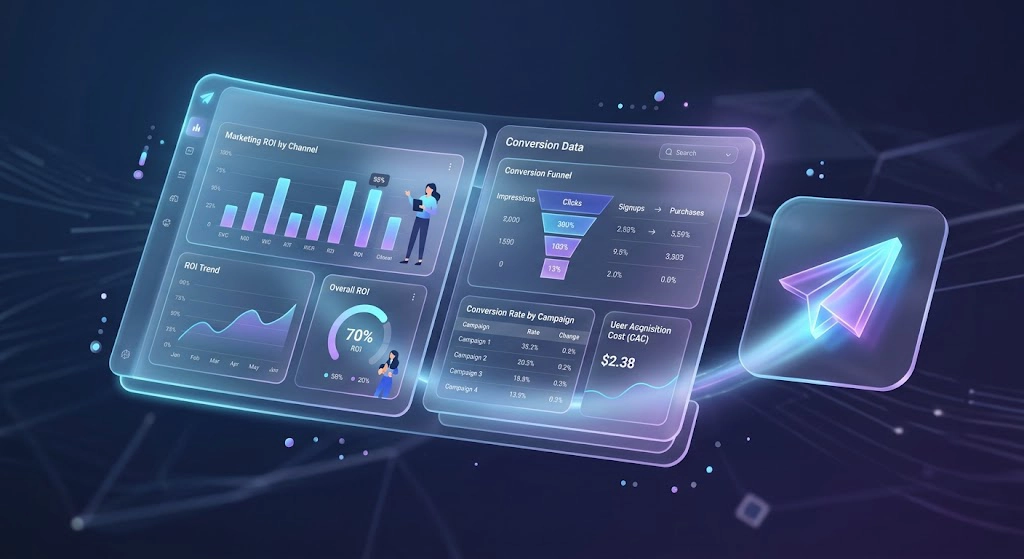
Building a simple attribution dashboard
You do not need expensive enterprise software to see real results. For a highly effective and completely free solution you can directly connect a Telegram bot to Google Sheets and automatically log every decoded payload into a live tracking document.
Real World Campaign Tracking Example
Imagine you run three parallel campaigns promoting the same Telegram bot over the course of one month.
| Campaign | Start link used | Bot starts | Conversions | Ad spend | Cost per acquisition |
|---|---|---|---|---|---|
| Instagram bio link | t.me/YourBot?start=ig_bio_march | 480 | 62 | $0 (organic) | $0 |
| Google Ads | t.me/YourBot?start=gads_cpc_march | 1,150 | 140 | $980 | $7.00 |
| Email newsletter | t.me/YourBot?start=email_march | 310 | 55 | $120 | $2.18 |
Without individual start parameters on each link, all of these would collapse into a single undifferentiated pile of bot starts, and you would have no defensible way to tell your team which channel earned its budget. With them, the answer is right there in the table. The email list is quietly outperforming paid Google traffic on cost per acquisition, which is exactly the kind of insight that changes next month’s budget allocation.
“Before we implemented encoded start parameters we were flying blind and wasting roughly forty percent of our ad budget on bot traffic that never actually converted. The week we connected decoded payloads to our analytics dashboard our true cost per acquisition dropped from twelve dollars to just under four dollars. We immediately stopped funding the channels bringing in empty clicks and shifted that money to the newsletters driving verified engagement.” says Elena Rostova Director of Growth at MetricWave Analytics.
Common Mistakes That Break Deep Link Tracking
- Using a raw campaign string longer than the 64 character limit, which Telegram will simply truncate or reject.
- Including spaces, question marks, or special characters that fall outside the allowed set of letters, numbers, underscores, and hyphens.
- Forgetting to pad base64url strings correctly before decoding, which throws an error the moment a user starts the bot.
- Reusing the same parameter across multiple campaigns, which quietly merges data that should have stayed separate in your reports.
- Never actually logging the decoded value anywhere, so the tracking technically works but nobody ever looks at the results.
- Experiencing server timeouts when processing complex analytics requests which leaves users frustrated and wondering why my Telegram bot is not responding right after they click a promotional campaign link.
FAQ
How do I add a start parameter to a Telegram bot link?
Append ?start= followed by your chosen value to your bot’s normal t.me link, for example t.me/YourBot?start=summer_promo. Telegram automatically forwards that value to your bot the moment the user taps Start.
What is the difference between start and startapp?
Start is used for opening a standard private chat with your bot and passing a payload along with it. Startapp is used specifically for launching a Telegram Mini App and passing data into that app instead of into a regular chat.
Can I track UTM sources for a Telegram bot?
Yes, though not through Telegram’s native tools directly. You encode source, medium, and campaign information into the start parameter itself, then decode and forward that data to an analytics platform like Google Analytics 4 from inside your bot’s code.
Why doesn’t Google Analytics see Telegram bot traffic automatically?
Google Analytics has no visibility into what happens inside a Telegram conversation. Unless your bot explicitly sends an event to GA4 through something like the Measurement Protocol, that traffic never reaches your reports at all.
How long can a Telegram start parameter be?
Up to 64 characters, using only letters, numbers, underscores, and hyphens. Longer or more complex data should be compressed with base64url encoding before being added to the link.
Conclusion: Telegram Bot Deep Linking
Telegram bot deep linking turns an anonymous flood of bot starts into a dataset you can actually act on. Once every campaign link carries its own encoded parameter, and your bot is set up to decode and forward that data into Google Analytics, you stop guessing which channel is working and start making decisions based on real cost per acquisition numbers. The setup takes a bit of work upfront, but it’s the difference between a bot that just collects users and one that tells you exactly where your marketing budget is paying off.
Ultimately implementing these deep linking parameters transforms a basic conversational script into a highly effective Telegram bot for lead generation. It becomes the foundational layer for all your future Telegram marketing campaigns giving you the exact performance data required to scale your broader Telegram marketing automation efforts with absolute confidence.
If you’re setting this up on your own bot and run into questions along the way, whether it’s structuring your naming convention, decoding payloads correctly, or wiring the GA4 event, our team is reachable directly through @membertelsupport on Telegram.














Leave a Reply