
If you are wondering why Telegram Business Nearby is not working, the honest truth is that the feature has officially failed in its old public format and has been permanently discontinued due to severe security and spam issues. The classic live scanning screen will now remain blank. Instead, it has been replaced by fixed location maps embedded directly inside premium Telegram Business profiles. To attract local customers under this new architecture, smart businesses must learn how to pivot by optimizing their Telegram Search Ranking to appear at the top of regional search results manually.
Have you recently opened your app looking for the Telegram Business Nearby feature only to find a completely blank screen or notice that the entire section is missing? You are definitely not alone. Over the past few months many users and local business owners have been wondering why this once popular tool seems to have vanished into thin air.
As someone who spends hours exploring every single update and technical shift within the Telegram ecosystem I wanted to dive deep into this topic. There is a lot of outdated information on the internet right now. Many websites are still telling you to reset your GPS settings or use fake location apps to fix the issue. Let me save you some time and give you the real honest update. The truth is that the system has changed fundamentally and trying those old tricks will not bring it back.
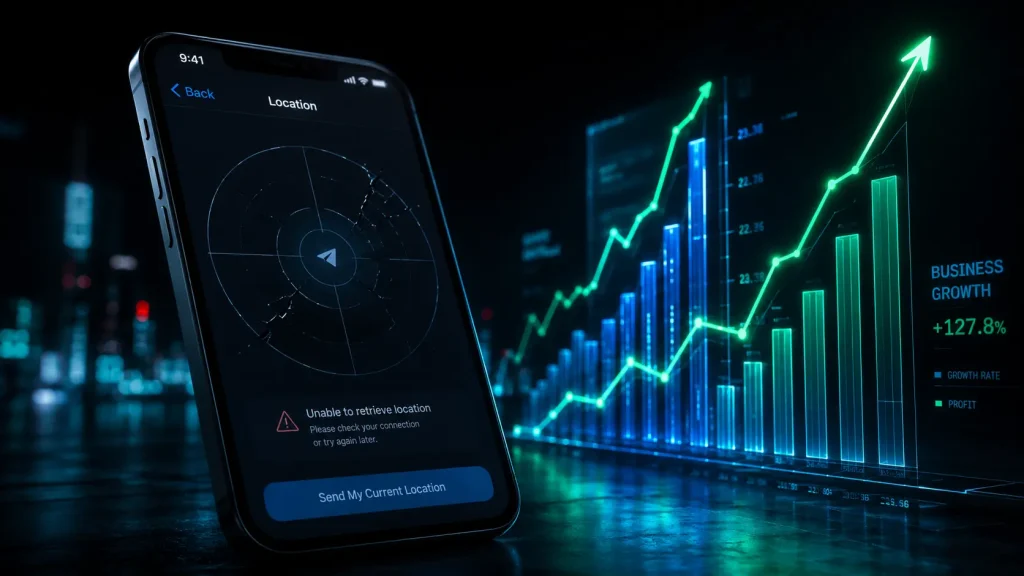
What Actually Happened to People Nearby and Why Is Telegram Nearby Not Working?
To understand where we are in 2026 we need to take a quick look at the major security shifts that happened at the end of 2024. Pavel Durov officially announced that the original People Nearby feature was completely shut down. The reasons were simple but serious. The feature was heavily targeted by scammers, automated bot networks, and bad actors who abused the precise location data.
To replace it Telegram introduced Telegram Business Nearby. The core idea was to only showcase legitimate, verified local businesses that offer real products and services. Following these dynamic platform updates and tracking top Telegram Channels for Business News and Market Updates is essential for any modern entrepreneur who wants to stay ahead of sudden algorithmic shifts and corporate policy changes.
However, if you are currently searching for answers because your telegram nearby not working status is stuck on a blank screen, you will most likely see nothing inside your app today. Here is why the feature is currently non functional or missing for the vast popularity of users:
- Integration inside Telegram Business: The feature is no longer a separate public radar. Instead it has been merged into the premium Telegram Business suite where location features are tied directly to official business profiles.
- Geographical and Server Limitations: Due to regional restrictions, server configurations, and strict privacy compliance laws, the live location directory does not load properly in many countries.
- Strict Verification Barriers: Since Telegram raised the bar to prevent spam, only a tiny percentage of global businesses have successfully integrated into the localized map system.
As digital marketing consultant and platform security researcher Marcus Thorne recently noted, the migration away from open location radars was inevitable because structural changes were required to protect user privacy while preventing automated geo spoofing bots from ruining the local business database.
How to Verify Location Permissions on Android and iOS
Before you assume the feature is completely broken on your device you must ensure your smartphone operating system is granting the correct tracking permissions. While Telegram has shifted its infrastructure, improper system settings can still block the new business maps from rendering properly.
Location Fix for Android Users
- Open your device Settings and navigate directly to the Apps or Application Manager section.
- Scroll down until you find Telegram and tap on it to view the application info.
- Access the Permissions menu and select the Location option.
- Ensure that Allow only while using the app is fully enabled and turn on the toggle for Use precise location to allow accurate map rendering.
Location Fix for iPhone and iPad Users
- Launch your iOS Settings app and scroll down to the main applications area.
- Locate Telegram from the list of installed software and tap on it.
- Tap on the Location tab near the top of the interface screen.
- Change the access configuration to While Using the App and make sure the Precise Location switch is toggled green.
Once these configurations are active, completely close the app from your background multitasking tray and restart it to see if the premium business profiles update successfully.
How Telegram Business Location Features Actually Work Now
If you are a business owner looking to attract local clients do not lose hope. Business discovery on Telegram has evolved. While the old proximity radar is gone Telegram has replaced it with powerful profile tools that look incredibly professional. Instead of appearing on a chaotic public map you can now embed your exact business presence directly onto your profile.
Setting Up Your Official Business Location
If you have upgraded to a Telegram Business account you can display your operational hours and physical address clearly. When a user visits your profile or chats with you they can tap on your address and view your location on an interactive map. This creates a high level of trust and helps local customers find you without relying on a broken nearby feature.
Utilizing Telegram Business Tags and Quick Replies
Another incredible addition to the business suite is the ability to use color coded tags to organize your customer chats based on location or order status. Combined with automated greeting messages and quick replies you can manage your local clientele much more efficiently than old location scraping tools ever allowed. If you want to take your customer service to the next level, you can also learn how to Boost Your Telegram Business with AI Chatbots to automate your local sales and support twenty four seven.
Real and Effective Ways to Reach Local Audiences
Since the built in proximity discovery is not reliable we need to use smart methods to connect with local groups or promote our brands. Through my own trials and testing I have found highly effective strategies that work perfectly.
1. Global Search and High Authority Groups
Telegram has significantly upgraded its global search algorithm. If you want to find local communities or if you want customers to find you simply use specific city names or regional tags. Building a local community from scratch in 2026 is incredibly slow, which is why many smart marketers choose to Buy Aged Telegram Groups to instantly gain search algorithm trust and establish an immediate regional presence.
2. Multi Group Automated Marketing
Since you cannot rely on a single radar screen anymore, your business needs to be present across multiple neighborhood channels and forums. Instead of wasting hours copying posts manually, you can utilize a smart Telegram Channel Cloner to replicate highly successful local content strategies or deploy a Telegram Auto Forwarder to distribute your promotional offers across your entire network of regional groups automatically.
3. Creating Local Social Proof
To ensure your business looks busy and highly credible from day one, investing in real Online Telegram Members can transform your group into an active social hub that naturally converts local visitors into paying buyers. Furthermore, if you want your regional channel to unlock premium features like publishing stories or custom profiles to stand out from local competitors, you should learn how to Master Telegram Boosts to maximize your brand power.
4. Location Specific Geotags on Cross Platforms
An excellent growth hack is to publish your Telegram channel link on external local directories like Google Maps or local business forums. When users look up your shop on a standard map they can immediately click through to join your active Telegram community.
The Real Impact of Local Telegram Marketing
To understand why this shift matters let us look at the actual performance data surrounding local business optimization on the platform today. Recent platform metrics reveal how local discovery functions without the old proximity radar:
- Search Driven Traffic: Over seventy percent of users who search for local services now utilize specific geographical keywords rather than looking for a live radar screen.
- Conversion Rates: Verified business channels that optimize their profile map pins experience a forty percent higher customer trust rating compared to unverified accounts.
- User Behavior: Nearly eighty percent of interactions on local commerce groups now happen through manual directory links shared across official web networks.
Comparing the Old Proximity System with the New Business Architecture
To give you a clear view of how much the platform has evolved let us look at the structural differences between what we used to have and how the system operates today.
| Feature Aspect | The Old People Nearby System | The New Business Location Architecture |
| Primary Focus | Finding individual users and random local groups | Displaying verified commercial physical addresses |
| Privacy Level | Low, exposed precise live user locations | High, only shows fixed business operational addresses |
| Spam Protection | Extremely weak, filled with automated bots | Strong, requires manual setup and business verification |
| User Interface | A live radar scanning nearby coordinates | Interactive maps embedded inside business profiles |
Frequently Asked Questions
What should I do if my telegram nearby not working issue persists?
The first thing to understand is that this is not a bug on your phone. The feature no longer runs as a live public scanner due to global privacy updates. If the system is not working or shows a blank screen it means the old proximity radar has been disabled from the main servers and replaced by fixed business profile addresses.
Can I use a fake GPS app to fix the nearby feature?
No, changing your GPS coordinates will not fix the issue because the old location scraping system has been completely disabled from the main Telegram servers to prevent spam.
Is Telegram Business a paid feature?
Yes, accessing advanced location settings, custom greeting messages, and profile maps requires a Telegram Premium or a specific Telegram Business subscription.
How can I let local customers know where my shop is?
The best way is to upgrade to a business profile, manually enter your exact physical address under the location settings, and share your direct chat link on local web directories.
Final Thoughts and Next Steps
The evolution of Telegram from a basic messaging app into a secure business platform means that old, spam vulnerable features had to go. While it might be disappointing that the classic nearby radar is gone, the new business tools offer a much cleaner, safer, and more professional environment to grow your local brand. Focus on optimizing your business profile, utilizing organic local search, and choosing smart search keywords to dominate your local market.
If you are facing any technical difficulties setting up your commercial profile or need expert guidance on optimizing your business account feel free to reach out to our dedicated support team at @membertelsupport for personalized assistance.











Leave a Reply