
Everyone wants to get their hands on new features before they hit the mainstream, and that is exactly why I started testing the Telegram Beta app years ago. If you came here looking for the absolute fastest way to access unreleased updates, the solution is simple: Android users can download the official Telegram Beta APK directly from the verified testing repository hosted on the official Telegram Beta channel, while iOS users must secure a rare spot on Apple TestFlight. Whenever I want to test these experimental features safely without messing up my personal profile, I usually Buy Telegram Accounts specifically dedicated to beta testing so I can push the new updates to their limits.
Running these pre release versions lets you bypass the standard waiting timeline, giving you instant access to experimental UI tweaks, advanced bot capabilities, and next generation privacy settings before the general public even knows they exist. Skipping the long queues for stable public rollouts is completely safe if you get the files from the right places, and it completely changes how you use the platform daily.
Why I Swore Off the Standard App
I still remember the day I got tired of waiting weeks for major updates to roll out to my standard messaging app. A developer friend told me to switch over to the experimental channel, and I never looked back.
The standard application is built for absolute stability, meaning features are only pushed out when they are completely polished. On the flip side, the pre release version serves as an open playground for the development team. When you run this version, you are essentially looking into the future of the platform. You get to interact with UI changes, experiment with novel file sharing mechanics, and test new privacy tools months before they become mainstream knowledge.
Over the past year, using this software allowed me to optimize my digital workflows long before my competitors could. It changes the way you interact with the ecosystem because you become a participant in how the platform evolves, rather than just a passive consumer.
This early access environment is where you get to play with the Latest Telegram AI Features and smart automation tools before they are officially optimized for the global user base.
What is Telegram Beta?
To put it simply, this is the official testing ground where developers deploy upcoming features to see how they perform in the real world. Think of it as a VIP backstage pass to the app. Before a new tool, an interface redesign, or a privacy update is released to the hundreds of millions of standard users, it spends weeks inside this experimental environment.
The primary goal here is crowd sourcing bugs. Instead of relying solely on an internal QA team, the platform opens these builds to tech enthusiasts who use the app heavily every day. When you run this version, you are interacting with live, changing code. It is not a separate, shady knockoff application built by unknown third parties. It is a genuine, platform issued software pipeline designed for anyone who refuses to wait for the slow, quarterly public rollouts.

Checking the Scales: Experimental vs Official App
Before you jump into making the switch, it is vital to weigh exactly what you are getting into. I built this straightforward comparison matrix based on my personal logs over months of parallel testing on multiple devices.
| Performance Metric | Standard Application | Pre Release Build |
| Update Frequency | Monthly or bi monthly stable rollouts | Multiple times per week with incremental changes |
| Feature Availability | Publicly announced, fully polished tools | Experimental features, hidden menus, early UI tweaks |
| System Stability | Highly stable with rare application crashes | Occasional bugs, memory leaks, or minor glitches |
| Installation Method | Standard Google Play Store or Apple App Store | Direct APK download, TestFlight links, or standalone installers |
| Target Audience | Everyday users requiring flawless reliability | Power users, developers, and tech enthusiasts |
The Inside Scoop From Mobile Developers I Trust
To provide a deeper look into why these channels exist, I spoke with tech analysts who track app development lifecycles professionally.
From my own experience, this is entirely accurate. You will occasionally notice a feature appear in a Tuesday build, shift its entire design by Thursday, and disappear completely by Friday based on how the community interacts with it.
How to Join the Experimental Program on Any Device
Getting access to these early builds requires different approaches depending on your operating system. I have broken down the exact steps I use to deploy these applications safely without losing chat history.
The Android Path: Direct Access or Play Store
Android offers the most flexible route for installation, allowing you to approach this in two distinct ways.
The first method is through the Google Play Store. Search for the app, scroll down to the bottom of the page, and look for the open testing section. If the program is full, do not worry at all.
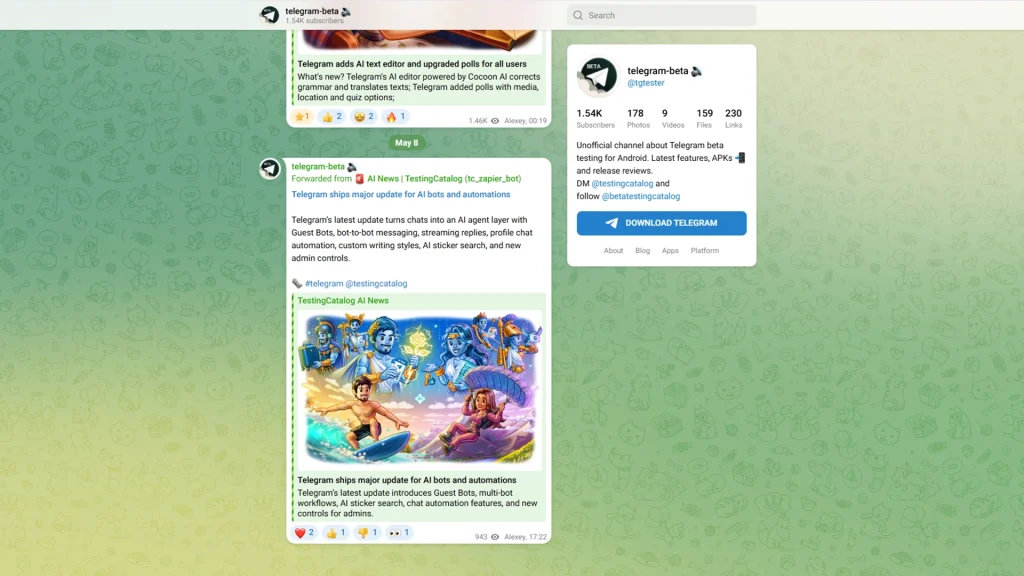
The second, much better method is to grab the standalone file. To do this, you can fetch the official Download Telegram Beta APK link from verified, platform hosted repositories or their dedicated info channels. Downloading this standalone package allows the experimental version to run side by side with your official messaging app on the same Android device, which is a massive advantage for cross testing. Running a parallel version also helps me rule out network glitches; if my main app gets stuck, checking the beta build is my favorite way to troubleshoot and Fix Telegram Connecting Problem instantly.
📥 Android Quick Download Box
- Verified Package Link: Download Telegram Beta APK
- Deployment Method: Standalone App Installer
- Data Safety: Zero risk to existing official chat histories
The iOS Dilemma: Navigating Apple TestFlight
Deploying pre release software on an iPhone or iPad requires Apple’s official testing platform. This process is highly restricted due to the strict slot limitations imposed by iOS infrastructure.
First, download the TestFlight app from the App Store. Next, you need to locate the official Telegram Beta iOS TestFlight invitation link. Because slots are capped at ten thousand testers globally, these spaces fill up almost instantly when a Telegram Beta latest update drops. I highly recommend bookmarking community tracking channels that monitor slot availability in real time so you can click the invitation link the exact second a spot opens up.
🍏 iOS Quick Access Box
- Testing Hub Link: Telegram Beta iOS TestFlight
- Slot Limitation: Capped at 10,000 global testers
- Prerequisite: Apple TestFlight application must be running on your device
Upgrading Desktop Versions: Windows and macOS
If you spend your workday on a computer like I do, installing the Telegram Beta for PC client is incredibly simple and takes less than two minutes.
Open your stable desktop application, navigate directly into the settings panel, and click on the advanced menu. Scroll down to the very bottom, and you will find a toggle switch labeled install beta versions. Flip that switch, restart the client, and the system will automatically pull the newest desktop environment straight to your computer.
Environment Update: Automatic background sync with the latest build
💻 Desktop Quick Upgrade Box
Direct Installer Link: Telegram Beta for PC
Alternative Route: Internal toggle switch via Advanced Settings panel
The Hidden Risks of Running Pre-Release Code
While having early access to tools is incredibly exciting, I must give you a realistic warning based on my own trial and error. This is experimental software.
You will encounter moments where the app suddenly closes while you are trying to send a large video file. There are instances where certain notification settings might refuse to sync correctly across your devices. In rare cases, a bad build might cause temporary battery drain on your phone.
Because of these factors, I never recommend using this software on your primary business device if you cannot afford a single moment of downtime. Always ensure your cloud backups are fully turned on within the app settings so your message data remains completely safe if you ever need to perform a clean reinstall.
Maximizing Your Inside Access
If you decide to take the plunge, you should know how to properly utilize the platform. Look out for the debugging menu, which can usually be accessed by rapidly tapping the settings icon ten times in a row. This opens up an underlying control panel where you can force sync chats, reset internal audio drivers, and tweak experimental rendering parameters. It is the ultimate playground for anyone who loves tailoring software to their exact needs. Unlocking these hidden developer options is just the first step toward Mastering Telegram 2026 and turning your messaging app into a highly customized, professional workstation.
If you hit a roadblock during installation, encounter a broken download link, or need personalized technical guidance to set up your channels safely, help is always available. You can reach out directly to our dedicated support experts via the official handle @membertelsupport to get your setup running perfectly.
Frequently Asked Questions
Will installing the unstable version delete my existing conversations?
No, your message history is tied directly to your phone number and stored securely in the cloud. When you log into the new build, all your channels, groups, and secret archives will sync over perfectly within seconds.
Can I run both the official app and the testing build simultaneously?
On Android and Desktop platforms, yes. You can install the standalone version alongside the standard application. On iOS, the testing version will completely overwrite your standard App Store version, though you can revert to the public version whenever you want.
Is using the standalone file safe for my personal data privacy?
Using the official file provided directly through verified channels or their secure repository is completely safe. Avoid downloading modified packages from third party websites or unverified forums, as those can contain malicious tracking code.










Leave a Reply