

TradingView to Telegram signal automation is the process of connecting chart alerts from TradingView directly to a Telegram channel, group, or private chat so signals arrive the moment a condition triggers, without you typing or forwarding anything by hand. If your trading community spans across multiple chats pairing this direct webhook connection with a Telegram auto forwarder ensures those exact signals duplicate instantly into every related group. For anyone running a paid signal service that gap between a price hitting your level and the message actually reaching subscribers is where trust gets built or broken.
If you have ever been away from your screen when a setup triggered, or copied and pasted the same alert format for the hundredth time, you already know why manual posting does not scale.
Why Manual Signal Posting Is Costing You Subscribers
Every signal channel promises speed. That is the whole pitch, catching a move before it plays out. The problem is that manual posting introduces exactly the delay you are selling against. You see the alert pop up on your phone, you switch to Telegram, you type or paste the entry, stop loss, and target, and by the time it posts, thirty seconds or a minute has passed. On a fast moving pair, that gap is the difference between a subscriber entering at your price and entering somewhere worse, which is the fastest way to lose their trust.
Every delayed entry chips away at your reputation and directly affects your bottom line especially when you start projecting how much can you earn selling forex signals with a highly satisfied premium subscriber base.
There is also the human factor. You cannot watch every chart around the clock. A webhook connection does not sleep, does not miss a notification, and does not need a coffee break.
TradingView Alerts to Telegram Bot: How the Connection Works
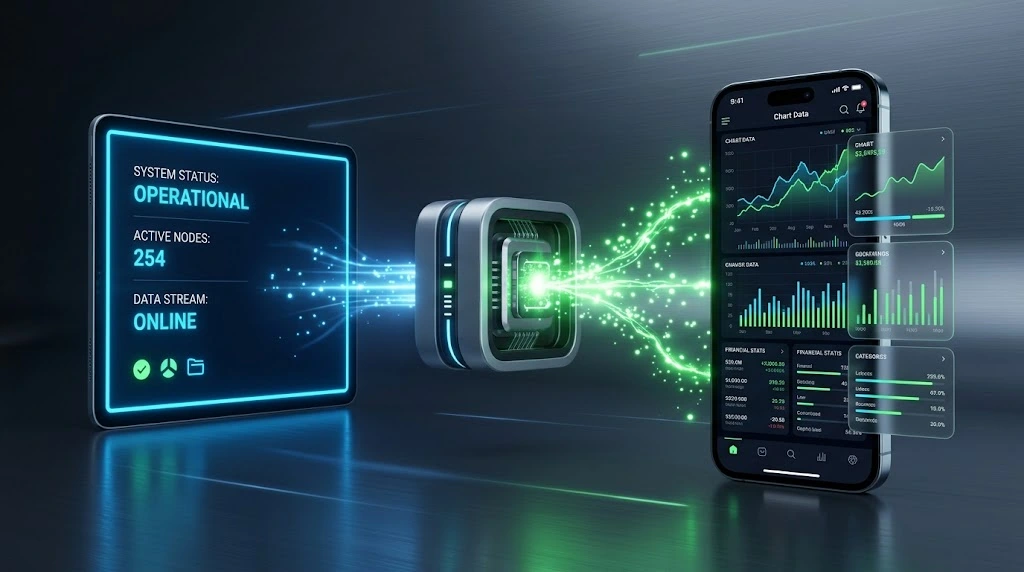
At a technical level this is simpler than it sounds. TradingView lets you attach a webhook URL to any alert. When the alert condition is met, TradingView sends a message to that URL automatically. A Telegram bot sitting on the other end of that URL receives the message and forwards it into your channel, group, or private chat.

What a Webhook Actually Does
Think of a webhook as a mailbox address. You give TradingView the address, and every time your alert fires, TradingView drops a message in that mailbox. The bot checks the mailbox constantly and forwards whatever arrives straight to Telegram within seconds. You never touch the process once it is set up.
This instant push method is exactly why understanding the technical difference between a Telegram bot webhook vs long polling matters because a webhook delivers your trading data immediately without the bot having to constantly ask the server if a new message has arrived.
Because this system acts as a direct pipeline into your community you must treat your webhook link strictly like a bank password. If anyone else discovers your unique URL they can bypass your charts and push fake trades to your audience. Never share this link publicly or show it in unblurred tutorial videos. It is also completely safe to add the bot to your channel because you only need to grant it posting permissions while keeping all other admin rights disabled.
TradingView to Telegram Signal Automation with TV WebHook TFLab
Among the tools available, TV WebHook TFLab (reachable through the bot @tfwebhook_bot) stands out for one simple reason: everything happens inside a Telegram mini app, so there is no separate account to create on a third party automation platform and no server to maintain. You open the bot, open its mini app, and generate a webhook URL in a few taps.
Running everything inside the chat interface is becoming the standard which is why using dedicated Telegram mini apps for forex traders has completely replaced clunky external websites for managing your daily operations.
It supports every alert type TradingView offers, including indicator based signals, price level alerts, and custom Pine Script conditions. The free tier covers what most signal channel owners need without asking for payment details up front.
Setting Up Your First Webhook
The setup follows a consistent order regardless of how many charts or pairs you are working with.
- Add the bot as an administrator to your Telegram channel or group so it has permission to post
- Open the TV WebHook TFLab mini app and select which channel or group the webhook should send to
- Create a new webhook and give it a name you will recognize later, such as Gold Alerts or EURUSD Scalps
- Copy the generated webhook URL and paste it into the Webhook URL field inside your TradingView alert settings
- Save the alert, then trigger a test to confirm the message actually reaches Telegram
Once that first webhook works, adding more for other pairs or strategies takes under a minute each.
Sending Alerts to Multiple Channels and Groups
Most signal providers are not running a single channel. If you are still building your community structure understanding the truth about Telegram group vs channel for forex leads is essential before you decide exactly where to route your automated alerts. There is usually a free public space to attract new members and a private VIP section where the real detail lives often powered by modern payment methods like Telegram Stars for forex signal monetization. TV WebHook TFLab lets you create separate webhooks for each destination, so a single TradingView alert setup can route different signals to different audiences depending on which webhook URL you paste into which alert.
This matters more than it sounds. It means your free channel can get a simplified heads up while your VIP group receives the full entry, stop, and target breakdown, all triggered from the same chart condition without you managing it manually.
Formatting Alerts for a Professional Signal Channel
A raw alert with no formatting looks unfinished and does not build confidence. TradingView lets you customize the message text for every alert, which means the formatting work happens once, not every time a signal fires.
Attaching Live Chart Screenshots to Alerts
While text signals tell your subscribers what to do a visual chart shows them exactly why. People want to see your technical analysis to feel secure about the trade. TradingView actually lets you attach a live screenshot of your chart directly into the webhook alert. You just check the image box in the alert settings and the platform takes a high quality snapshot of your exact indicators the moment the condition triggers. The Telegram bot then forwards this image alongside your text giving your members total confidence in the setup.
Using Placeholders Like Ticker, Price, and Time
Placeholders pull live data into your alert message automatically. The ticker placeholder inserts the asset symbol, the close placeholder inserts the current price, and the time placeholder inserts when the condition triggered. A message built with these placeholders reads as a proper signal rather than a generic notification, and it looks the same whether it fires at three in the afternoon or three in the morning while you are asleep.
Beyond formatting automated messages mastering the best Telegram features for forex signal providers will help you organize your chat layout pin critical risk disclaimers and keep your community engaged effortlessly.
Which TradingView Plan Do You Need?
This is one of the most common questions before anyone commits to setting this up. TradingView does require a paid plan to use webhooks at all. While older tutorials and community members still refer to it as the Pro plan the platform has updated its pricing tiers to Essential Plus and Premium. You need at least the Essential plan to unlock external URL alerts since the free version strictly disables this feature. For anyone running a business the cost of an Essential plan is minimal compared to what a single missed signal costs in subscriber trust.
Other Ways to Automate Signals
TV WebHook TFLab is not the only path, and it is worth knowing what else exists so you can judge whether it still fits your setup.
| Method | Coding Required | Cost | Best For |
|---|---|---|---|
| TV WebHook TFLab | None | Free | Non technical channel owners wanting a quick setup |
| BotFather plus Pipedream | Minimal, some configuration | Free tier available | Users comfortable connecting third party automation tools |
| Self hosted bot scripts | Yes, Python or similar | Free but needs hosting | Developers who want full control over formatting and logic |
The BotFather and Pipedream route, which shows up often in TradingView’s own community posts, works but adds a second platform you have to configure and maintain separately. Self hosted scripts give developers complete control over how alerts are parsed and displayed, but they require setting up and paying for a server, which is more overhead than most signal channel owners want to deal with.
What to Do If Your Telegram Signal Fails
Sometimes you set everything up but an alert simply does not show up in your chat. The fastest way to figure out why is by checking the alert log inside TradingView. This log records every single trigger and tells you if the message went through or failed. A failed delivery usually happens because an extra space got copied at the end of your webhook link or your paid subscription expired. Running a quick test on a one minute timeframe will save you a lot of guessing and help you spot the error immediately.
FAQ
Can I send TradingView alerts to Telegram for free?
Yes. The Telegram side of the connection, including bots like TV WebHook TFLab, is free to use. The only cost involved is TradingView’s own Pro plan, which is required for webhook functionality regardless of which Telegram bot you connect it to.
How do I connect TradingView to a Telegram channel?
Add a webhook enabled bot as an administrator in your channel, generate a webhook URL through the bot’s interface, then paste that URL into the webhook field when creating or editing an alert in TradingView.
Do I need TradingView Pro for webhook alerts?
Yes. Webhooks are only available on TradingView’s paid plans, starting at Pro. The free version does not include the option to send alerts to an external URL.
Can TradingView alerts go to a private Telegram group?
Yes. Most webhook bots, including TV WebHook TFLab, support sending to private chats, groups, and channels. You choose the destination when you create the webhook.
What is a TradingView webhook?
A webhook is a URL that TradingView sends a message to automatically whenever an alert condition is met. That message can then be picked up by a bot and forwarded into Telegram, an email, or any other connected service.
Conclusion: TradingView to Telegram Signal Automation
TradingView to Telegram signal automation removes the single biggest weak point in running a signal channel, the gap between a chart condition triggering and your subscribers actually seeing it. With a free bot like TV WebHook TFLab handling the connection, there is no code to write and no server to maintain, just a webhook URL copied into an alert and a message that shows up in Telegram within seconds every time.
Once you have solved the delivery gap you can take automation even further because many professionals now connect their chats directly to a Telegram signal copier to MT4/MT5 so their personal trades execute automatically the exact moment the webhook drops the message.
If you want help setting this up for your own signal channel or deciding how to split alerts between your free and VIP audiences, reach out to @membertelsupport and we can walk through the setup together.














Leave a Reply