
Webhook is faster and cheaper at scale. Long polling is simpler and needs no domain or SSL certificate. That is the short version of the telegram bot webhook vs long polling debate and if you only came here for a quick answer you have it. But the right choice depends on how many users you are serving especially if you plan to buy Telegram bot monthly users to scale your project rapidly where you are hosting the bot and how much setup time you are willing to spend before your first message goes through.
This guide breaks down how each method actually works under the hood, what real benchmark numbers show, and which one makes sense for your specific project in 2026.
How Long Polling Works
Long polling is the default method most Telegram bot libraries use out of the box, and there’s a reason tutorials lean on it so heavily: it just works, with almost no configuration.
Popular frameworks like Telegraf for Node or aiogram for Python default to this method because it requires absolutely zero network configuration to get a prototype running.
Your bot sends a request to Telegram’s getUpdates endpoint and asks, in effect, “anything new for me?” If there’s nothing waiting, Telegram doesn’t respond immediately. It holds that connection open, usually for around 25 to 30 seconds, and waits. The moment a message arrives, Telegram sends it back right away. If nothing shows up before the timeout, the request closes empty and your bot fires off a new one instantly. This loop repeats forever while your process is alive.
This constant loop remains one of the most accessible methods to use Telegram API to automate your bot tasks without dealing with complex server configurations.
Compare that to short polling, where a script hits the server every couple of seconds regardless of whether anything happened. Short polling wastes bandwidth and gets rate limited fast. Long polling avoids that problem by keeping one request open at a time instead of spamming the server, so it’s genuinely efficient even though it sounds wasteful on paper.
The getUpdates Loop and Timeout
Every call to getUpdates can specify a timeout value. Set it too low and you’re back to short polling behavior, hammering Telegram with requests. Set it around 25 to 30 seconds and you get near instant delivery without the overhead. Telegram’s Bot API also caps how much it returns in a single batch, capped at 100 updates per response, so a bot handling a sudden spike in messages during a viral moment might need a few extra round trips to catch up.
The 409 Conflict Problem
Here’s something a lot of beginner tutorials skip entirely, and it trips people up constantly. Telegram will not allow two processes to poll the same bot token at once. Run your bot locally while an old deployment is still live somewhere else, and you’ll start seeing 409 Conflict errors in your logs. The fix is almost always the same: shut down every other instance polling that token before starting a new one. This single quirk is one of the main reasons polling doesn’t scale horizontally. You can’t just spin up three servers polling the same bot to handle more load, because Telegram will reject the extra connections outright.
Understanding exactly what is a Telegram API token and how it uniquely identifies your process makes it obvious why the platform strictly enforces this single connection rule.
How Webhook Works
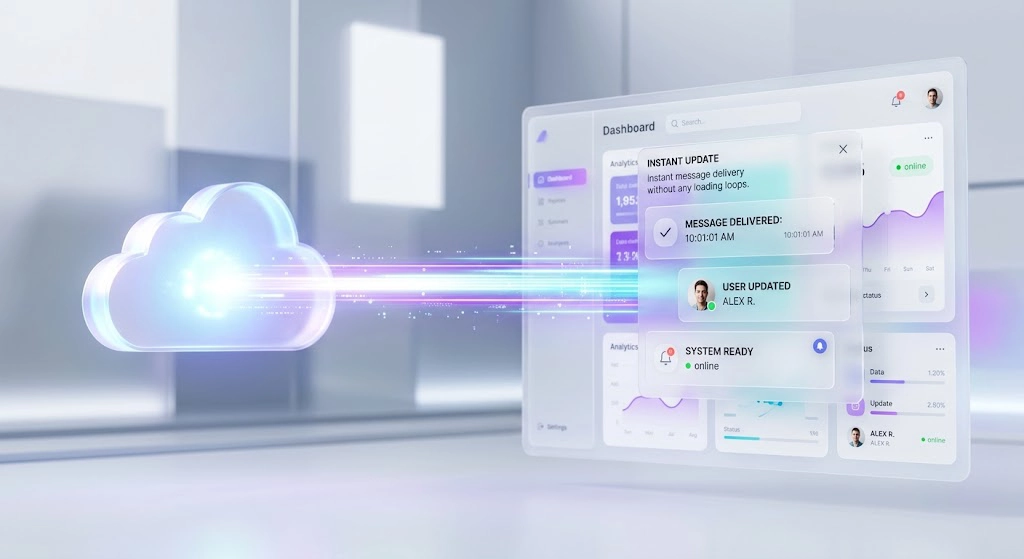
Webhook flips the whole relationship. Instead of your bot asking Telegram for updates, you tell Telegram once: “here’s my address, send messages here.” From that point forward, the moment someone messages your bot, Telegram fires an HTTP POST request straight to your server with the update data attached. Whenever you need to securely connect your Telegram bot to a website or an external web application this architecture ensures interactions arrive instantaneously.
There’s no loop, no idle requests, no waiting. Your server sits quiet until something actually happens, then processes it and moves on. That’s a meaningfully different resource profile than a process that’s constantly making network calls in the background.
setWebhook and the Public HTTPS Requirement
To turn this on, you call the setWebhook method once with your endpoint URL. From that moment, Telegram automatically disables getUpdates for that bot token. The two methods are mutually exclusive; you can’t run both at the same time on the same bot.
The catch is that your endpoint has to be publicly reachable over HTTPS. Telegram only accepts traffic on ports 443, 80, 88, or 8443, and your certificate needs to be valid, not expired, not self-signed unless you jump through extra verification steps. If you’re testing locally, this usually means running a tunneling tool that exposes your machine through a temporary public URL, since your laptop obviously doesn’t have a real domain pointed at it.
To bypass this public domain limitation developers usually rely on industry standard software like ngrok or Cloudflare Tunnels. These applications create a secure temporary link that forwards live external internet traffic directly to a local port on your machine. This practical setup lets you receive POST requests from Telegram instantly while writing and debugging code on your laptop meaning you do not have to buy a domain or configure certificates just to test your application.
SSL, Ports, and Common Setup Mistakes
Most webhook failures trace back to one of a handful of causes. A certificate that doesn’t match the domain. A reverse proxy that redirects requests instead of passing them straight through, which breaks Telegram’s expectations. A server that returns anything other than a 200 status code, which Telegram interprets as a failure and retries with exponential backoff, starting around one second and capping near a minute. If updates seem to have stopped arriving, calling getWebhookInfo and checking the last_error_message field is the fastest way to find out what actually went wrong instead of guessing.
Security requires more attention than just hiding your endpoint URL. Automated scripts constantly scan public web addresses and they will eventually try to inject fake payloads into your server. While checking a secret token ensures basic verification real production environments go a step further by validating the origin IP address. Telegram officially publishes the specific network subnets they use to send webhook requests. If updates seem to have stopped arriving calling getWebhookInfo and checking the last error message field is the fastest way to find out what actually went wrong. This specific debugging step is often the absolute best solution to figure out exactly why my Telegram bot is not responding when the code itself looks completely fine.
Webhook vs Long Polling: Side by Side Comparison
| Factor | Long Polling | Webhook |
|---|---|---|
| Setup complexity | Minimal, no domain needed | Requires HTTPS, valid SSL, open port |
| Typical latency | Depends on poll timing, often 1 to 2 seconds under load | Often under 200ms once configured correctly |
| Server cost at scale | Needs an always on process even during quiet periods | Can scale to zero between messages on serverless hosts |
| Horizontal scaling | Not possible, Telegram blocks concurrent polling | Works naturally, any number of servers behind a load balancer |
| Best for local development | Yes, works instantly | Needs a tunneling tool or public IP |
| Failure recovery | Manual retry logic is your responsibility | Telegram auto retries with backoff on failure |
One benchmark test comparing the two on a small cloud instance handling around 100,000 updates a day found median response time dropped from roughly 1.2 seconds under polling to about 0.12 seconds after switching to webhook, with a noticeable drop in CPU usage as well. That gap matters more than it might sound like on paper. A user sending a payment confirmation or waiting on a game move doesn’t experience “a bit slower.” They experience a bot that feels broken.
When Long Polling Is the Right Choice
Long polling still earns its place, and dismissing it as outdated would be dishonest. If you are just learning how to develop a Telegram bot from scratch or running something that a handful of people use casually polling gets you running in minutes with zero infrastructure decisions. There’s no domain to buy, no certificate to renew, nothing that can silently expire and break your bot while you’re not looking. Development environments without a public IP, internal tools running behind a firewall, and quick prototypes are all places where polling remains the sensible default, not a compromise.
When Webhook Is the Right Choice
Once your bot is handling real traffic, especially anything time sensitive like payment confirmations, live game state, or customer support routing, webhook stops being optional. The lower latency isn’t a nice bonus at that point; it’s the difference between a bot that feels responsive and one that feels frozen for a few seconds after every message. Webhook also becomes necessary the moment you want to run more than one server behind a load balancer, since Telegram’s 409 conflict rule makes that impossible with polling. If your bot needs to survive traffic spikes without you manually restarting anything, or if you’re already running other services on HTTPS infrastructure, webhook is the natural fit.
Hosting Implications in 2026
The hosting landscape has shifted in a way that makes this decision matter more than it used to. Webhook bots can now deploy on serverless platforms that scale to zero between messages, meaning you pay close to nothing when the bot is idle and it wakes up the instant a request comes in. That’s a real cost advantage for low to medium traffic bots, though it comes with a small cold start delay on the very first request after a quiet period.
Long polling doesn’t fit that model at all. It needs a process that never stops running, which rules out scale to zero hosting entirely. You’re paying for an always on container or VM whether anyone messages your bot or not. For a hobby project that’s a few dollars a month. For a bot with real users, it adds up in a way webhook simply doesn’t.
“Moving our active bot deployments from continuous long polling to an event driven webhook architecture changed our entire infrastructure overhead. Our baseline server memory usage dropped heavily because we stopped keeping thousands of network connections open just waiting for empty updates. More importantly our peak traffic latency stabilized well under one hundred milliseconds. When you start handling real volume continuous polling becomes a massive bottleneck and webhooks become an absolute operational necessity.”
Alex Thorne, Lead Cloud Architect
If your bot also stores data, like user preferences or conversation history, you’ll want a managed database wired into whichever hosting path you pick, along with scheduled jobs for anything that runs on a timer, like broadcast messages or cleanup tasks.
How to Switch From Polling to Webhook
Switching isn’t complicated once you have a valid HTTPS endpoint ready.
- Stop your polling process completely. Running both at once isn’t supported, and Telegram will simply reject one of them.
- Call
setWebhookwith your endpoint URL, ideally including a secret token parameter so you can verify incoming requests are genuinely from Telegram and not spoofed traffic. - Confirm it worked by calling
getWebhookInfoand checking that the URL and error fields look correct. - Send a test message to your bot and watch your server logs to confirm the POST request arrives.
- If you need to roll back, call
deleteWebhookand your bot returns to polling mode immediately.
This is also usually the point where people realize the SSL certificate, port configuration, and always on server management add up to more ongoing maintenance than they expected, especially if bot development isn’t their full time job. That’s the gap managed platforms like TeleClaw exist to close: You simply get a Telegram bot token from BotFather paste it into a dashboard and the platform handles the HTTPS endpoint certificate renewal and webhook registration for you so you are configuring bot behavior instead of babysitting infrastructure.
FAQ
Which is better, webhook or polling for a Telegram bot?
Webhook is better for production bots with real traffic because it’s faster and cheaper to run at scale. Long polling is better for local development, testing, or very small bots where simplicity matters more than performance.
Do I need a domain for a Telegram bot webhook?
Yes, functionally. Telegram requires a publicly reachable HTTPS URL, which in practice means a domain with a valid SSL certificate, or a managed hosting platform that provides one for you.
Why does my Telegram bot get a 409 conflict error?
This happens when two processes try to poll the same bot token at the same time. Shut down any other running instance, whether local or deployed, before starting a new polling session.
Can I use long polling in production?
Yes, for low traffic bots it works fine. But it can’t scale horizontally because Telegram blocks concurrent polling on one token, and it needs an always on server, which costs more than a scale to zero webhook setup once traffic grows.
How do I switch from polling to webhook in my Telegram bot?
Stop the polling process, call setWebhook with your HTTPS endpoint, then verify with getWebhookInfo. You can switch back at any time by calling deleteWebhook.
Conclusion: Telegram Bot Webhook vs Long Polling
The telegram bot webhook vs long polling decision really comes down to where your bot is in its life. Early on, while you’re testing ideas and don’t have a server running yet, long polling lets you skip the infrastructure conversation entirely and just build. Once real users show up and speed starts to matter, webhook becomes the obvious move, both for the latency gain and for the lower hosting cost once you’re not paying for an always on process. Start with whichever gets you shipping today, and don’t be afraid to switch later. It takes minutes, not a rewrite.
If setting up and maintaining that HTTPS endpoint sounds like more infrastructure work than you want to take on, a managed platform can register the webhook, handle certificate renewal, and keep your bot online without you touching a server config file.
Not sure which setup fits your bot, or stuck halfway through a webhook migration? Message our support team at @membertelsupport and we will walk you through it, step by step, until your bot is live and responding the way it should.














Leave a Reply