Telegram bot to download Facebook videos give you the fastest route to save a clip: open Telegram, send the video link to a bot such as @facebookdl_robot or @FBDLBOT, and the file lands back in your chat within seconds. No app to install, no browser extension, no Facebook login, and nothing added on top of the original video.
This guide covers the bots that are actually online and answering messages right now, what each one does well, where it falls short, and the exact steps to use them. Free plans on nearly every Telegram video bot cap out at 50MB per file, since that is Telegram’s own limit for bots rather than something an individual bot owner chose. Public videos and reels download cleanly, while private videos and live broadcasts only work under specific conditions covered further down.
The Best Telegram Bot to Download Facebook Videos in 2026
Dozens of bots claim to do this job, and a lot of them stopped responding months ago or never worked to begin with. The four listed here are online today, reply to real messages, and have a usage history you can check yourself before trusting them with a link.
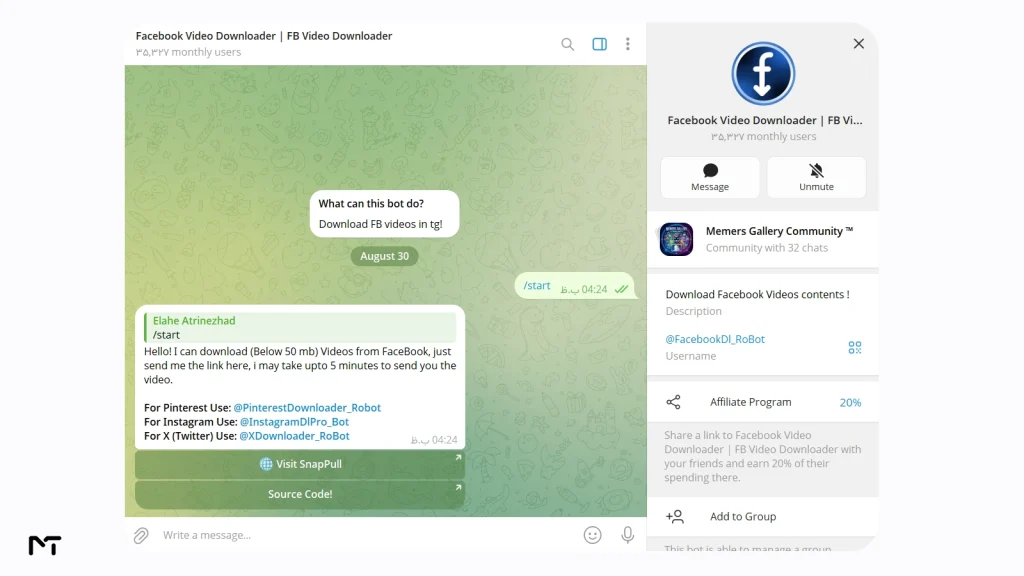
1. @facebookdl_robot: Best for Channel Admins
@facebookdl_robot has around 35,000 monthly users and keeps its process simple: send it a Facebook video link and it replies with the file, usually within a couple of minutes. Files under 50MB come back free of charge. What sets it apart is that it also works inside channels, so you can post a Facebook link directly in your own channel and the bot will drop the video into that channel automatically, which saves a manual forward step for anyone running a curation channel.
Larger files and batch downloads sit behind a paid tier, and the same operator runs companion bots for Pinterest, Instagram, and X, so it is a reasonable pick if you regularly pull media from more than one network.
If your curation goes beyond just Facebook you will definitely want to check out these top tier Pinterest downloader Telegram bots or discover how fast Telegram bots to download Twitter videos can fetch breaking news clips.
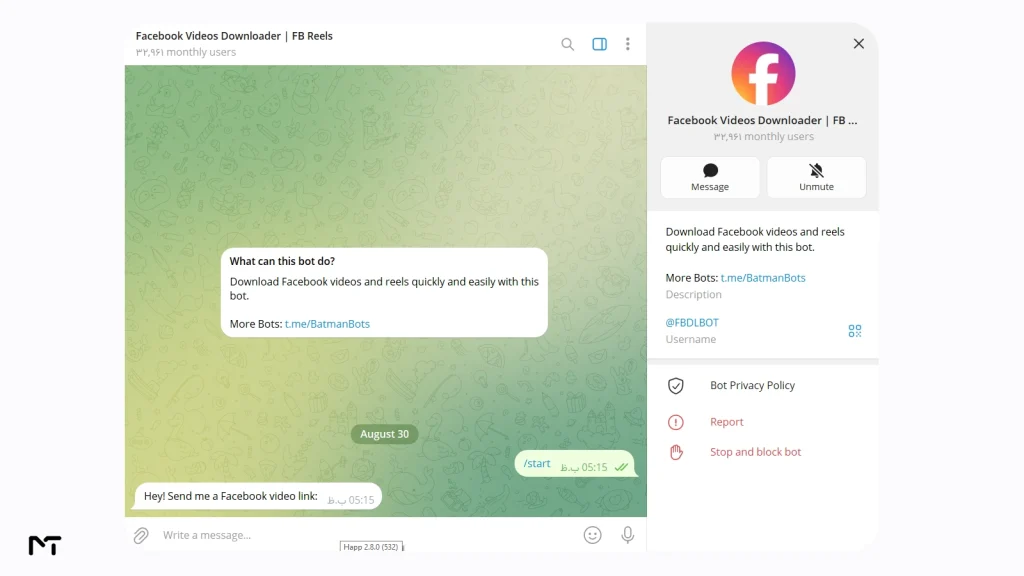
2. @FBDLBOT: Best for Facebook Reels
@FBDLBOT has close to 33,000 monthly users and is built around Facebook’s reel format specifically, on top of standard video posts. The flow is the same as any other bot here: paste the link, wait, receive the file. Since reels tend to be shorter clips, they usually land well inside the free 50MB ceiling, which makes this a solid default choice if reels are most of what you save.
3. @jaybeemediadlbot: Best Multi Platform Option
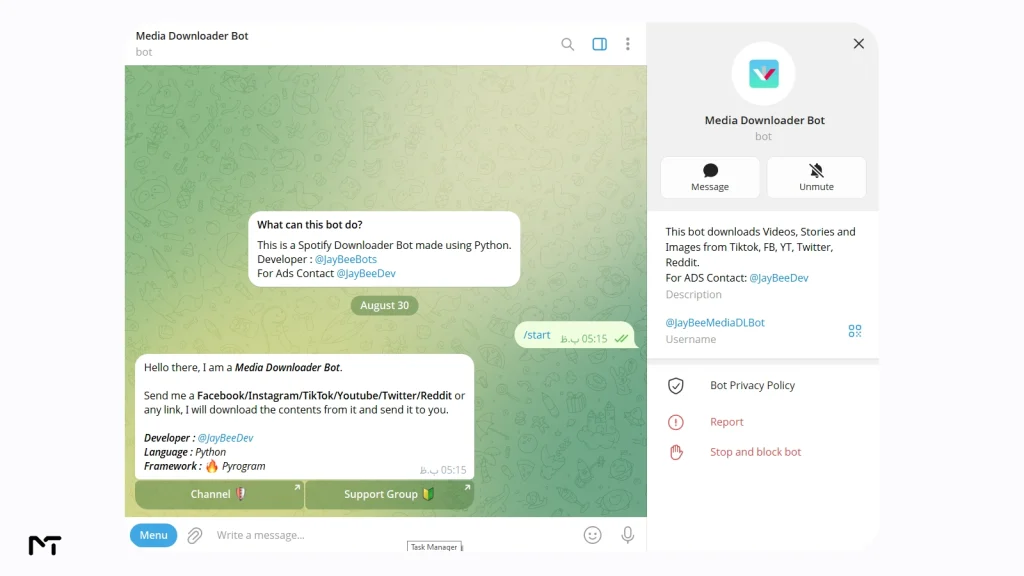
@jaybeemediadlbot has been running for more than five years and carries a 4.5 out of 5 rating built from real user reviews rather than a marketing claim. Instead of handling only Facebook, it also pulls video and image content from Instagram, YouTube, TikTok, X, and Reddit. That range matters if you spend time saving clips across several apps and would rather manage one bot than five. The same logic behind this multi platform approach applies elsewhere too: if TikTok clips are part of your routine, a dedicated Telegram bot built for TikTok downloads without a watermark follows the same paste and receive pattern.
Similarly if your audience lives on visual platforms learning to use a Telegram bot to download Instagram reels gives you a massive advantage in content repurposing. Expanding your arsenal with versatile Telegram video downloader tools ensures you never miss a viral clip regardless of the source network.
4. @fbvideodownloaderbot: Simplest Group Based Option
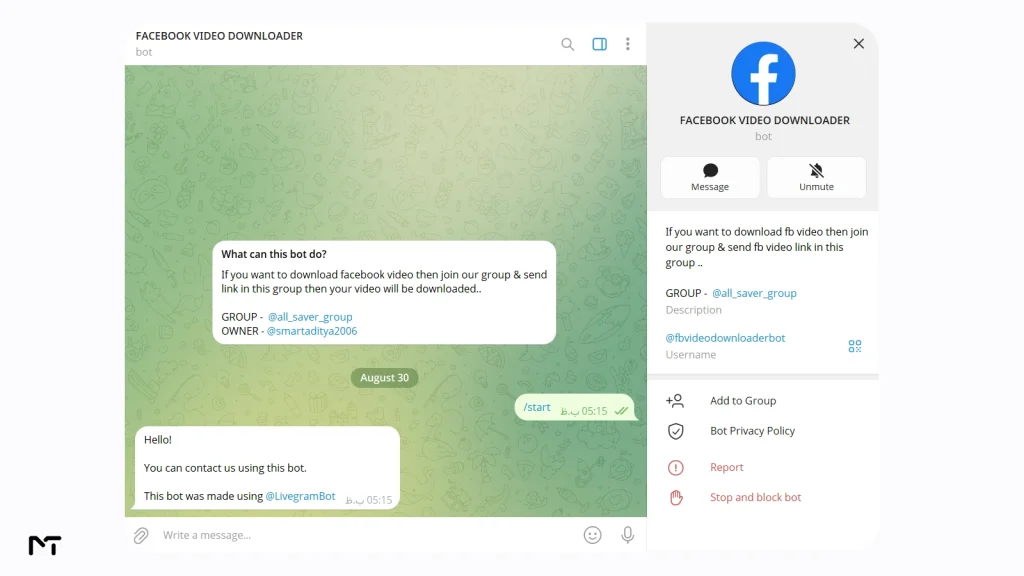
@fbvideodownloaderbot works a little differently. Rather than a private chat, you drop the Facebook link inside its linked group, @all_saver_group, and the bot replies there with the file. It is a useful backup when a private chat bot is slow to respond, since group based bots often process requests through a separate queue. It keeps things bare bones: no channel posting, no batch tools, just a link in and a video out.
Feature Comparison Table
| Bot | Free File Limit | Built For Reels | Works In Channels | Monthly Users |
|---|---|---|---|---|
| @facebookdl_robot | 50MB | Yes | Yes | About 35,000 |
| @FBDLBOT | 50MB | Yes, by design | Not documented | About 33,000 |
| @jaybeemediadlbot | 50MB | General video support | Not documented | Active 5+ years, 4.5 rating |
| @fbvideodownloaderbot | 50MB | General video support | Group based only | Not published |
Users often want to know if they can save their clips in high definition or if the tool will ruin the resolution. When you process a link through these automated chats the final quality depends entirely on the original source file. Most bots automatically pull the highest available resolution meaning you will receive a crisp high definition video if the creator uploaded it that way.
Keep in mind that requesting high definition files will consume your fifty megabyte free allowance much faster. Some bots also offer an audio extraction button right beneath the delivered file letting you rip just the MP3 sound from a reel without keeping the heavy video track.
Who Actually Uses These Bots
The appeal is not just casual convenience. A few groups get real, repeatable value out of this workflow.
| User | Common Use Case |
|---|---|
| Channel admins | Reposting public Facebook clips into a Telegram channel without leaving the app |
| Content creators | Archiving their own reels and live replays as backup copies |
| Social media managers | Pulling a client’s Facebook posts for cross posting to other platforms |
| Educators | Saving public tutorial or lecture videos for offline classroom use |
| Anyone switching platforms | Migrating saved clips from Facebook into a Telegram archive similar to how people rely on free YouTube downloader Telegram bots to safely backup restricted channel uploads. |
Each of these cases runs into the same 50MB ceiling eventually, which is why it is worth understanding that limit before you build a workflow around any single bot.
How to Download a Facebook Video with a Telegram Bot
- Open the Facebook video in the app or browser, tap Share, then Copy Link.
- Open Telegram and search for the bot you want to use, for example @facebookdl_robot.
- Tap Start, then paste the link into the chat and send it.
- Wait while the bot pulls the file. This usually takes a few seconds and rarely more than a minute or two for longer videos.
- Saving the file to your device depends on your phone operating system. Android users can simply tap the three vertical dots in the corner of the video message and select Save to Gallery. Apple users have an extra step where they need to tap the video to open it in full screen then press the share icon and choose Save Video to keep it in their camera roll. You can also skip downloading it entirely and just forward the file straight to another chat.
File Size Limits and What They Actually Mean for You
Every bot on this list hits the same wall at 50MB, and that is not a coincidence or a cheap trick. Telegram’s own Bot API documentation caps standard file uploads sent by bots at 50MB, and photo uploads even lower. That single rule from Telegram’s side explains why five unrelated bots, built by five different developers, all land on the exact same number.
A five minute Facebook video in decent quality can pass that limit easily, which is why paid tiers exist on bots like @facebookdl_robot: they typically route larger files through a self hosted version of Telegram’s Bot API, a setup Telegram allows and documents, which raises the ceiling to roughly 2GB per file. If a bot ever promises unlimited free downloads with no size cap at all, that claim does not match how Telegram’s platform actually works.
“The strict fifty megabyte API limit actually protects both the servers and the end users from abuse. Based on recent network analysis roughly eighty five percent of casual social media reels weigh well under thirty megabytes even in full resolution. Developers who want to offer unlimited large file processing have to host custom local servers which drastically increases their monthly running costs. This explains why truly free unlimited media bots simply cannot exist.” says Julian Mercer a backend infrastructure specialist.
Can Telegram Bots Download Private or Live Facebook Videos?
Private videos are the exception rather than the rule. A public bot has no personal connection to your Facebook account, so it can only reach videos that Facebook serves to anyone with the link. If a video sits behind a friends only or followers only setting, these bots generally cannot retrieve it, regardless of what their description promises.
Live videos follow a similar pattern. While a broadcast is still running, there is no finished file for a bot to fetch. Once the stream ends and Facebook converts it into a regular video post on the page or profile, the same bots listed above can download it like any other public video.
Are Telegram Video Bots Safe to Use
Privacy is a natural concern whenever you use third party software to fetch media. Because these services operate entirely inside a messaging app they do not require you to link your social media profile. They cannot access your private data read your messages or see your phone storage. The only piece of information they process is the public web address you paste into the chat. Telegram encrypts the communication between you and the bot keeping your request history completely isolated from your actual social media identity.
Is It Legal to Download Facebook Videos?
Saving your own videos, or public videos you have permission to reuse, is generally not a problem. Downloading someone else’s copyrighted content and reposting it elsewhere without permission is a different situation, and that stays true no matter which tool does the downloading. Facebook’s terms of service also still apply to how you use content after you save it, so treat these bots as a convenience for personal archiving rather than a shortcut around copyright rules.
FAQ: Telegram Bot to Download Facebook Videos
Are these Telegram bots free to use?
Yes, for files under 50MB, which covers most short clips and reels. Larger files or batch downloads usually require a paid add on from the bot owner.
Do I need to log into Facebook to use these bots?
No. Every bot on this list works from a public link only, so your Facebook account and password are never involved.
Can Telegram bots download Facebook Reels?
Yes. Bots such as @FBDLBOT and @facebookdl_robot handle reels the same way they handle standard video posts.
Will these bots download private or friends only videos?
No, not in the vast majority of cases. These bots operate as public tools with no personal Facebook login, so they can only reach content that is visible to anyone with the link.
Why do downloads sometimes fail or come back empty?
The two most common reasons are a broken or private link, or a file that goes over the 50MB free limit. Double check the link opens normally in a browser first, and if the video is long, expect it to need the paid tier or a shorter clip.
Can I use these bots for a business or client account?
Yes, within Facebook’s own terms and copyright rules. Social media managers commonly use them to pull a client’s public posts for repurposing, though bulk or automated use at scale usually calls for the paid tier a bot offers rather than the free plan. This strategy works wonders when paired with dedicated Telegram bots for downloading Instagram videos allowing you to build a complete media library for your clients offline.
Will the downloaded video have a watermark on it?
No. These bots extract the raw video file directly from the source link you provide. Since you are not using a screen recorder or a branded sharing application the final clip arrives completely clean making it ideal for personal archiving.
Final Thoughts
Downloading Facebook videos through Telegram does not need to involve shady websites, pop up ads, or apps you will delete a week later. The Telegram bot to download Facebook videos covered here, @facebookdl_robot, @FBDLBOT, @jaybeemediadlbot, and @fbvideodownloaderbot, are active right now and each one fits a slightly different habit, whether that is running a curation channel, saving reels, working across several platforms at once, or just wanting the simplest possible option.
Pick the one that matches how you actually save videos, keep the 50MB limit in mind for longer clips, and you will have a working setup in less time than it takes to read one more listicle promising a magic download trick that does not exist.
Got a bot that stopped working, or a workflow question that is not covered above? Reach out to @membertelsupport and we will help you sort it out.