
Telegram bots to download YouTube audio convert a video link into an MP3 file inside your Telegram chat in under a minute, no app or account needed. ytbaudiobot is the most reliable one right now, with @scdlbot, @Youtube_dwnldr_bot, @convert_youtube_to_mp3_bot, and @ytsavebot covering the rest depending on what you need.
I used to bounce between three or four sketchy YouTube to MP3 websites every week, closing pop-up after pop-up just to get a single audio file. At some point I got tired of it and started testing Telegram bots instead. That switch turned out to be one of those small changes that quietly saves you a lot of time.
If you’re new to this: paste a video link straight into a Telegram chat with one of these bots, and you get an MP3 back, usually within 30 seconds to a minute. No app to install, no account to create, no ad-blocker required.
Key Takeaways
- The five bots below are the ones I keep coming back to, ranked by what they’re actually good at
- Most support audio up to 320kbps, though real output quality depends on the source video
- None of them require a YouTube account or any sign up
- Telegram caps file delivery at 2GB for regular accounts, which matters if you’re grabbing long podcasts or DJ sets
Why I Switched to Telegram Bots in the First Place
The honest answer is reliability. Converter websites change their layout every few months, bury the actual download button under three fake ones, and half the time redirect you somewhere you didn’t ask to go. Telegram bots skip all of that because the interaction happens inside an app you already trust and already have open.
A few other things pushed me toward bots specifically:
- They work the same way on phone, desktop, and Telegram Web, so you’re not relearning an interface
- There’s nothing to install beyond Telegram itself
- Files land directly in your chat history, which doubles as free cloud backup for your downloads
- Most conversions finish in under a minute for a typical 3 to 5 minute song
That said, bots aren’t magic. They depend on YouTube not blocking them that week, and a bot that worked great in January can vanish by March. That’s exactly why I keep more than one saved.
The 5 Telegram Bots I Actually Use to Download YouTube Audio
I’ve gone through a long list of these over the past year, including a deeper dive into YouTube video downloader bots on Telegram for people who also want video, not just audio. These five are the ones still standing and still worth your time.
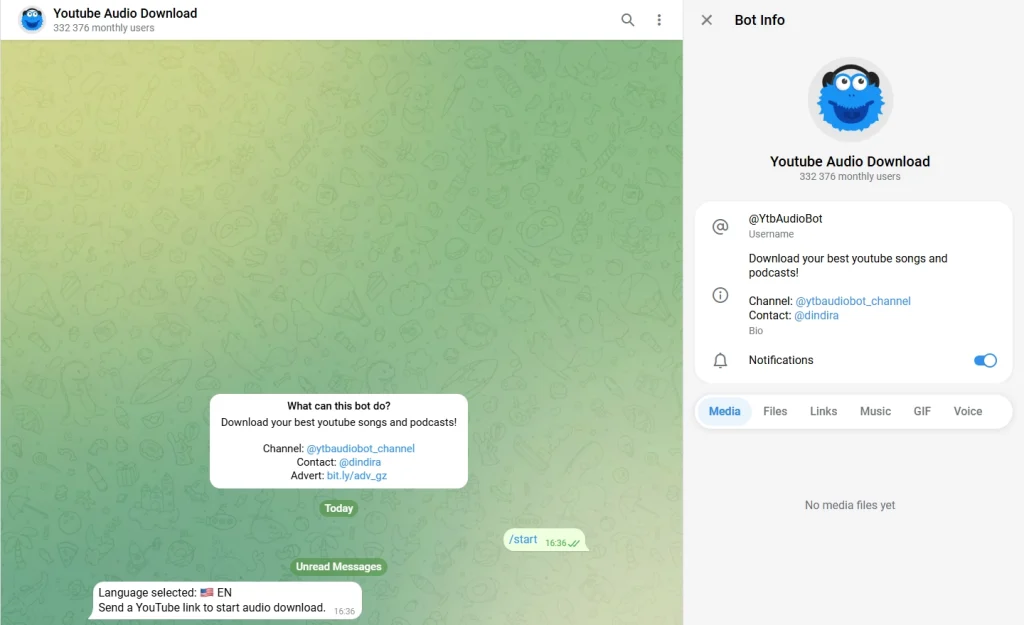
@ytbaudiobot
ytbaudiobot is the one I open first. It’s stayed online and functional longer than almost any other bot I’ve tracked, which says a lot in a space where tools disappear every few weeks.
Send it a link, and it usually offers a bitrate choice before processing. The output stays close to source quality, and metadata (track name, sometimes album art) tends to come through intact, which not every bot bothers with.
- Format: MP3, audio only
- Max quality: up to 320kbps depending on the source
- No YouTube account or sign-up needed
- Best for: anyone who wants one bot that just works, every time
@scdlbot (Best for Metadata and Multi-Platform Tracks)
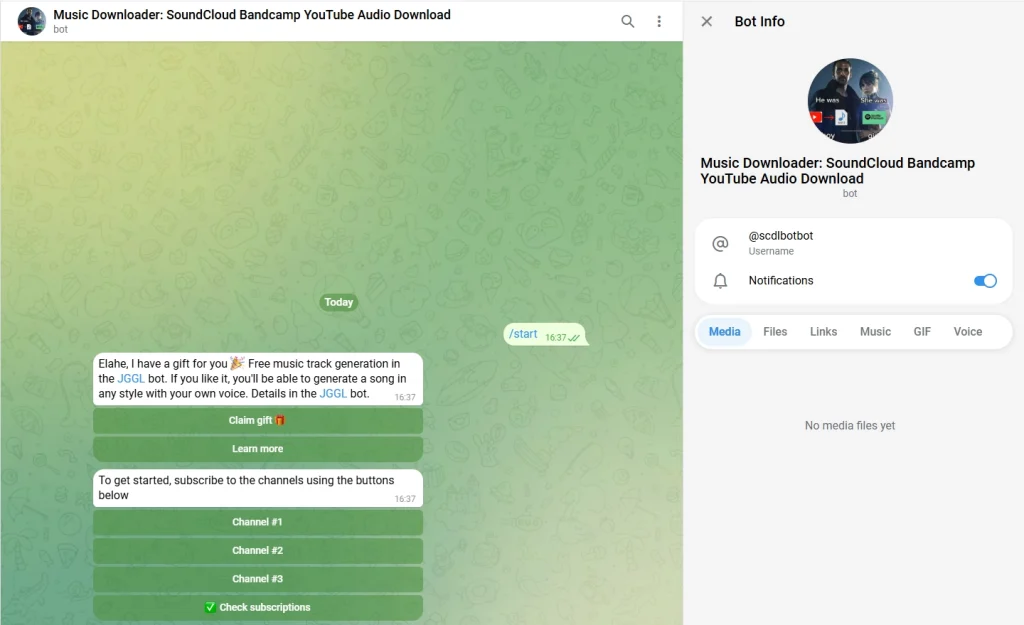
Don’t let the name throw you off, scdlbot started as a SoundCloud only tool, but it now pulls from YouTube too, and it’s the one I reach for when a track exists on more than one platform and I want whichever copy has better tagging.
Where it stands out is metadata. Album art, artist name, and track title usually come through clean, which matters if you’re building an organized music library instead of a folder of files named “audio_1847.mp3.”
- Format: MP3
- Sources: YouTube, SoundCloud, Bandcamp, and a few others
- Strength: metadata and album art retention
- Best for: people who care about a tidy, properly tagged music library
@Youtube_dwnldr_bot
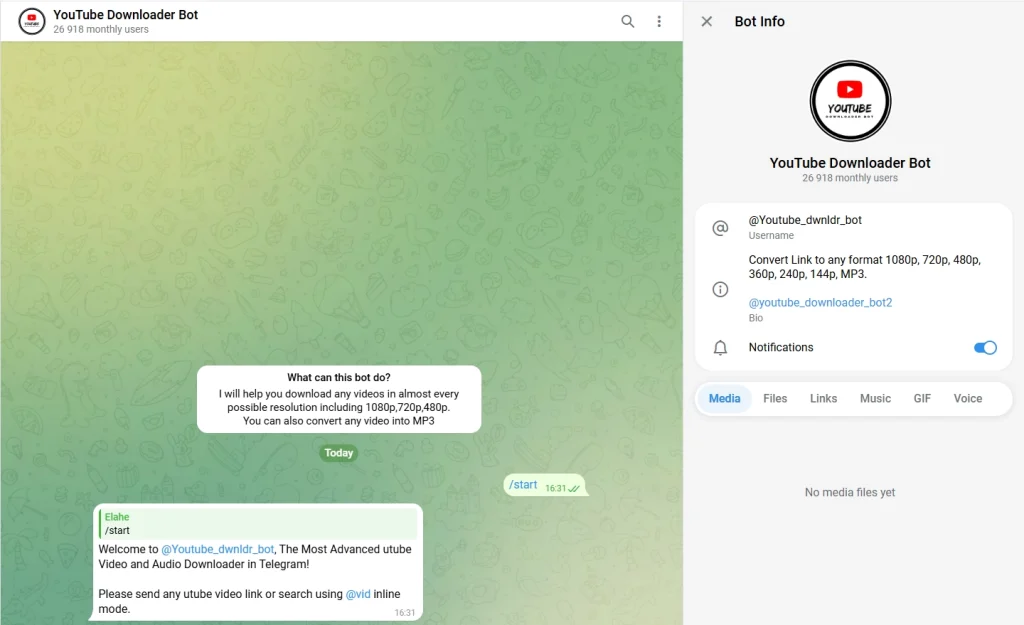
Youtube dwnldr bot is the bot I switch to for longer content: two hour DJ sets, full podcast episodes, lecture recordings. It handles both video and audio, and the processing speed holds up noticeably better than smaller bots once a file gets long.
It also offers playlist support, though I’d still process anything longer than five or six tracks one at a time. Bundling a big playlist into a single request is the fastest way to run into Telegram’s file size limits or have the bot time out halfway through.
- Format: MP3 and video
- Playlist support: Yes, with caveats (see below)
- Best for: Long-form audio and large files
@convert_youtube_to_mp3_bot (Best for a No-Frills Workflow)
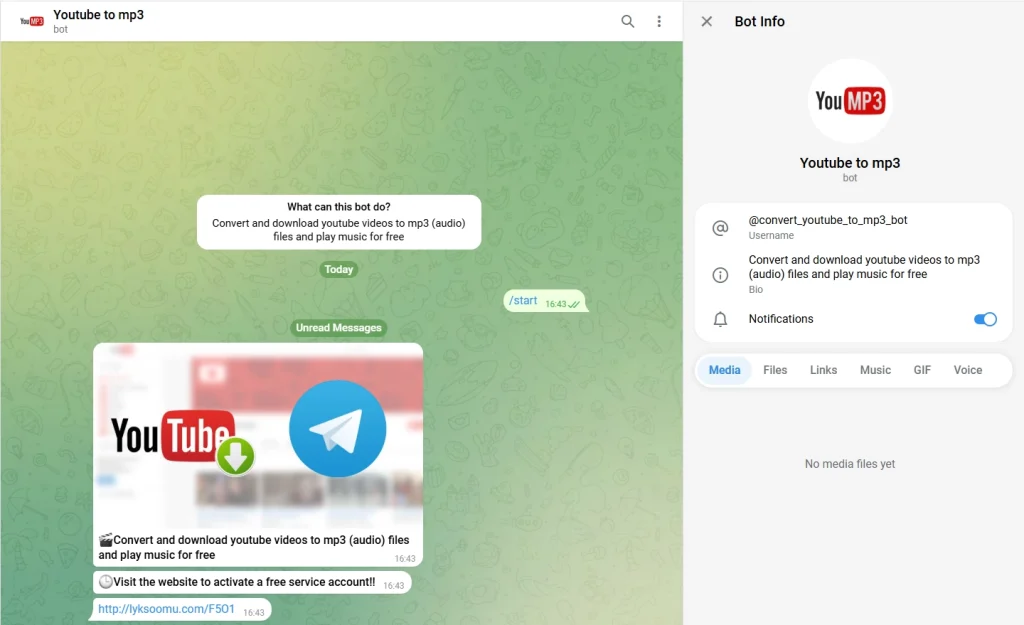
No buttons convert youtube to mp3 bot keeps things stripped down. No buttons, no quality menu, no extra steps to learn. You send a link, you get an MP3 back. If the other bots on this list feel like they have too many options, this is the antidote.
- Bitrate: Standard MP3 quality
- YouTube account needed: No
- Best for: People who just want the file and nothing else, no setup, no choices to make
It won’t win on speed or features, but for a quick one off download it does exactly what it says and nothing more.
If you’ve ever wondered whether using tools like these crosses a line, I covered that in more depth in are Telegram YouTube download bots safe and legal, worth a read before you get too attached to any one bot.
@ytsavebot (Best for YouTube and TikTok in One Bot)
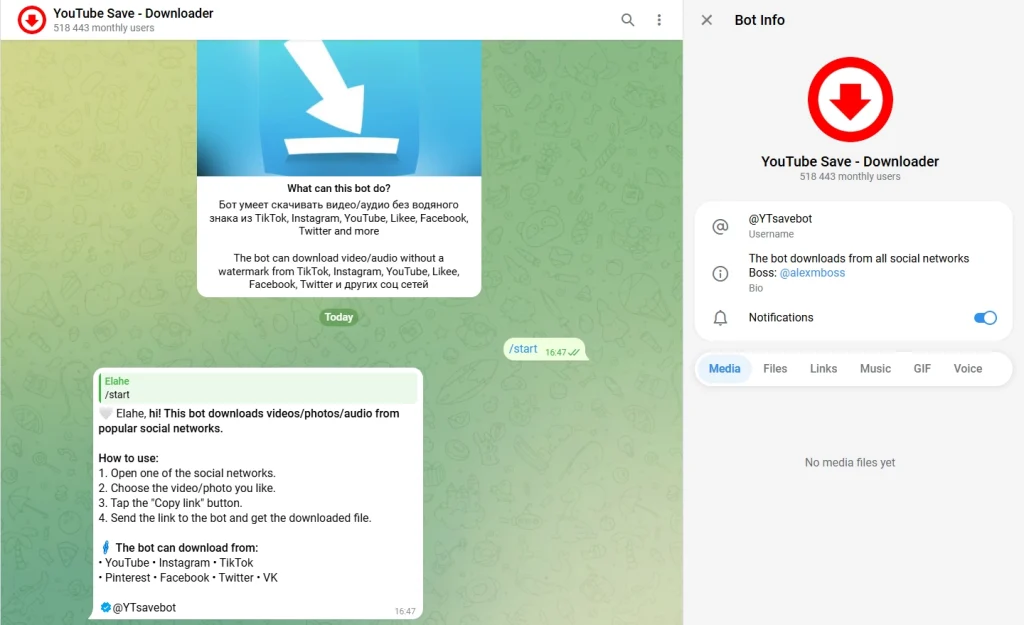
This one’s a bit different from the rest on this list. Instead of being built just for YouTube audio, @ytsavebot also pulls from TikTok, so if you’re someone who saves clips from both platforms, you’re not juggling two separate bots.
- Platforms supported: YouTube and TikTok
- YouTube account needed: No
- Best for: Anyone who wants one bot that handles more than just MP3s from YouTube
It’s a solid pick if your downloading habits aren’t limited to just music or podcasts. I sent it a YouTube link and it came back clean, no extra steps, no dead air waiting on a response.
Side by Side Comparison
| Bot | Best For | Speed | Playlist Support |
|---|---|---|---|
| @ytbaudiobot | Reliability, daily use | Fast | No |
| @scdlbot | Multi-platform, metadata/tags | Medium | Limited |
| @youtube_downloader_video_mp3_bot | Quality control, format options | Medium | No |
| @Youtube_dwnldr_bot | Long videos, large files | Very Fast | Yes |
| @yt_dwn_bot | Simple, no-frills downloads | Fast | No |
Is It Legal to Download YouTube Audio Through Telegram?
This is the question I get most often, so let’s actually answer it instead of waving it off.
YouTube’s terms of service don’t permit downloading content outside their own offline feature, regardless of which tool you use to do it. That applies to every converter website and every Telegram bot, not just the sketchy ones. What changes is enforcement: YouTube has been steadily tightening its API restrictions and bot detection since 2024, which is part of why so many of these tools go dark every few months.
Whether downloading audio for personal use crosses into legal trouble depends heavily on where you live and your local copyright law. In most places, downloading a song for your own offline listening sits in a gray area that rarely gets enforced against individuals. Redistributing what you download, uploading it elsewhere, or using it commercially is a different story and a much clearer violation almost everywhere.
The practical takeaway: keep it personal, don’t share or resell what you download, and treat any bot’s uptime as temporary rather than guaranteed.
Why Do Telegram YouTube Bots Stop Working?
If you’ve used more than one of these bots, you’ve probably watched at least one go silent overnight. There are a handful of usual suspects:
- YouTube API changes. YouTube updates how its platform talks to outside tools fairly often, and bots have to patch quickly or stop functioning.
- Server overload. A bot that gets featured somewhere or goes viral can buckle under sudden traffic.
- Regional restrictions. Some bots get blocked or throttled in certain countries depending on local rules.
- Developer abandonment. Plenty of these are side projects. When the person maintaining it moves on, the bot quietly dies.
- Temporary Telegram-side removal. Occasionally a bot gets flagged and pulled while Telegram reviews it, then reappears days later.
None of this means bots are unreliable as a category, it just means redundancy matters. Keep two or three saved so one outage doesn’t leave you stuck.
Getting the Best Results: A Few Things I’ve Learned
- Use the full YouTube link, not a shortened one. Shortened URLs occasionally confuse a bot’s link parser and the request just fails silently.
- Check bitrate options before assuming “default” is your best option. Several bots default to a lower bitrate unless you specifically choose higher quality.
- Don’t bundle large playlists into one request. Processing tracks individually, or in small batches, avoids hitting Telegram’s file size ceiling and keeps a single failure from killing the whole batch.
- Never share personal information with a bot. A download bot never legitimately needs your phone number, payment details, or login credentials for anything. Treat any request for that as a red flag.
- Keep backups. If your go-to bot goes quiet for more than a day or two, it’s usually faster to switch than to wait it out.
A Practical Use Case: Turning Long Audio Into Short Form Content
This isn’t just about offline listening. A lot of creators I know use these bots as the first step in a workflow: pull clean audio from a long video, then cut it into shorter pieces for other platforms. If growth is the goal, pairing this with YouTube Shorts for fast channel growth turns one long upload into several pieces of content instead of one. For video specifically rather than audio, the best AI Telegram bots to download YouTube Shorts cuts a lot of the manual work out of that process.
Frequently Asked Questions
Are these Telegram bots free to use?
Yes, all five bots listed here are free with no subscription or hidden paywall. Some accept optional donations to help cover server costs, but paying is never required to download audio.
Do I need a YouTube account to use these bots?
No. None of these bots require you to sign in to YouTube or connect any account. You only need an active Telegram account and the video link you want to convert.
What’s the maximum audio quality I can get?
Most of the bots on this list top out around 320kbps, which is generally considered the highest practical quality for an MP3 file. Actual output quality is still capped by whatever quality the original YouTube video was uploaded in, so a bot can’t add detail that wasn’t in the source.
Is there a file size limit when downloading through Telegram?
Yes. Regular Telegram accounts can receive files up to 2GB, which covers nearly any single song or podcast episode without issue. It only becomes a factor with very long content, like multi-hour mixes, or when trying to push an entire large playlist through in a single batch request.
Can I download an entire playlist at once?
A few bots, like @Youtube_dwnldr_bot, support playlist downloads. In practice, processing tracks one at a time or in small groups is more reliable. Sending an entire large playlist in one go is the most common way to hit Telegram’s file size limit or have a bot time out partway through.
Why did the bot I was using yesterday stop responding today?
Usually it’s one of a few things: a YouTube API change the bot hasn’t patched yet, a server overload, or the developer pausing maintenance. It’s rarely permanent, but it’s common enough that keeping a backup bot saved is worth the ten seconds it takes.
Final Thoughts: Telegram Bots to Download YouTube Audio
If you only take one bot away from this list, make it @ytbaudiobot. It’s the one with the most consistent uptime in my experience, and for most people that matters more than any extra feature. But the real move is keeping two or three of these saved in Telegram so a single outage never actually stops you.
Got a bot that’s been reliable for you that isn’t on this list? Drop it in the comments, I’m always looking to add a tested backup to my own rotation.
Direct support: @membertelsupport








Leave a Reply