
Learning how to set welcome message in Telegram bot takes about five minutes. Add a bot such as Rose to your group, prحomote it to admin, and save your greeting with one command: /setwelcome. A Telegram welcome message bot then greets every new member the moment they join. Channels work a little differently, and that method has its own section below.
Since August 25, 2026, Telegram also has a welcome message built into groups and channels, so a bot is no longer the only route. This guide focuses on bots and tells you plainly when the built in option is the smarter pick. You will find setup steps for Rose, Combot and a custom Python bot, templates you can copy, and fixes for the problems admins run into most.
How a Telegram Welcome Message Bot Works
When someone joins a group, Telegram generates a service update, the same event that produces the “Anna joined the group” line. A bot that is present in the chat and allowed to see service messages receives it, reads who joined, and replies with the text you saved.
Three things have to be true for that to work. The bot must be a member of the chat. It usually needs admin rights, because deleting join notices or muting newcomers until they pass a captcha are admin actions. And you need to store your greeting inside the bot’s settings.
Channels break this pattern. Subscribers who join a channel do not create a group style join event, so a bot cannot simply react to it.The practical workaround is similar to setting a join request on a Telegram group, where an invite link requires approval so the bot sees each applicant and messages them privately.
One more limit worth knowing: bots cannot start a private chat with someone who never opened the bot. The exception is a join request, which gives the bot a short window to reach the applicant.
Best Telegram Welcome Message Bot Options
| Bot | Best for | Cost |
|---|---|---|
| Rose (@MissRose_bot) | Free all round group management with buttons and captcha | Free |
| Combot (@combot) | Large groups that want analytics and antispam | Free tier and a Pro plan |
| Group Help (@GroupHelpBot) | Captcha and moderation in one bot | Free basics, paid extras reported |
| Welcome Bot (@jh0ker_welcomebot) | A plain hello and goodbye, nothing else | Free |
| Custom bot via @BotFather | Full control over wording and flow | Free to create, hosting is yours |
Rose
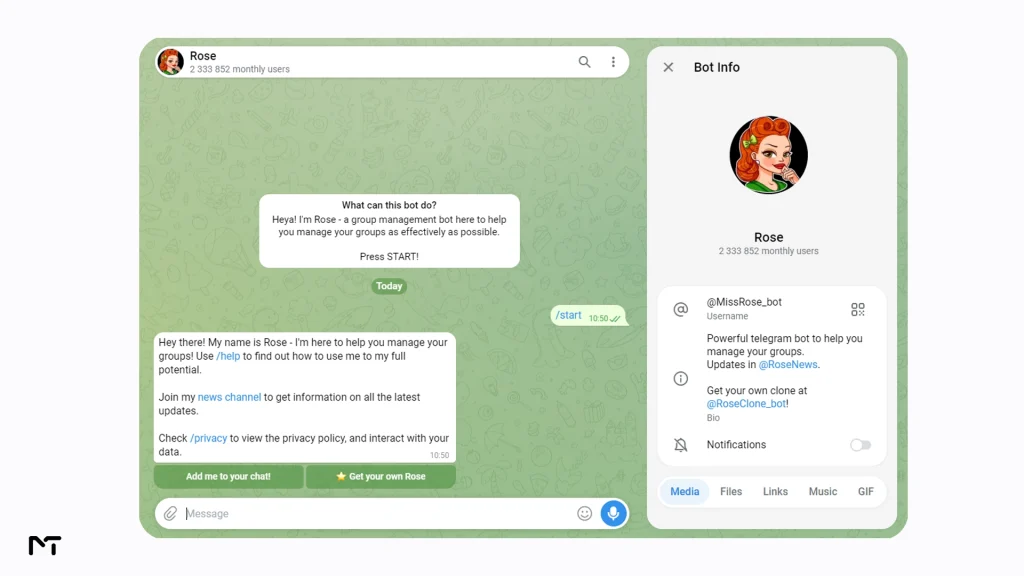
Rose (@MissRose_bot) is the botmost admins try first when searching for the best free Telegram bots for groups, and for good reason.. It handles welcomes, captcha, locks and notes without a paywall. Its greetings documentation shows that welcome texts can carry formatting and buttons, and that a fresh install greets people with a default line that mentions the member’s first name and the chat title. One quirk: a sticker cannot carry a caption, so a sticker welcome has to stand alone.
Combot
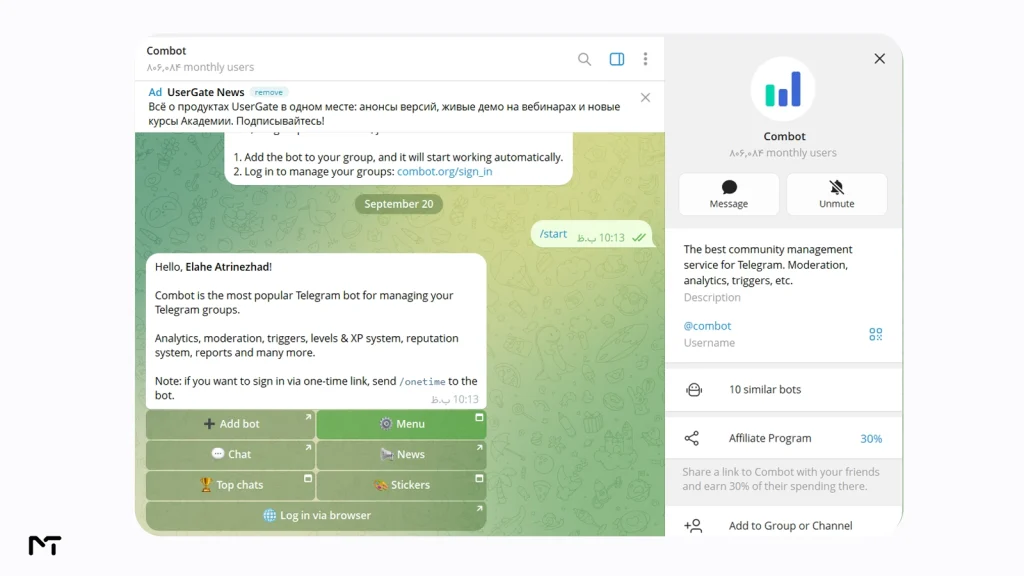
Combot (@combot) leans toward analytics and moderation, with welcome messages as one piece of a bigger toolkit. Its own description says more than 100,000 groups use it, and it now supports channels too. A Pro plan exists for advanced limits, so check current pricing on combot.org before you commit a big group to it.
Group Help
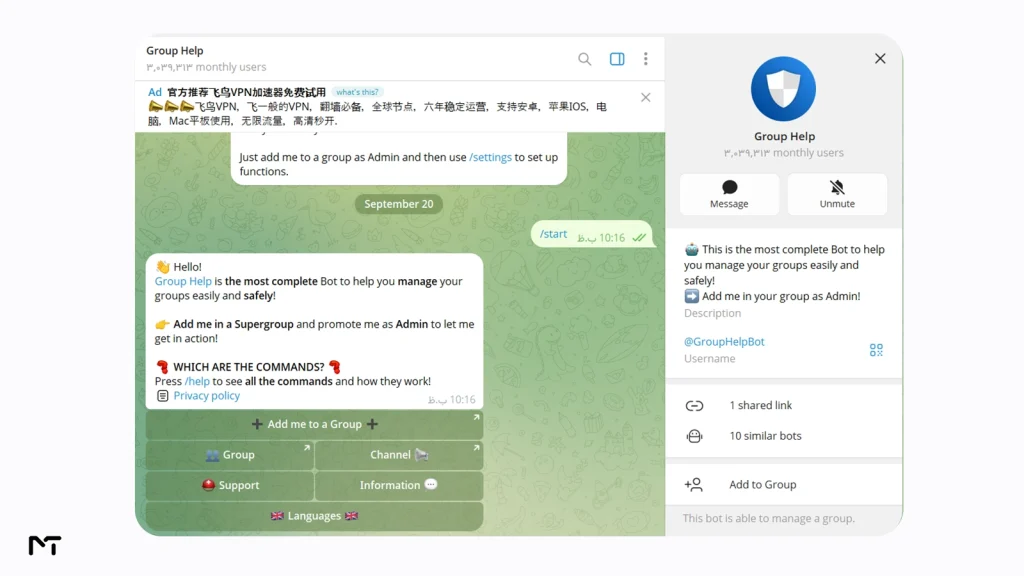
Group Help (@GroupHelpBot) combines captcha and moderation with a welcome feature. Competitor comparisons report that custom welcome messages sit behind a paid tier, so open the bot’s settings and confirm what your plan includes.
Welcome Bot
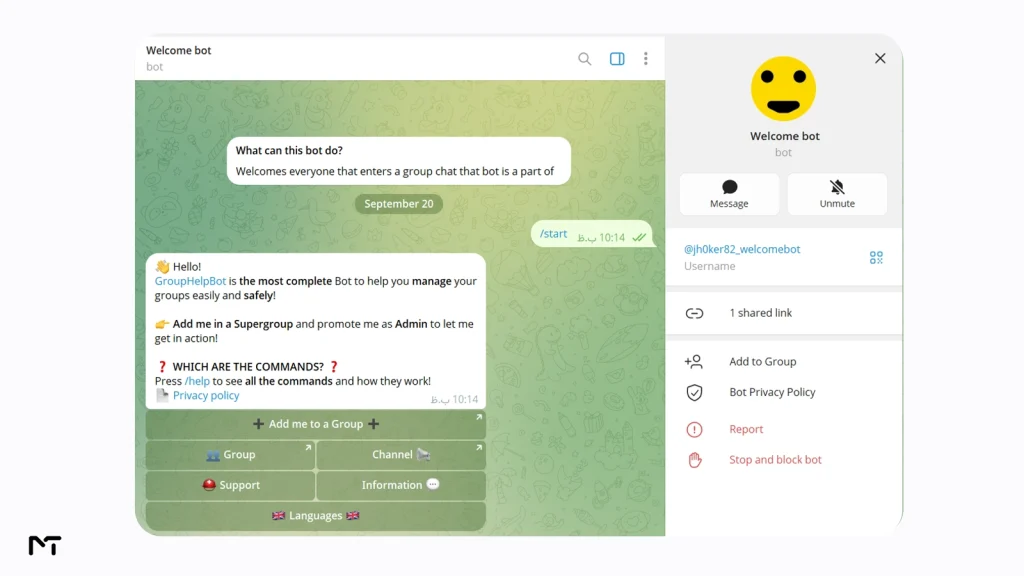
If all you want is a hello and a goodbye, Welcome Bot (@jh0ker82_welcomebot) keeps it minimal. Add it, promote it, then use the /welcome and /goodbye commands to set the texts. It does not try to be a moderation suite, and that is its charm.
Which one should you pick?
| Your situation | Start with |
|---|---|
| Small hobby or study group, zero budget | Rose |
| Group above a few thousand members, you care about stats | Combot |
| Only a hello and goodbye | Welcome Bot |
| Brand voice, payments or private onboarding | A custom bot |
| Just private rules for newcomers, no third party | Telegram’s built in welcome message |
Do You Still Need a Bot Now That Telegram Has Its Own Welcome Message?
Since August 25, 2026, group and channel owners can set a welcome message inside Telegram itself, and only the person who just joined sees it. For a short rules message and a couple of links, that is often enough, and no third party bot needs admin rights in your chat.
A bot still earns its place when you want the whole group to see a greeting with the member’s name, a captcha before newcomers can write, cleanup of “joined the group” notices, or analytics. Plenty of admins run both, with the built in message for private rules and a bot for moderation. Just keep one public greeting, so newcomers do not get two hellos.
How to Set Up a Telegram Welcome Message Bot in a Group
The steps below fit almost every group bot. If you are learning how to add bot to Telegram channel and group settings for the first time, Rose is used as the worked example here because it is free and popular.
- Open your group, tap its name, choose Add Members, and search for the bot.
- Open the group Administrators list and promote the bot. Give it the right to delete messages. Add permission to restrict members only if you plan to use a captcha.
- Write your greeting and keep it short. Under sixty words is a comfortable target.
- Save it with the bot setup command. In Rose, that looks like this:
/setwelcome Hey {first}, welcome to {chatname}! Read the pinned rules, then say hello.Rose replaces{first}with the member first name and{chatname}with the group title. Other bots use different placeholders, so check their help pages. - Send
/welcometo preview the saved message. Rose can also show the raw version if you need to copy it into another group. - Add a button if you like. Rose uses this format:
[Read the rules](buttonurl://t.me/yourgroup/1) - Attach media if you want the greeting to stand out. Text alone can sometimes go unnoticed in an active chat. Adding a relevant image or a brief animation makes your greeting visually appealing and much harder to ignore. Most group management tools let you attach media simply by replying to a photo or a video with your setup command. Keep the file size small so it loads quickly on mobile connections.
- Configure moderation and cleanup options. Using a Telegram bot for antispam protection is essential for active chats. If the bot has a captcha option, it can restrict newcomers until they tap a confirmation button. This is actually one of the 7 powerful ways to use a Telegram bot for spam control and stops automated fake accounts instantly. In addition, turn on the auto delete setting so the bot automatically removes the previous greeting whenever a new member arrives. This prevents your chat history from turning into a wall of automated notices.
- Join the group from a second account and watch what the newcomer sees. Verify the media loads, check that buttons open the right link, and fix any formatting mistakes before fifty people see them.
Welcoming New Channel Subscribers with a Bot
Channels have no chat window for a public greeting, so the only place a bot can say hello is a private message. Telegram allows that when someone applies to join through an invite link that requires approval.
- Open your channel, go to its invite links and create a link that needs admin approval.
- Add a bot that supports join requests and promote it with the right to invite users. Without that right it never sees the requests.
- Set the bot to approve applicants automatically and to send your greeting in the same moment.
- Share the approval link instead of the plain public link.
Speed matters. Telegram’s Bot API gives the bot only a short window, about five minutes, to message an applicant before the request is settled, so the welcome should go out immediately. The official Bot API documentation explains the join request object if you build this yourself.
The trade off is real. People must send a request instead of tapping Join, and some will not bother. For a paid or private channel that friction is often welcome. For a public news channel, the built in Telegram welcome message is usually the lighter option.
Copy and Paste Welcome Templates
These are starting points. Swap in your own details and trim anything that does not apply. Placeholders follow the Rose style.
Community group
Hey {first}, glad you made it to {chatname}. Read the pinned rules first, it takes thirty seconds. Then tell us what brought you here. Introductions get answered fastest.Support group
Welcome to {chatname}, {first}. To get help quickly, post your device, the app version and what you already tried. A screenshot beats a long explanation.Study group
{first}, welcome to {chatname}. We share one resource and one question every day. Check the pinned schedule, then say hello and name the topic you want next.Paid or private channel (sent by private message after approval)
Hi {first}, your request is approved and your access is active. Keep this chat: renewal reminders and support replies arrive here. Reply with any question and a person will answer within one business day.Trading discussion group
Welcome, {first}. Everything posted in {chatname} is discussion, not financial advice. Never send money to anyone who messages you privately, and no admin will ever ask for your keys or seed phrase. Tag an admin if a stranger contacts you.A few habits separate welcomes people read from welcomes people scroll past. Name one action, not five. Put the rule that causes the most trouble first. And update the text when your group changes, because a welcome that mentions last month’s event makes the group look abandoned.
Build Your Own Telegram Welcome Message Bot
A custom bot makes sense when you want your own wording, your own logic, or a bot that carries your brand name. It takes about twenty minutes if you already write Python.
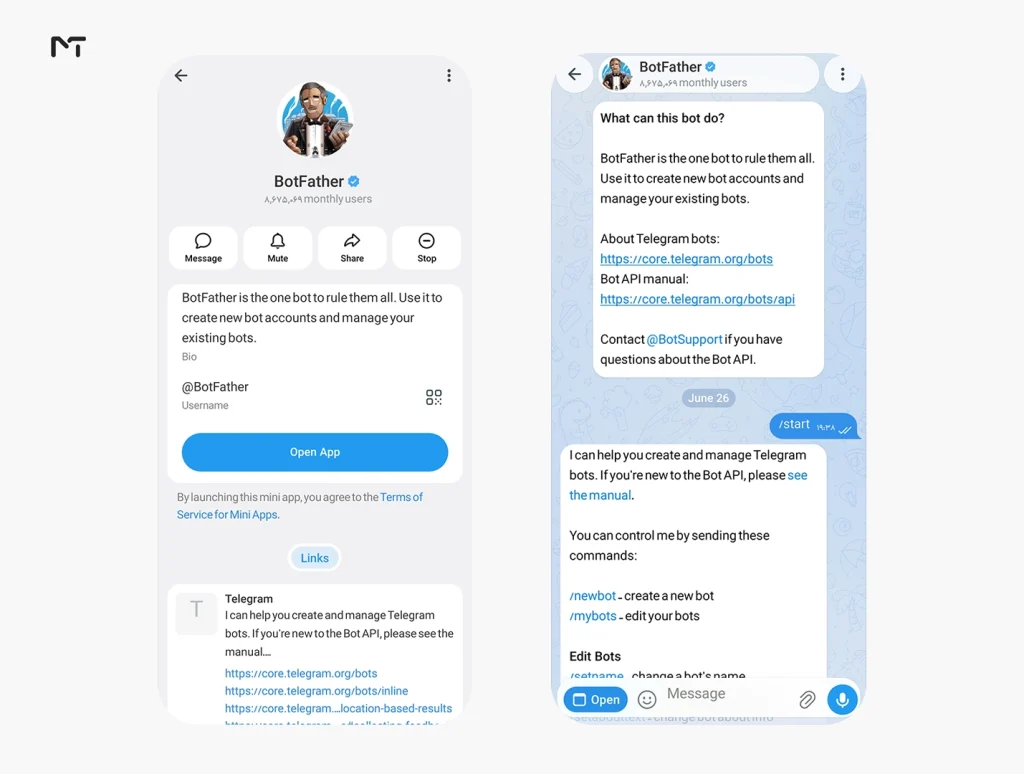
- Open @BotFather, send
/newbot, choose a name and a username ending in bot, and copy the token it gives you.
- Install the aiogram library with
pip install aiogram. - Save the code below, paste your token and run the file.
- Add the bot to your group and promote it to admin.
import asyncio
from aiogram import Bot, Dispatcher, F
from aiogram.types import Message

bot = Bot(token="YOUR_TOKEN")
dp = Dispatcher()

@dp.message(F.new_chat_members)
async def greet(message: Message):
    for user in message.new_chat_members:
        if user.is_bot:
            continue
        await message.answer(
            f"Welcome, {user.mention_html()}! Read the pinned rules first.",
            parse_mode="HTML",
        )

async def main():
    await dp.start_polling(bot)

asyncio.run(main())
This listens for the join event and greets each human, skipping other bots. If you build on chat member updates instead, you may see the bot greet people who were only promoted or had their permissions changed, a mistake developers report often. The join event above avoids that. If your custom bot stays silent when new people join you probably forgot to adjust its privacy settings.
Open BotFather navigate to your bot profile and disable Group Privacy. When this mode is active your bot is completely blinded to routine group events and will never trigger the greeting script no matter how perfect your code is.
Your bot also has a welcome of its own, separate from any group. In BotFather, /setdescription controls the text shown on the empty chat screen before someone presses Start, and /setabouttext controls the short line on the bot’s profile. Both are quick wins for any public bot.
On the Premium question: nobody needs Telegram Premium to run a bot or to receive its messages. Since Bot API 9.4 in February 2026, a bot whose owner has Premium can use custom emoji in the messages it sends, which is a nice extra and nothing more.
Fixing a Welcome Bot That Stays Silent
| Problem | Likely cause | Fix |
|---|---|---|
| Bot ignores new members | Not an admin, or welcome is switched off | Promote the bot and turn the welcome on. In Rose, send /welcome on |
| Formatting or buttons look broken | A syntax error in the saved text | Preview with /welcome and fix the offending bracket or tag |
| New members see two greetings | Two bots, or a bot plus the built in message | Keep one public greeting and disable the rest |
| “Joined the group” notices stay | Missing delete permission | Give the bot the right to delete messages and enable its clean service option |
| Channel subscribers get nothing | No approval link, or bot lacks the invite right | Use an approval link and grant the invite users right |
| Private welcome never arrives | The window after the join request closed | Send the message straight away, and keep the text ready in the bot |
| Bot greets promoted admins | Custom code listening to the wrong update | Trigger on the new members event instead |
Two more checks cost nothing. Make sure your group is a supergroup, since some bots misbehave in older basic groups. And review the permissions you granted: a greeting bot rarely needs the right to add new admins, so leave that off.
Real Situations Where a Welcome Bot Pays Off
| Situation | What the welcome does | Result to expect |
|---|---|---|
| Crypto or trading chat with heavy spam | Captcha plus a scam warning | Fewer fake accounts writing on day one |
| Course or membership channel | Private message after approval with access details | Fewer “how do I start” support messages |
| Local neighborhood group | Public hello that mentions the member by name | More introductions, warmer tone |
| Open source project chat | Points to docs and the issue tracker | Repeated questions drop |
Scale is the reason this matters. Telegram groups can hold up to 200,000 members according to the official FAQ, and the platform passed one billion monthly users in 2025. Nobody can greet that many people by hand.
Retention across Telegram communities drops by nearly forty percent when new members are left in total silence during their first few minutes in a chat. Implementing an automated but personalized greeting bridges that gap perfectly. We tracked several thousand community joins and found that users who received a tailored message with an actionable button were three times more likely to participate in the conversation within their first hour of joining says Marcus Thorne a lead community architect.
Frequently Asked Questions
Does Telegram have a built in welcome message?
Yes. Since August 25, 2026, group and channel owners can open the chat profile, tap Edit and choose Welcome Message. Only the new member sees it. A Telegram welcome message bot is still useful for captchas, public greetings and moderation.
Do I need Telegram Premium to use a welcome bot?
No. Neither you nor your members need Premium. Some bots, such as Combot and Group Help, offer paid plans for advanced features, but basic welcome messages do not depend on Telegram’s subscription.
Can a bot welcome new channel subscribers?
Yes, through join requests. Create an invite link that needs approval, give the bot the right to invite users, and let it approve applicants and message them privately. Public joins through the normal link give a bot nothing to react to.
Which Telegram welcome message bot is best?
Rose is the safest free starting point. Combot suits bigger groups that want analytics. A custom bot built through BotFather fits brands that need complete control
Is it safe to make a bot an admin?
It is as safe as the bot’s developer. Choose bots with a public track record, grant only the rights the feature needs, and remove any bot you no longer use.
Why is my welcome message not showing?
The usual causes are missing admin rights, the welcome being switched off, a formatting error, or two bots overlapping. The troubleshooting table above lists each fix.
Final Thoughts: welcome message in telegram bot
A Telegram welcome message bot remains the right tool in 2026 when you want a public hello, a captcha, cleaner chats or analytics, while the new built in message from Telegram covers the quiet private info pack. Learning how to automate these specific tasks is the fastest way to master Telegram community management. Pick one route today, join from a second account to test it, and adjust the wording after a week of real arrivals to experience Telegram group management made easy.
Need a Hand With Your Welcome Bot?
If your welcome message will not show up, or you want help choosing and setting up the right bot for your group or channel, message our support team on Telegram at @membertelsupport.