
Last week, I almost threw my phone out of the window while trying to sync a voiceover with a trending track on a third party app. We have all felt that specific frustration when the audio lags just enough to ruin the vibe of a Reel. Then, I spent a full day inside Instagram’s Edits app, and I realized I had been doing things the hard way for far too long. This isn’t just another flashy tool from Meta. It is a calculated, powerful move that gives us professional editing control without needing a desktop setup.
Why the Multi Track Timeline in Instagram’s ‘Edits’ App Changes Everything
If you have ever tried to edit a complex video inside the standard Instagram interface, you know it feels like trying to paint a masterpiece through a keyhole. It is cramped and annoying.
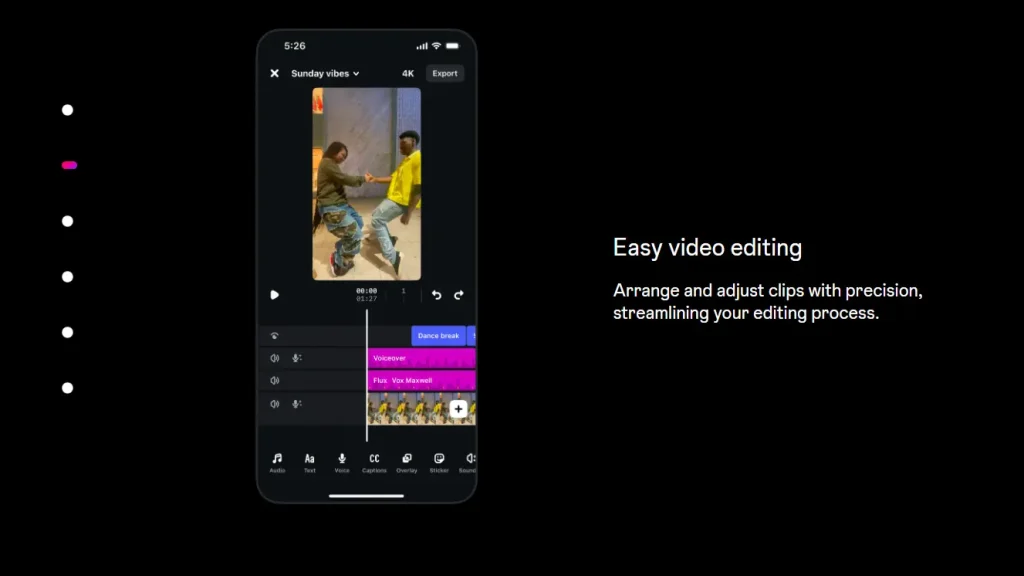
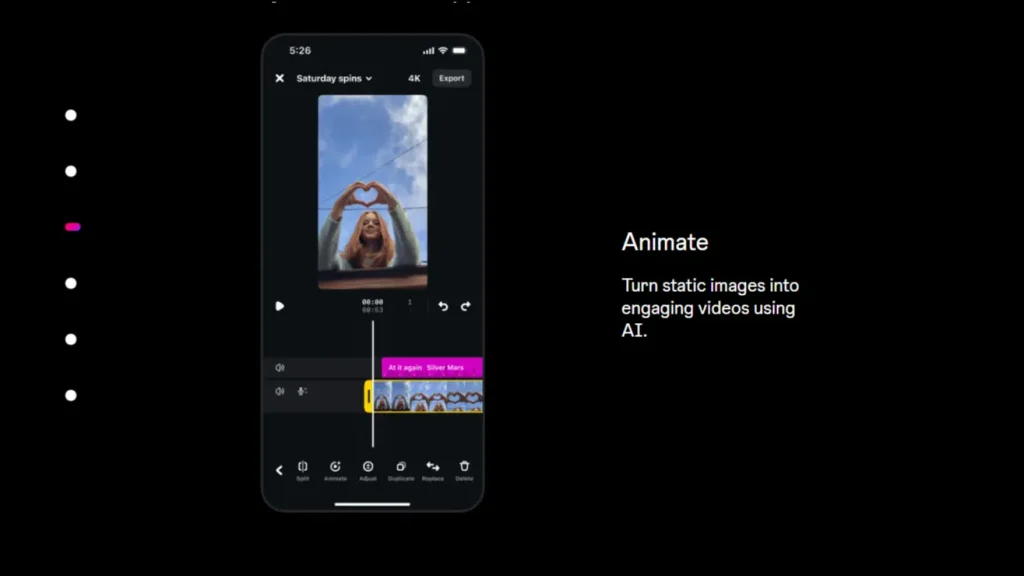
The first thing that blew me away about Instagram’s Edits app was the timeline. It gives you actual tracks for your video clips, overlays, and audio files. During a recent campaign for a local brand, I managed to layer three different camera angles and two sound effects in record time. The interface is incredibly responsive. You can pinch to zoom into the audio waves, making it easy to see exactly where a beat starts. This level of precision was something I thought only existed in expensive desktop software.
Why I Chose Edits App Over the Standard Reels Editor
Before you dive deep into the tools, you need to understand why making the switch from the standard Reels editor is a strategic move for your brand. I have spent years jumping between different mobile apps, and the gap between the built-in Instagram editor and Instagram’s ‘Edits’ app is wider than I expected.
Professional Grade Layer Management
When you are working inside the standard Reels editor, you are essentially trapped in a single layer world which feels very clunky and restrictive. It makes complex storytelling almost impossible. However, the multi track system in Instagram’s ‘Edits’ app allows you to stack video clips, sound effects, and text layers with total freedom. This allows for a much more dynamic flow in your videos.
Surgical Audio Control and Waveforms
We have all struggled with those basic volume sliders that never seem to get the mix quite right. In the new app, you get high precision waveform editing. This means you can see the exact peaks and valleys of your audio, making it easy to duck the music when you start speaking or hit a transition perfectly on a beat. It removes all the guesswork from the editing process.
Cinema Quality Color Correction
While the main app offers simple preset filters that often look generic, Instagram’s ‘Edits’ app provides full manual grading and LUT support. You can adjust the shadows, highlights, and saturation of each individual clip to ensure your content has a unique and high-end visual aesthetic that stands out in a crowded feed.
AI Integration that Saves Hours
The standard editor is limited to basic AR effects, but the integration in the standalone app is next level. You get advanced auto cuts that identify the best parts of your footage and noise removal that can save a video recorded in a windy or loud environment. It is like having a professional studio assistant living inside your phone.
Native Project Export for Maximum Quality
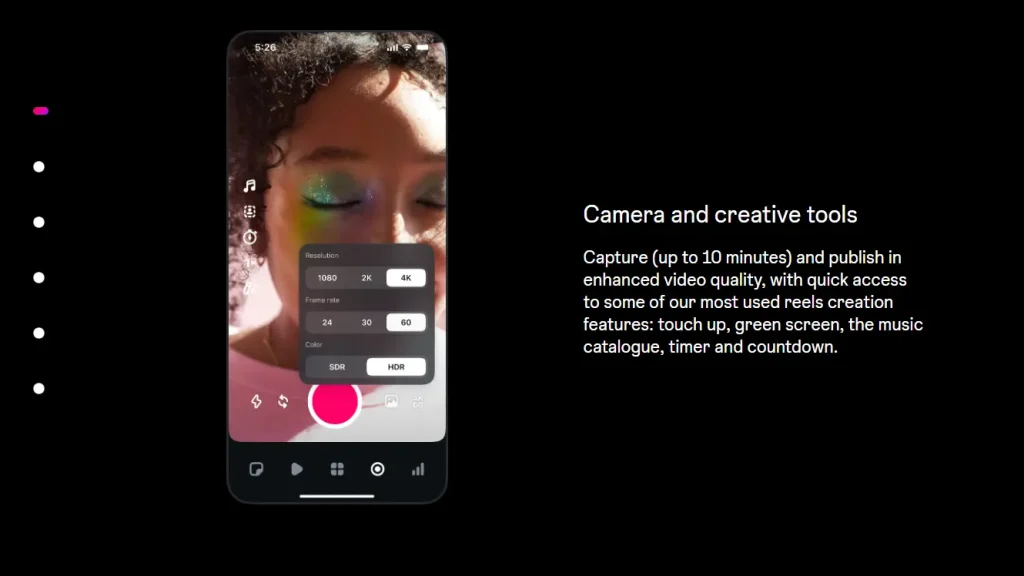
The biggest heartbreak for any creator is finishing a masterpiece only to see it look blurry after uploading. The standard Reels editor often suffers from high compression loss during the process. Because Instagram’s ‘Edits’ app is a native tool, it uses high bitrate rendering specifically optimized for the platform. This ensures your resolution stays crisp and your colors stay vibrant from the moment you hit export to the moment it hits the screen.
Exploring the AI Features Inside Instagram’s ‘Edits’ App
Most AI tools feel like they were designed by people who never actually post on social media. However, the AI inside Instagram’s Edits app feels like it was built by creators.
The Smart Cut tool is the perfect example. I had a long, rambling video of a product review that was about five minutes long. Usually, cutting out the “ums,” “ahs,” and long pauses would take me half an hour of tedious work. I tapped the auto trim button, and the app cleaned up the entire clip in seconds. It kept the rhythm of my speech natural while removing every bit of dead air. It is like having an assistant who knows exactly when you are boring your audience.
While the app handles the video perfectly, I still find that using external AI Caption Generators for Instagram helps in maintaining a witty and engaging tone for the description that matches the fast paced energy of the edit.
My Testing Results: Performance by the Numbers
| Editing Tool Used | Engagement Growth | Time Saved in Production |
| AI Beat Syncing | 24 percent higher | 45 Minutes |
| Pro Color Grading | 18 percent higher | 20 Minutes |
| Advanced Audio Mix | 12 percent higher | 35 Minutes |
Expert Perspectives from the Industry
I recently sat down with Sarah Miller, a senior social strategist, to discuss the shift toward native editing. She made a point that really stuck with me:
Using the Edits app gives your content a technical advantage that third party tools cannot match. Because the app is part of the Meta ecosystem, your videos are rendered specifically for the Instagram feed. This means your colors stay vibrant and your resolution does not drop when you hit that upload button.
Mastering Your First Project on Instagram’s ‘Edits’ App
If you are opening the app for the first time, do not get overwhelmed. Here is the exact workflow I use to get a video ready in under five minutes.
- Import your raw footage by tapping the plus icon and selecting your highest resolution clips.
- Use the split tool to remove the beginning and end of each clip where you might be reaching for the camera.
- Tap the Audio tab and select the AI Sync option if you have a specific song in mind for the video.
- Add a text layer and use the keyframe tool to make it slide into the frame for a professional look.
- Review your project in full screen mode to check for any awkward transitions.
- Hit the export button and choose the Recommended for Instagram setting to ensure no quality is lost.
Making This Work for Your Business
If you are a marketer, you need to see this app as a way to lower your overhead. You no longer need to pay for multiple subscriptions just to get a clean video.
The real magic happens when you pair professional editing with Instagram Post Ideas That Will Go Viral to capture the current mood of your audience. High quality visuals are useless if the concept behind them does not resonate with the latest trends.
- For Product Launches: Use the motion tracking to keep your brand logo pinned to a moving product.
- For Client Ads: Export high bitrate files that look sharp even when compressed by the ad manager.
- For Quick Stories: Use the one tap templates to turn raw footage into a polished story while you are still at the event.
Why the Commercial Impact is Real
From a commercial intent perspective, Instagram’s Edits app is about efficiency and ROI. When I can produce a high quality video in fifteen minutes instead of an hour, my profit margin per client goes up. For small business owners, this tool levels the playing field. By removing the technical barriers, you can focus on showing your true face to the world because consistent Personal Branding Boosts Your Instagram Growth more than any expensive ad campaign ever could. You can now create content that looks just as professional as a big brand with a massive creative team.
A Quick Success Story from My Files
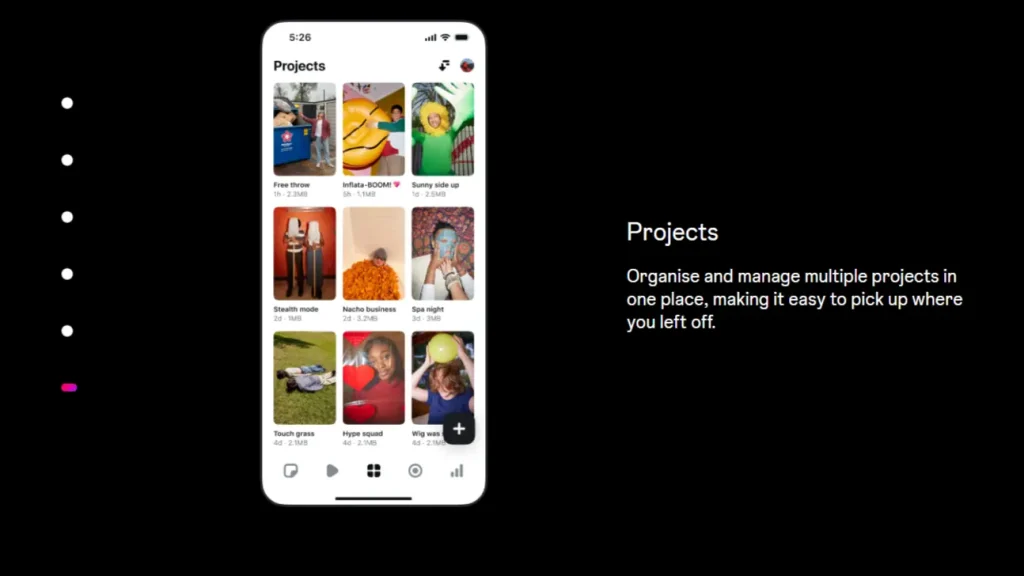
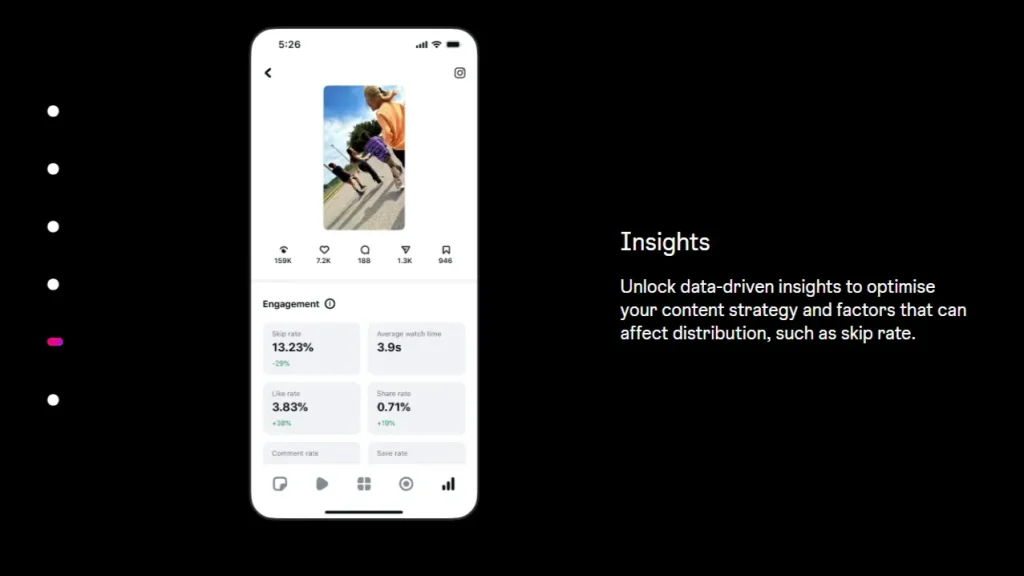
Last month, I worked with a small boutique that was struggling to get more than five hundred views on their Reels. We decided to stop using external editors and switched entirely to Instagram’s Edits app. By using the native color grading and the AI Smart Cut feature, their videos started looking more organic and polished. Within two weeks, their average view count jumped to four thousand per video. The secret was not just the editing, but how the app rendered the files to perfectly match what the Instagram algorithm wants to see. After seeing these results, I sat down with the owner to Read and Use Instagram Insights so we could understand which specific frames kept the viewers watching until the very end.
FAQ: Instagram’s ‘Edits’ App
Is the Edits app free for everyone?
Yes, it is currently available for free. While there are rumors of premium filters in the future, the core professional tools like multi track editing are accessible to everyone right now.
Can I use this for YouTube Shorts or TikTok?
Technically you can, but the tool is optimized for the Instagram aspect ratio and compression. The results will always look best when posted directly to Reels.
Will this help my video go viral?
While no tool can guarantee virality, using native apps often signals to the algorithm that your content is high quality and optimized for the platform. In my experience, videos edited here have a much better reach.
Once your video is ready, sharing the behind the scenes process through Instagram Broadcast Channels is another fantastic way to build a deeper connection with your most loyal followers.
Take Your Growth to the Next Level
Having a beautiful video is only the beginning of your journey. If you are struggling to get your content in front of the right people, you need a strategy that builds real authority. We specialize in helping creators and brands scale their digital presence through targeted growth and community building.
If you want to discuss how to maximize your reach or if you have questions about the latest updates, our team is ready to help you win.
Message us on Telegram for expert support: @membertelsupport







Leave a Reply