
I’ve been managing large online communities for years, and honestly, the biggest headache is always fragmentation. You have a lively group chat, but all your important updates, announcements, or premium content get lost in the noise. I used to spend hours pinning and unpinning messages until I realized there was a much better way to structure this on Telegram. If you are looking for How to create Telegram group with multiple channels to organize your community, you’ve come to the right place. I’m going to share exactly how I connect them for a seamless user experience.
Why I Switched to This Structure for Efficient Telegram Channel Management
Honestly, just having a group is messy. When I started combining groups with channels, engagement skyrocketed because people knew exactly where to go for what. It’s not just about organization; it’s about user psychology.
| Feature | Just a Group | Group + Multiple Channels |
| Noise Level | High | Low (Managed) |
| Important Updates | Lost instantly | Always visible |
| User Experience | Chaotic | Professional & Structured |
| Monetization | Difficult | Easy (Premium content channels) |
Beyond structure, implementing the right Telegram Marketing Tips to Boost Your Channel Growth is crucial. It’s not just about setting up channels; it’s about creating a flow that keeps users coming back for valuable content.
How to Create Telegram Group with Multiple Channels: The Step-by-Step Guide
Here is my personal workflow for setting this up. It’s not just technical; it’s about user flow.
Step 1: Create Your Core Community (The Group)
First things first, you need the hub.
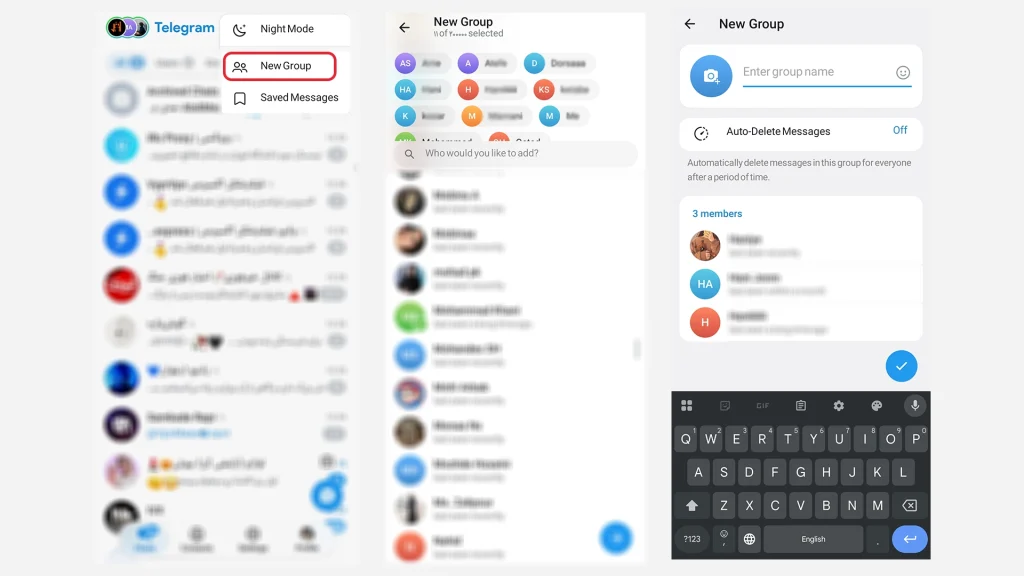
- Open Telegram, tap the menu, and select New Group.
- Add a few friends to start.
- Name it something descriptive (e.g., “Main Community Hub”).
Step 2: Create Your Specialized Channels
Now, think about what content you want to segregate. I usually have a General Chat Group paired with:
- A News/Update Channel.
- A Resources/Files Channel.
To create them, go to New Channel. Make sure they are Public if you want new members to find them, or Private if they are for existing group members only.
Also, always abide by community guidelines, as I learned the hard way about Why My Telegram Channel Was Banned previously. Maintaining a clean environment is vital for long term success.
Step 3: Link Them Together (The Secret Sauce)
Once linked, you will notice how Telegram Channel Views Impact Growth. Higher engagement in your discussion group naturally drives more eyes to your linked content channels.”
This is the part most people miss. You need to link these channels to your group so members can move between them seamlessly.
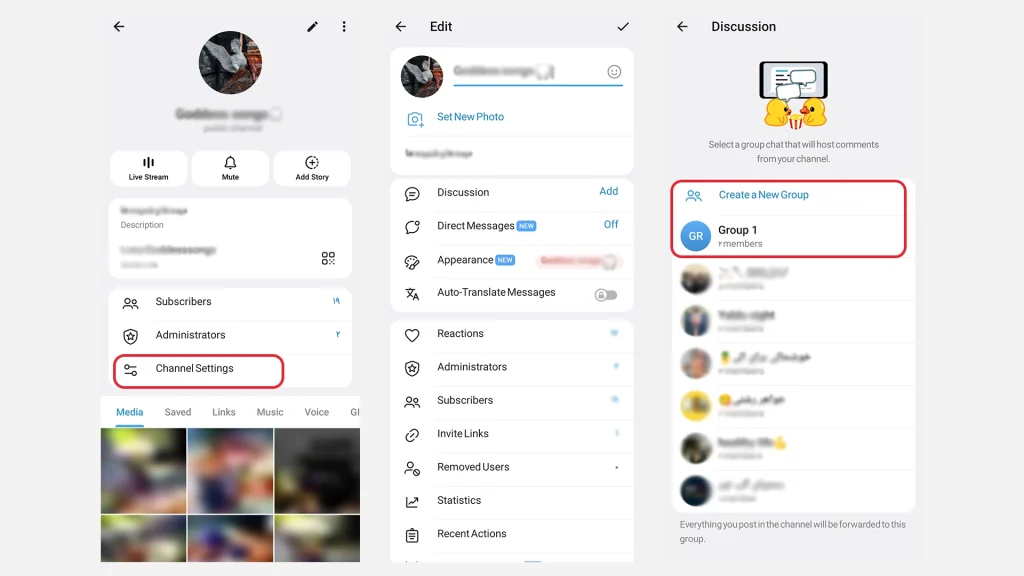
- Go to your Channel Settings.
- Tap on Discussion.
- Select the Group you created in Step 1.
Expert Tip from My Experience: “Linking a discussion group to a channel transforms it from a one-way broadcast into a two-way conversation. It instantly boosts engagement by allowing comments on specific posts.”
Tech Community Manager, 2026
Advanced Tools: How to Create Telegram Group with Multiple Channels and Use Bots
To make this look professional, I use bots to automate the cross-linking and user management.
Using these bots also helps leverage the native Telegram Features That Make Premium Feel Overrated, allowing you to get professional results without paying for expensive tools.
1. Essential Bots for Your Setup
Here are the exact bots I use to manage this setup:
- @ChannelHelpBot: I use this to set up automated welcome messages in the group that link directly to the channels. It’s essential for onboarding new members.
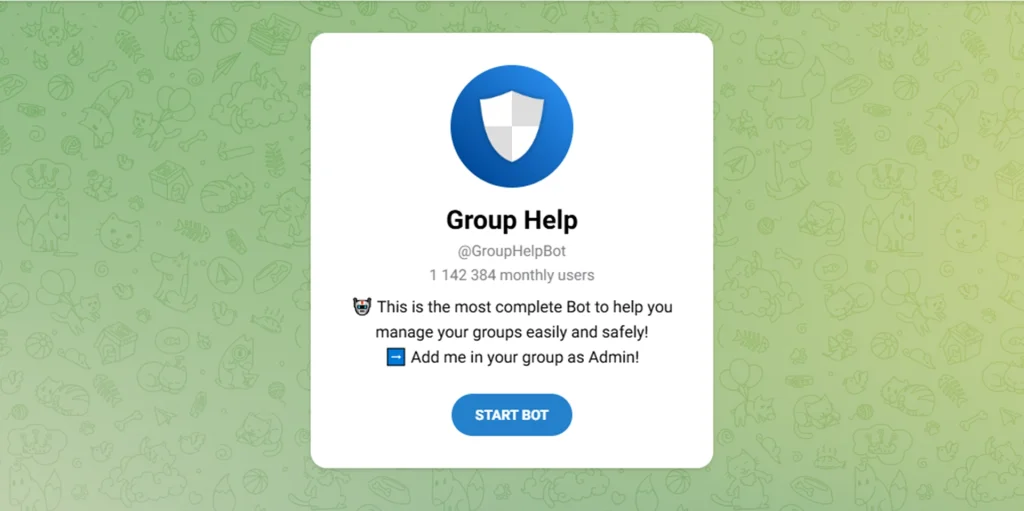
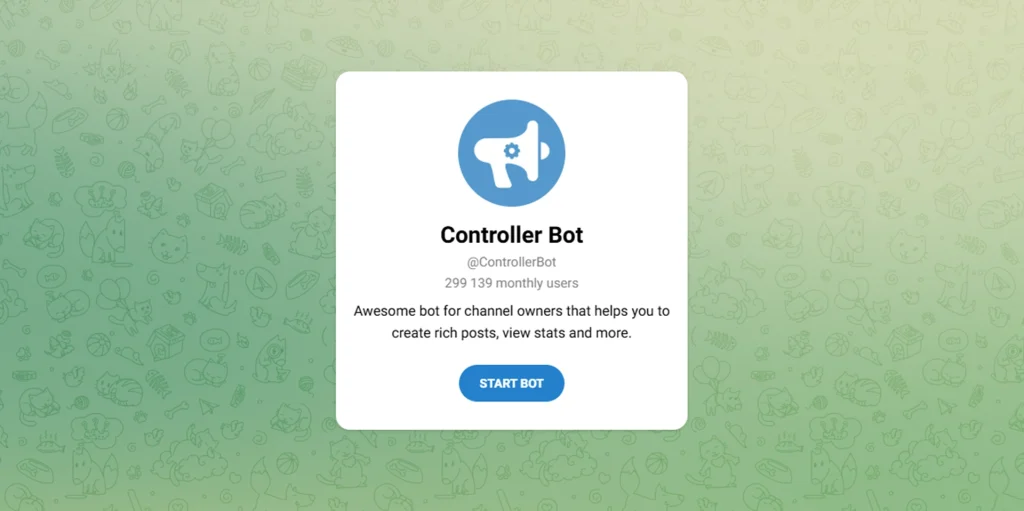
- @ControllerBot: This is essential for formatting posts in your channels with buttons that link back to the main group, and for scheduling posts.
Real-World Application: How to Create Telegram Group with Multiple Channels for Business
I recently set this up for a crypto investment community. We had:
- Main Group: Chaotic discussions.
- Channel A: Only buy/sell signals (Admin only).
- Channel B: Long-form educational articles.
By linking them, the main group stayed cleaner, and the “Signal Channel” became a premium feature they could pay to access.
For that specific crypto community, we even integrated specialized Telegram Bots for Crypto Portfolio Management directly into the channel to provide real-time updates.
It is a game-changer to Boost Telegram Channel Growth Using These Smart AI Bots while keeping the community organized.
Informational & Commercial Intent: What Members Want
Based on my experience, members have two main questions:
How do I join the sub-channels?
Answer: I put the links in the pinned message of the main group. I also use a bot to send a welcome message with all channel links whenever someone joins.
Members also often ask how to Bypass Telegram Channel Blocks if they are restricted by regional settings, which is why having multiple access points via bots is great.
Can I make money from this?
Answer: Absolutely. You can keep the group free to build trust, and have channels dedicated to premium content that require a subscription. There are many secure bot services available on Telegram specifically designed to handle membership management and payments for private channels.
Frequently Asked Questions (FAQ)
Can I link multiple channels to one group?
Yes! I currently have one main discussion group linked to three different channels (News, Freebies, and VIP).
Do group members automatically join the linked channels?
No, they don’t. You need to invite them to join the channels, which is why I pin the links in the group.
Can I have a private group with public channels?
Yes, but I recommend keeping them consistent. If the group is private, the channels should usually be private too for a cohesive experience.
Final Thoughts: How to create Telegram group with multiple channels
Learning How to create Telegram group with multiple channels changed how I manage communities. It takes a little setup time, but it saves hours of moderation later.
My Advice: Don’t overcomplicate it. Start with one group and two channels, then grow from there.
This structure isn’t just for organization; it’s a form of Telegram SEO that helps your community get discovered internally.
Ready to restructure your community?
Let me know in the comments if you hit any roadblocks!
- Create your group today.
- Link your first channel.
- If you need personalized help setting this up, message our support team at @membertelsupport.













Leave a Reply